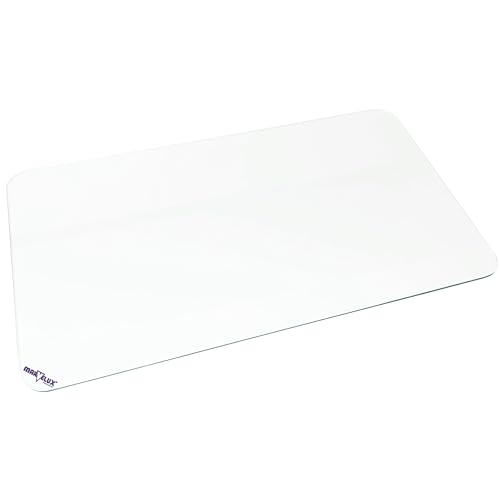
Standard foam mats often fray at the edges, accumulate dust, and clash with a carefully curated office aesthetic. As many users discover when exploring how pad choices affect tracking, surface construction matters. The best leather mousepads bring sophisticated texture and enduring spill protection to your workspace, creating a firm yet comfortable surface for daily typing and browsing.
Recommended by Us

CADONO PU Leather Desk Mat 23.6" x 13.7"
- Specialized suede backing prevents unwanted shifting during daily use
- Water- and heat-resistant surface makes clearing away spills straightforward
- Synthetic leather material is manufactured without unpleasant odors
- Slim 0.1-inch thickness provides a smooth, low-profile desk transition
- Constructed for single-sided use only due to the suede backing
- Compact 23.6-inch width may feel tight when pairing a full-size keyboard with a mouse

YSAGi PU Leather Desk Mat (23.6" x 13.8")
- Waterproof PU leather cleans easily with a wet cloth
- Suede backing significantly increases grip on smooth tabletops
- Comfortable surface for both mouse navigation and handwriting
- Effective barrier against desk scratches, spills, and heat marks
- At 23.6 inches wide, space is tight when pairing a full-size keyboard with a mouse
- Does not specify reinforced stitched perimeter edges
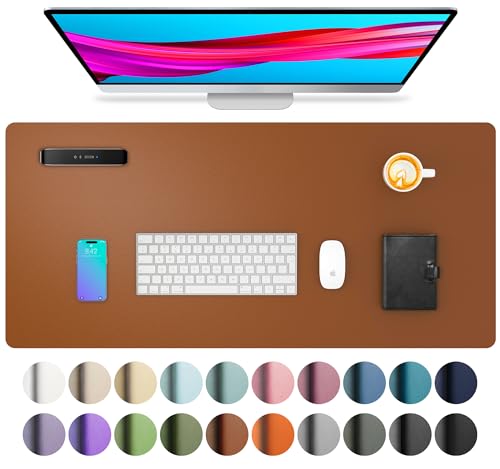
Aothia PU Leather Desk Pad
- Suede backing keeps the mat stable during fast mouse movement and active writing
- Liquid-resistant surface cleans effortlessly with a wet paper towel or cloth
- Protects delicate desk finishes from hot mugs, stylus marks, and laptop scuffs
- Slim 0.1-inch thickness sits close to the tabletop for a low-profile feel
- At 23.6 inches wide, it may feel cramped if using both a full-sized mechanical keyboard and a mouse
- Synthetic PU leather does not offer the patina aging of genuine hide
- Edges are cut rather than stitched, which requires careful handling to avoid fraying

Aothia PU Leather Desk Pad (23.6" x 13.7")
- Suede underside prevents desk sliding much better than standard smooth mats
- Waterproof PU leather repels liquids and wipes clean instantly
- Protects delicate desktop finishes from scratches, heat, and stains
- Even surface texture works reliably for both writing and optical mouse tracking
- Compact 23.6-inch width may not fit a full-sized mechanical keyboard alongside a mouse
- Slim 0.1-inch thickness offers minimal wrist padding compared to thick foam mats
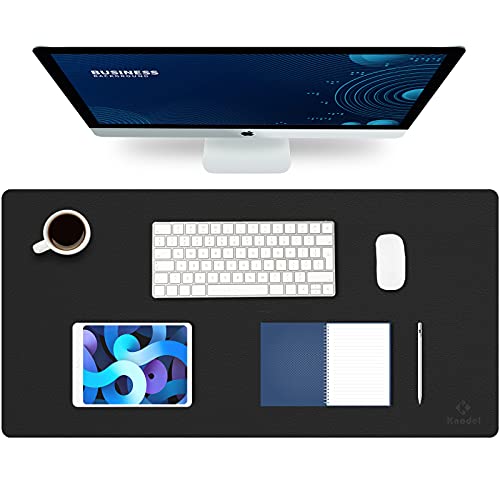
K KNODEL Leather Desk Mat 31.5x15.7
- Reversible two-color construction extends overall utility and aesthetic choices.
- Waterproof surface wipes clean easily after liquid spills or beverage condensation.
- Spacious dimensions provide ample area for both desktop accessories and mouse tracking.
- Smooth texture performs reliably for both optical mouse glide and pen handwriting.
- Lacks stitched perimeter borders to protect edges against long-term friction.
- Dual-sided leather finish lacks a specialized textured rubber backing for slick desks.
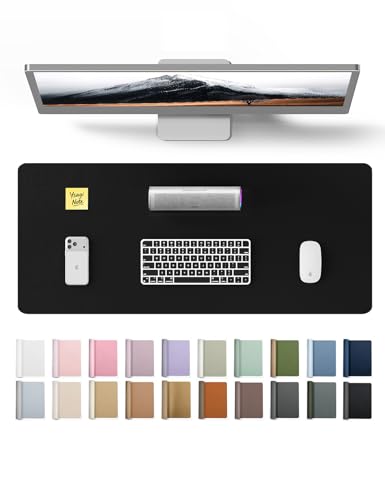
YSAGi Leather Office Desk Pad Protector
- Suede backing significantly cuts down on slipping compared to basic dual-sided leather pads
- Waterproof surface makes maintenance fast and hassle-free
- Compact footprint fits neatly on smaller workstations without crowding
- Protects delicate desktop finishes from heat, spills, and scratches
- At 23.6 inches wide, it may be too compact for full-sized keyboards paired with large mice
- Thin profile of around 0.04 inches offers minimal wrist cushioning

YSAGi Leather Desk Mat (31.5" x 15.8")
- Water-resistant surface cleans effortlessly with a damp wipe
- Suede backing significantly cuts down on slipping across smooth tables
- Comfortable, smooth texture for typing, writing, and mouse use
- PU leather does not provide the high-speed glide favored by competitive gamers
- At around 1mm thick, it offers minimal wrist cushioning
Selecting the Right Leather Mat for Your Desk
If you want an expansive surface that covers both keyboard placement and mouse movement, I would point you toward the YSAGi Genuine Leather Desk Mat. Measuring 31.5 by 15.8 inches, it provides generous real estate for a full-sized mechanical board alongside plenty of tracking area. The 2.5mm profile ensures your wrists sit at a comfortable angle without creating an abrupt ledge against the wood. In discussions over whether a desk pad changes daily pointer behavior, many readers wonder how mousepad surfaces affect sensor consistency during delicate tasks.
For anyone concerned about movement across slick desks, this mat pairs genuine New Zealand cowhide with an anti-slip rubber base. Traditional leather pads often use suede backings that slide during quick arm motions, but this textured rubber foundation stays firmly anchored. Manual edge stitching keeps the perimeter neat over years of heavy use. Publications like PC Gamer regularly highlight desk cleanliness, and this water-resistant hide easily wipes down when coffee spills occur.
FAQs
1. Are leather mousepads suitable for gaming?
While leather surfaces look handsome and resist spills, competitive players requiring rapid flick shots generally prefer traditional cloth weaves. Leather provides moderate control and steady glide, making it fine for casual play and productivity. Understanding mouse pad differences in sensor tracking can help you decide between leather sophistication and pure tournament speed.
2. How should you clean a genuine leather desk mat?
Daily maintenance only requires wiping the surface with a dry or slightly damp microfiber cloth. Spills should be blotted immediately so liquids do not soak into the pores of the hide. Applying a gentle leather conditioner once or twice a year keeps the material supple, preventing dryness or cracking over extended office use.
3. Do optical mouse sensors track reliably on leather surfaces?
Modern optical and laser mouse sensors handle matte leather surfaces without stuttering or jitter. Mats crafted from smooth cowhide offer uniform reflection for standard desktop sensors. However, highly glossy or unevenly textured novelty skins might cause minor pointer hesitation, which is why smooth matte finishes remain the preferred standard for daily computing.
4. Why is perimeter stitching important on a desk pad?
Perimeter stitching reinforces the bond between the upper leather face and the lower rubber base. Without stitching, frequent contact with wrists and forearms can eventually cause the layers to separate or curl at the edges. Consistent manual or machine stitching keeps the border flat, structured, and visually clean over prolonged periods.
Editor’s Verdict
When searching for the best leather mousepads, balancing authentic material quality with desk stability is essential. The YSAGi Genuine Leather Desk Mat earns my top recommendation thanks to its New Zealand cowhide construction, generous dimensions, and reliable rubber base. It delivers enduring protection against spills and scuffs while establishing an organized, dignified workspace.