Standard mouse mats often create clutter and restrict arm movement during wide sweeps. Upgrading your workspace with the best full desk mousepads provides a clean foundation that shields furniture while maintaining dependable sensor consistency. Covering your desk with a unified mat prevents uneven surfaces from interrupting long gaming sessions or everyday work tasks.
Recommended by Us

Rcege Large Extended Gaming Desk Mat
- Water-resistant finish makes wiping away accidental spills quick and easy
- Stitched borders effectively prevent premature edge peeling
- Firm rubber base grips desktop surfaces securely during fast mouse sweeps
- Modest footprint suits compact desks where giant oversized mats cannot fit
- Ultra-thin profile provides limited wrist padding compared to thick mats
- Shorter 23.6-inch width leaves less room if using an extra-wide full layout keyboard

Rcege Extended Gaming Mouse Pad
- Waterproof and spill-proof surface repels accidental liquid drops
- Reinforced stitched border increases longevity against edge wear
- Textured rubber backing keeps the pad firmly in place
- Compact extended footprint fits smaller desks effortlessly
- Very thin 1mm profile offers minimal wrist cushioning
- Shorter length than typical full-sized extended desk mats
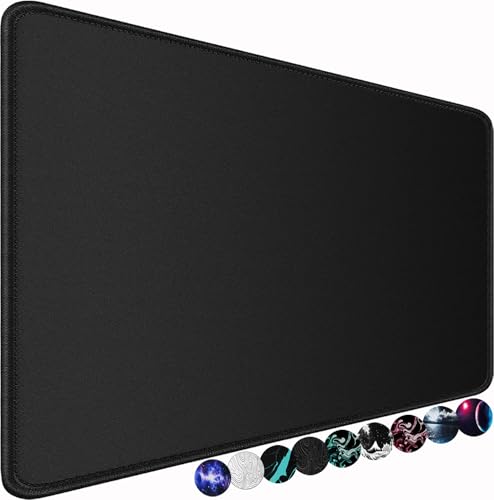
Naukay Large Gaming Mouse Pad XXL
- Large footprint declutters desk space and protects tabletop surfaces
- Hydrophobic coating makes liquid cleanup quick and painless
- Durable perimeter stitching extends overall pad lifespan
- Textured rubber base effectively prevents slipping
- Very thin profile may provide minimal wrist cushioning for some users
- Plain black design offers no aesthetic visual flair or custom graphics

Brecoy Japanese Desk Mat XL
- Smooth Lycra weave provides balanced tracking speed and control
- Waterproof top coating simplifies cleanup after accidental splashes
- Strong rubber backing holds firm across diverse desk surfaces
- Flexible and lightweight enough to roll up and take anywhere
- Slim depth of 11.8 inches offers less vertical mouse room than deeper square pads
- Very thin profile at approximately 1mm might not provide heavy wrist cushioning
- Minor discrepancy in listing between 30.5-inch and 31.5-inch length measurements

Tongyanat 15W Qi Wireless Mouse Pad
- Convenient 15W built-in Qi charging zone directly on your desktop pad
- Water-resistant coating protects the surface from liquid damage
- Reinforced perimeter stitching extends overall durability
- Grippy non-slip base prevents unwanted sliding on smooth desks
- Narrow 12-inch vertical height may feel restrictive for low-DPI arm aimers
- Requires a dedicated Type-C cable tether to power the charging coil
- Specific RGB illumination controls are not thoroughly detailed in the listing

Glorious GMP 2 XL Gaming Mouse Pad
- Effective spill-resistant coating keeps liquids from soaking into the weave
- Low-profile stitched borders are smooth against wrists and forearms
- Dependable rubber backing prevents shifting across varied desk materials
- Balanced surface offers a versatile mix of quick glide and control
- XL sizing accommodates only the mouse rather than a full keyboard and mouse setup
- Plain black colorway offers minimal aesthetic variety for custom desks

Envysun XXL RGB Gaming Mouse Pad
- Spacious surface accommodates full gaming keyboards alongside low-DPI mouse swipes
- Diverse 19-mode RGB lighting works right out of the box without extra software
- Stable non-slip rubber backing resists shifting on the desk
- Convenient USB-C plug-and-play design with built-in mode memory
- Lighting is managed strictly via an onboard button rather than system software
- Requires a permanent USB connection to power the perimeter illumination
Selecting the Right Surface for Your Workspace
When setting up a unified desk layout, surface balance and overall thickness matter significantly. If you need a spacious mat that accommodates a full keyboard alongside broad mouse sweeps, the AREYTECO Full Desk Mousepad is the one I would go with. Its 31.5 by 15.7-inch dimensions supply ample room for low-sensitivity aiming, ensuring your mouse never catches an exposed edge during rapid corrections.
For buyers who prioritize ergonomics, the slim 0.08-inch profile keeps your wrist closer to the desk surface, which reduces pressure during prolonged use. The finely woven cloth face ensures reliable sensor control, making it a dependable pick whether you handle daily office tasks or quick competitive shooters. As writers at PC Gamer often highlight when discussing desk ergonomics, reducing wrist lift helps maintain posture over extended sessions. The rubber underside keeps everything firmly anchored, while reinforced stitched edges prevent peeling over months of constant movement. Readers often ask if a gaming mouse pad makes a difference in tracking, and having an uninterrupted cloth texture certainly provides consistent friction across the entire workstation.
FAQs
Q: Does a full desk mousepad protect against accidental liquid spills?
A: Many extended fabric mats feature water-resistant coatings that prevent liquids from immediately soaking into the fibers. While heavy spills still require immediate cleanup, light splashes of water or coffee bead on the surface for a short time, making them easy to wipe away with a microfiber cloth before desktop damage occurs.
Q: How does desk mat thickness affect wrist comfort during long hours?
A: Slim mats around two millimeters thick keep your forearm close to the desktop plane, reducing wrist extension. Thicker mats provide more cushioning against hard desk corners, but a lower profile generally prevents the feeling of your hand resting over a raised step, which helps minimize joint fatigue.
Q: Why are stitched edges important on large desk surfaces?
A: Constant contact with forearms and wrists naturally creates friction along the perimeter of any extended pad. Reinforced edge stitching locks the top cloth layer to the non-slip rubber base, preventing the edges from curling, fraying, or separating after repeated daily movements across the workspace.
Q: Can a large desk mat improve optical sensor tracking across the desk?
A: Direct wood, metal, or glass surfaces can produce uneven tracking or sensor skips. A consistent cloth weave ensures optical sensors read surface movement uniformly, which provides reliable glide control whether you make tiny cursor adjustments or sweeping swipes across wide desktop areas.
Editor’s Verdict
For an organized workspace that blends comfortable gliding with reliable desktop protection, the AREYTECO Full Desk Mousepad represents the standout pick among the best full desk mousepads, thanks to its low-profile thickness and durable edge stitching.