


A compact case saves desk space but leaves less room for airflow, so cooling is the first thing to check. Among the best compact prebuilt gaming PCs, the CoolerMaster NR2 Pro pairs AMD Ryzen 7 9800X3D with NVIDIA GeForce RTX 5070 Ti 16GB, and the AVGPC RTX 5060 TI is the lower-cost pick.
Recommended by Us
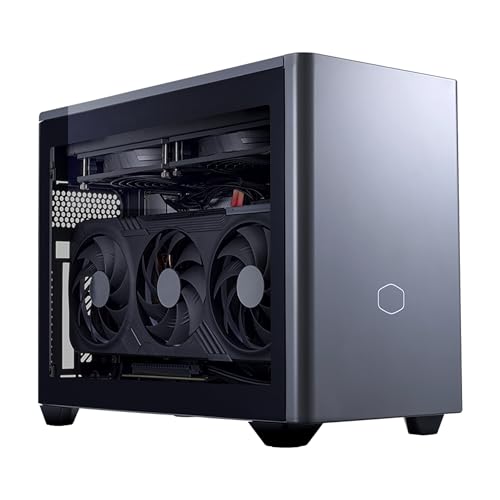
Cooler Master NR2 Pro 9800X3D RTX 5070 Ti
- Powerful CPU-GPU combo in a genuinely compact chassis, ideal for space-constrained setups
- Generous 32GB RAM and 2TB storage eliminate upgrade needs for years
- Includes both glass and mesh panels for customizable thermals and looks
- High-speed DDR5 RAM and Gen4 NVMe storage support demanding creative workflows
- Modern connectivity suite with USB 3.2 Gen 2 Type-C and wireless options
- Mini ITX form factor limits future upgrade options compared to standard ATX builds
- No reviews available yet, so real-world reliability and customer experience are unverified
- Premium pricing typical of pre-built systems with high-end components

AVGPC Mini-X RTX 5060 Ti Gaming PC
- RTX 5060 Ti graphics with 8GB of GDDR7 memory
- Generous 32GB RAM and 1TB NVMe SSD configuration
- Space-saving Mini-ITX system in an approximately 18-liter case
- Built-in Wi-Fi and Bluetooth connectivity
- Gaming keyboard and mouse included
- The 8GB graphics memory may be restrictive for demanding high-resolution workloads
- A 1TB drive can fill quickly with a large software or gaming library
- The listing does not specify the available external ports
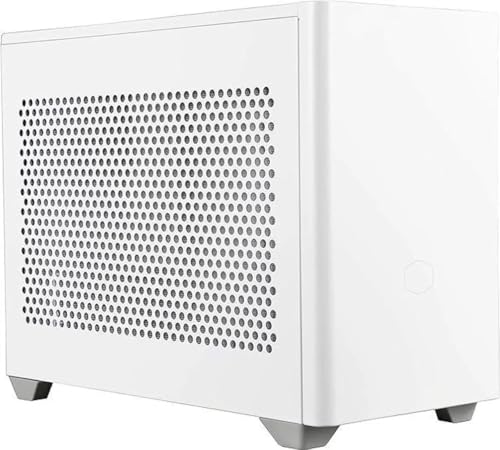
AVGPC Mini-X RTX 5060 Ti Gaming PC
- RTX 5060 Ti graphics with newer GDDR7 video memory
- Generous 32GB RAM configuration
- Compact Mini-ITX design with an 18L case
- 650W Gold SFX power supply is listed
- Wireless connectivity and gaming peripherals are included
- 8GB of VRAM may become restrictive in especially demanding graphics workloads
- DDR4 memory is an older generation than DDR5
- A 1TB drive may require expansion for users with large game libraries

GMKtec NEO-X1 Pro RTX 5070 Gaming PC
- Strong Ryzen 9 and RTX 5070 configuration for demanding 1440p gaming
- Generous 32GB DDR5 memory and 2TB PCIe 4.0 storage
- Memory expansion up to 96GB and storage expansion up to 16TB
- Three selectable performance modes for controlling power and fan behavior
- Compact 14.6-liter metal chassis with liquid CPU cooling
- The soldered mobile processor cannot be replaced like a socketed desktop CPU
- Front USB-A ports are limited to USB 2.0 speeds
- Performance mode allows CPU power up to 160W with a 170W peak, which may increase fan noise and power consumption

TOPGRO T1-MAX RTX 4070 Mini Gaming PC
- High-end RTX 4070 graphics with 8GB GDDR6
- 24-core Intel Core i9 processor with up to 5.4GHz turbo frequency
- Generous 32GB DDR5 memory and fast 1TB PCIe 4.0 storage
- One-touch full-speed fan control for demanding workloads
- Dual 4K display support plus Wi-Fi 6E and 2.5G Ethernet
- The listing does not state the graphics card power limit, which can affect performance in a mini PC.
- HDMI connectivity is limited to HDMI 2.0 rather than a newer HDMI standard.
- Power supply wattage and chassis material are not specified.
What Compact Really Means
A compact prebuilt gaming PC uses a smaller case to save desk or floor space while still accommodating a full gaming GPU. That does not automatically make it a mini PC. Before ordering, compare the case dimensions with your available space, including extra clearance for power cables, display connections, and ventilation. Our guide to gaming PC specs explains the main components.
Case color, glass panels, and RGB lighting do not determine gaming performance. The GPU has the greatest influence in graphically demanding games, while the CPU matters for simulation, high-refresh gaming, and background tasks. Check GPU length, cooler size, fan placement, and ventilation rather than judging a system by its appearance. Good cable routing also helps prevent wires from obstructing fans or vents.
When Compact Is Wrong
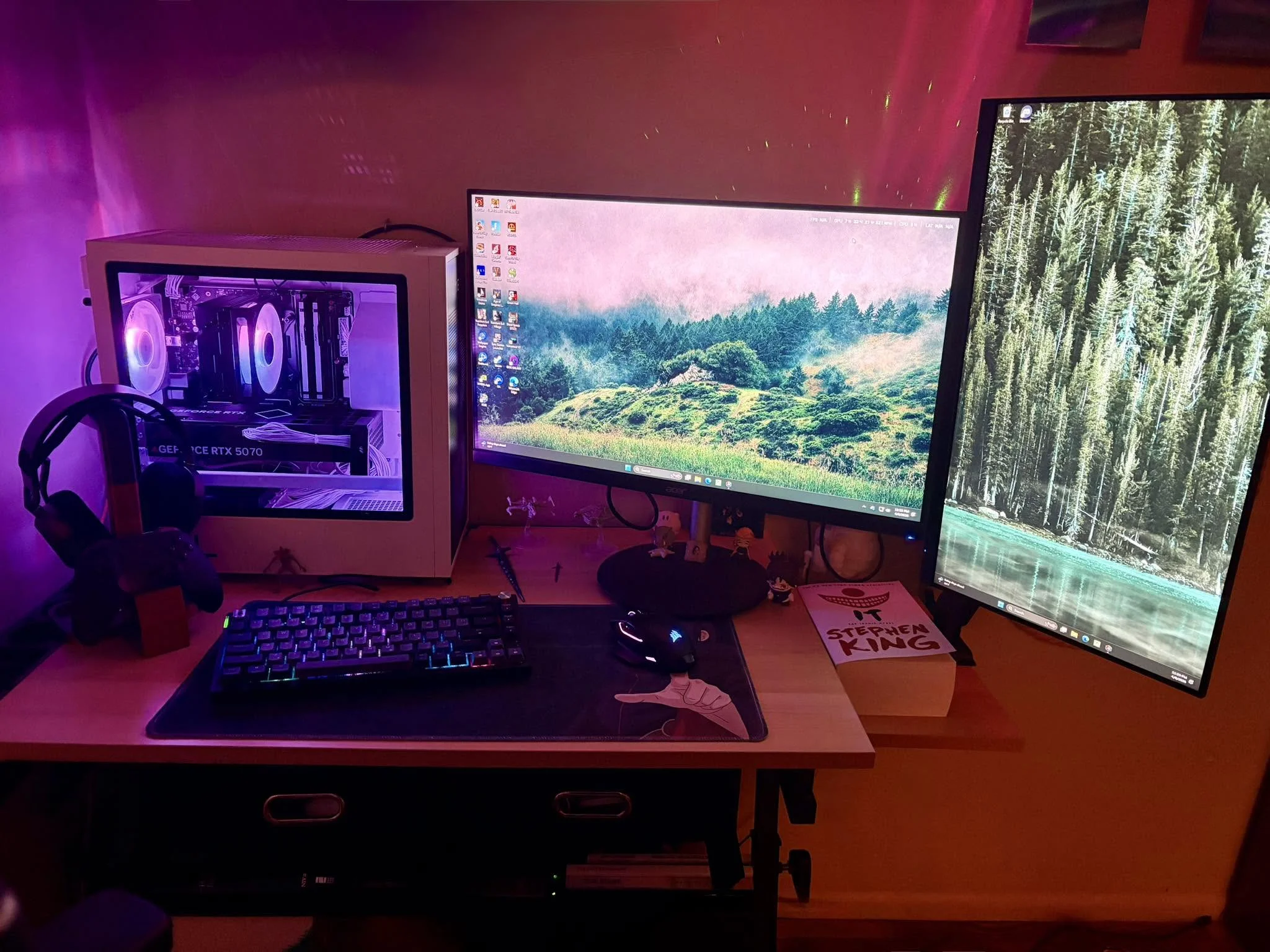
Skip a compact system if you frequently replace graphics cards, add storage drives, or work inside the case. Smaller layouts can place components close together, making connectors and screws harder to reach. A standard mid-tower generally offers more room for expansion, easier cable management, and broader compatibility with large coolers and graphics cards.
Compact still means a smaller case that saves desk space while holding a full gaming GPU, not identical performance from every small computer. Buyers prioritizing quiet operation should consider a larger airflow-focused tower instead. The GPU and CPU determine performance, not the case styling, so compare case dimensions, GPU clearance, cooling hardware, and ventilation before choosing either format.
Six Rules for Choosing Well
Start with the physical measurements. Product photos can make a case appear smaller than it is, particularly when no monitor or keyboard is shown for scale. Measure the intended location and leave room behind and around the computer for cables, exhaust airflow, and access to ports.
Choose the GPU tier before considering RGB or case color. Graphics hardware has a direct effect on resolution, image settings, and ray-tracing capability. A decorative panel cannot compensate for a weaker GPU. Our CPU and GPU comparison explains where each component matters.
Check the cooling hardware as carefully as the processor name. A powerful CPU can create substantial heat inside a tight enclosure, and sustained workloads depend on moving that heat out effectively. Look for clear descriptions of the CPU cooler, case fans, ventilated panels, and available operating modes.
Note: Smaller cases have less room for airflow, so check the included fans and whether the GPU has enough open space to breathe. Avoid placing the finished system directly against a wall or inside a closed cabinet.
Confirm that the memory configuration suits your workload. These systems include substantial memory, but memory generation, speed, slot count, and expansion limits still differ. DDR5 is newer, although a well-balanced DDR4 system remains useful for gaming. Our DDR4 and DDR5 overview covers the distinction.
Look beyond total storage capacity. Modern game libraries grow quickly, so check whether the computer provides another M.2 slot or other practical expansion path. Storage access matters in a compact build because reaching a motherboard slot may require removing the GPU, cooler, panels, or internal brackets.
Treat cable management and RGB control as usability features rather than performance features. Neatly routed cables can make maintenance easier and reduce the chance of obstructing airflow. If lighting matters, verify whether the system offers software control, a physical switch, or only a fixed lighting effect before buying.
A Sensible Upgrade Order
- Expand storage first when the existing drive becomes crowded. This is usually more useful than replacing capable gaming hardware simply because a newer component has appeared.
- Add or replace memory only when actual workloads need it. Check the motherboard or system limit, slot availability, memory type, and whether the existing modules must be removed. Our gaming PC memory guide provides useful context.
- Upgrade the GPU when it no longer delivers the visual quality or resolution you want. Confirm card dimensions, power requirements, connector placement, and cooler clearance before purchasing anything for a compact case.
- Replace the CPU or platform last. Motherboard compatibility, cooler clearance, BIOS support, and power delivery can make this a larger project, especially if the prebuilt uses unusual components. Review proprietary PC parts before planning major changes.
Compact PC Questions Answered
1. Does a smaller gaming PC lose performance?
Not simply because its case is smaller. A compact system with the same CPU and GPU class can provide similar gaming capability, but cooling and power limits can affect sustained performance. Compare the actual components, cooler design, fan layout, and performance modes instead of assuming every small case behaves the same way.
2. Is a compact prebuilt worth the extra cost?
It can be worthwhile when desk space is limited or you need a computer that is easier to relocate. Compact cases, small-form-factor power supplies, and tightly integrated cooling can cost more than standard components. Buyers with plenty of room may get easier upgrades and stronger airflow from a conventional mid-tower in a similar performance class.
3. How can I prevent heat problems?
Keep every intake and exhaust vent clear, place the computer on a hard surface, and clean dust filters periodically. Do not enclose it in a cabinet without ventilation. When comparing systems, prioritize documented cooling hardware and sensible fan placement. Our PC bottleneck guide explains why balanced components matter.
4. Can I change the case or lighting later?
Lighting may be adjustable when the manufacturer provides compatible controls, but some systems offer only basic on-and-off operation. Moving the hardware into another case is more involved because motherboard size, power-supply format, cable length, GPU clearance, and cooler mounting must all match. Check those details before treating a case swap as a simple cosmetic change.
Matching Systems to Buyers
- Best overall: AVGPC Ryzen 7 5700X RTX 5060 TI combines compact Mini-ITX hardware, 32GB of RAM, and an 18L case.
- Best for the strongest GPU: CoolerMaster NR2 Pro pairs GeForce RTX 5070 Ti graphics with a 280mm AIO.
- Best value: AVGPC RTX 5060 TI offers RTX 5060 Ti graphics, 32GB of RAM, and a compact NR200 case.
- Best alternative brand: GMKtec RTX 5070 provides RTX 5070 graphics, liquid cooling, and three performance modes.
- Best runner-up: TOPGRO RTX 4070 includes RTX4070 graphics, expandable memory, and simple RGB control.
Our Compact Gaming Verdict
The AVGPC Ryzen 7 5700X RTX 5060 TI is the most balanced option for buyers who want capable gaming hardware in a clearly documented compact case. Its white NR200 enclosure also suits lighter desk setups. Choose the CoolerMaster NR2 Pro instead when GPU strength, DDR5 memory, larger storage, and liquid cooling matter more than keeping the configuration modest.
Other Systems Worth Comparing
- CoolerMaster NR2 Pro RTX 5080 steps up to GeForce RTX 5080 16GB graphics while retaining an 18.25L ITX design, a 280mm AIO, and an 850W Gold power supply. It suits buyers prioritizing high-end graphics in a small chassis.
- Olialia RTX 3060 TI uses a compact mid-tower rather than a Mini-ITX layout. Its Ryzen 7 5700X, 32GB of RAM, six adjustable RGB fans, and dual glass panels suit buyers who want visible components and broad airflow.
- Lenovo Legion Tower 5 is a microATX alternative with an Intel Core Ultra 7 processor, RTX 5060 Ti graphics, liquid cooling, and multiple expansion slots. Consider it when upgrade access matters more than minimizing case volume.









