


High frame rates are the goal in Counter-Strike 2, so pair a quick CPU with a mid range GPU. Among the best prebuilt gaming PCs for Counter-Strike 2, the CyberPowerPC RTX 5060 TI uses a Ryzen 7 8700F, and the Ocean of Stars 9600X ARC B580 is the Intel graphics option.
Recommended by Us

Skytech Crystal RTX 5060 Ti Gaming PC
- RTX 5060 Ti graphics with 8GB of GDDR7 memory
- 32GB of RAM is generous for a prebuilt gaming desktop
- 1TB NVMe M.2 SSD combines useful capacity with fast storage
- Includes Wi-Fi, Windows 11 Home, keyboard, and mouse
- Multiple USB generations and dedicated HDMI and DisplayPort outputs are listed
- Wi-Fi 5 is older than Wi-Fi 6 and Wi-Fi 6E
- The graphics card brand may vary between units
- Only one HDMI and one DisplayPort connection are guaranteed, while additional outputs may vary

CyberPowerPC Gamer Master RTX 5060 Ti
- Current Ryzen 7 and GeForce RTX 5060 Ti component combination.
- 16GB DDR5 RAM is included rather than older DDR4 memory.
- 1TB PCIe 4.0 SSD provides substantial built-in storage.
- Windows 11 Home and WiFi readiness are listed.
- The listing does not specify the case design, cooling hardware, or installed power supply.
- Port selection and wired networking details are not listed.
- The memory upgrade layout and available storage expansion options are not specified.

HELLOLAND RTX 5070 Gaming Desktop
- RTX 5070 graphics card includes 12GB of VRAM
- Generous 32GB DDR4 memory for gaming and multitasking
- Fast 1TB PCIe SSD storage
- 240mm AIO liquid CPU cooling
- Built-in Wi-Fi and Bluetooth with no-bloatware Windows 11 installation
- DDR4 memory is an older platform standard than DDR5
- Motherboard model and power supply specifications are not listed
- The listing does not provide specific gaming performance benchmarks
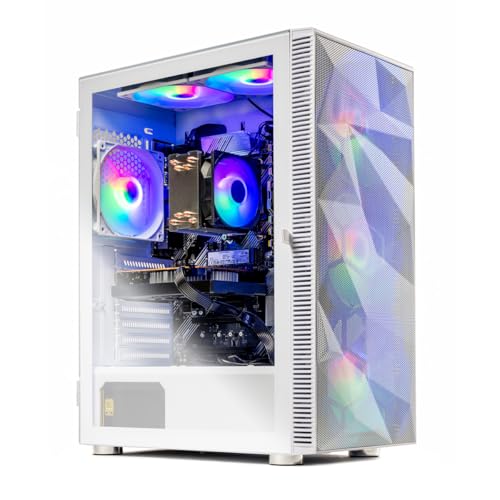
Skytech Storm Ryzen 7 RX 9060 XT Gaming PC
- RX 9060 XT graphics are aimed at high-detail 1080p gaming
- 1TB NVMe M.2 SSD provides fast, practical storage capacity
- Mesh-front case and multiple ARGB fans promote airflow
- HDMI, DisplayPort, and several USB generations are supported
- Keyboard and mouse are included
- 16GB of RAM may be limiting for heavier multitasking compared with 32GB configurations
- The listing specifies older 802.11ac Wi-Fi rather than a newer Wi-Fi standard
- Motherboard model, power supply specifications, and exact graphics card brand are not provided

HELLOLAND Ocean of Stars Ryzen 5 Gaming PC
- Modern AMD Ryzen 5 9600X processor
- Intel Arc B580 graphics card with 12GB of video memory
- Two SSDs provide 2TB of combined storage
- 240mm AIO cooling and software-controlled RGB lighting
- Wi-Fi, Bluetooth, and Windows 11 included
- 16GB of RAM may be limiting for particularly demanding multitasking workloads
- The secondary 1TB drive uses SATA rather than PCIe storage
- The listing states that the graphics card brand may vary
What Counter-Strike 2 Needs From a Gaming PC
Counter-Strike 2 rewards a fast processor and consistent performance more than an oversized graphics card. The CPU must process game logic, player movement, and frequent updates without causing distracting slowdowns. A fast modern six-core processor is a sensible starting point, while newer or higher-tier chips can provide extra headroom for competitive settings and background programs. A mid-range GPU is usually sufficient for playing at 1080p or 1440p, especially when visual settings are chosen for visibility and responsiveness. Our guide to gaming PC specs covers the broader hardware considerations.
The rest of the setup matters too. A high refresh rate monitor can display more of the frames produced by a capable PC, making movement look clearer and controls feel more immediate. A wired Ethernet connection is also preferable when practical because it avoids the interference and signal variation that can affect wireless networking. Stable cooling helps the CPU maintain its expected performance during long sessions, while an SSD keeps boot and loading times short. These supporting components turn a powerful tower into a balanced competitive gaming setup.
Worth knowing: A fast PC cannot show its full benefit through a basic display. Check your monitor’s supported refresh rate and available inputs before choosing your system.
Key Parts for Counter-Strike 2
Focus on a balanced specification rather than choosing a PC from its graphics card alone.
| Part | What to Look For |
|---|---|
| CPU | A fast modern six-core processor or better helps keep frame rates steady during competitive play. |
| GPU | A mid-range graphics card is generally enough for 1080p and 1440p gaming. |
| RAM | 16GB is the practical floor, while 32GB gives streaming and background applications more room. |
| Monitor and network | A high refresh rate screen and wired connection help reduce display limitations and network lag. |
The same GPU can appear in listings with very different processors, memory capacities, cooling systems, and power supplies. Compare the complete specification instead of assuming two similarly named computers will behave identically. Memory configuration, connectivity, storage, and warranty coverage also affect day-to-day ownership. Our prebuilt comparison explains the wider trade-offs.
How to Choose a Prebuilt for Counter-Strike 2
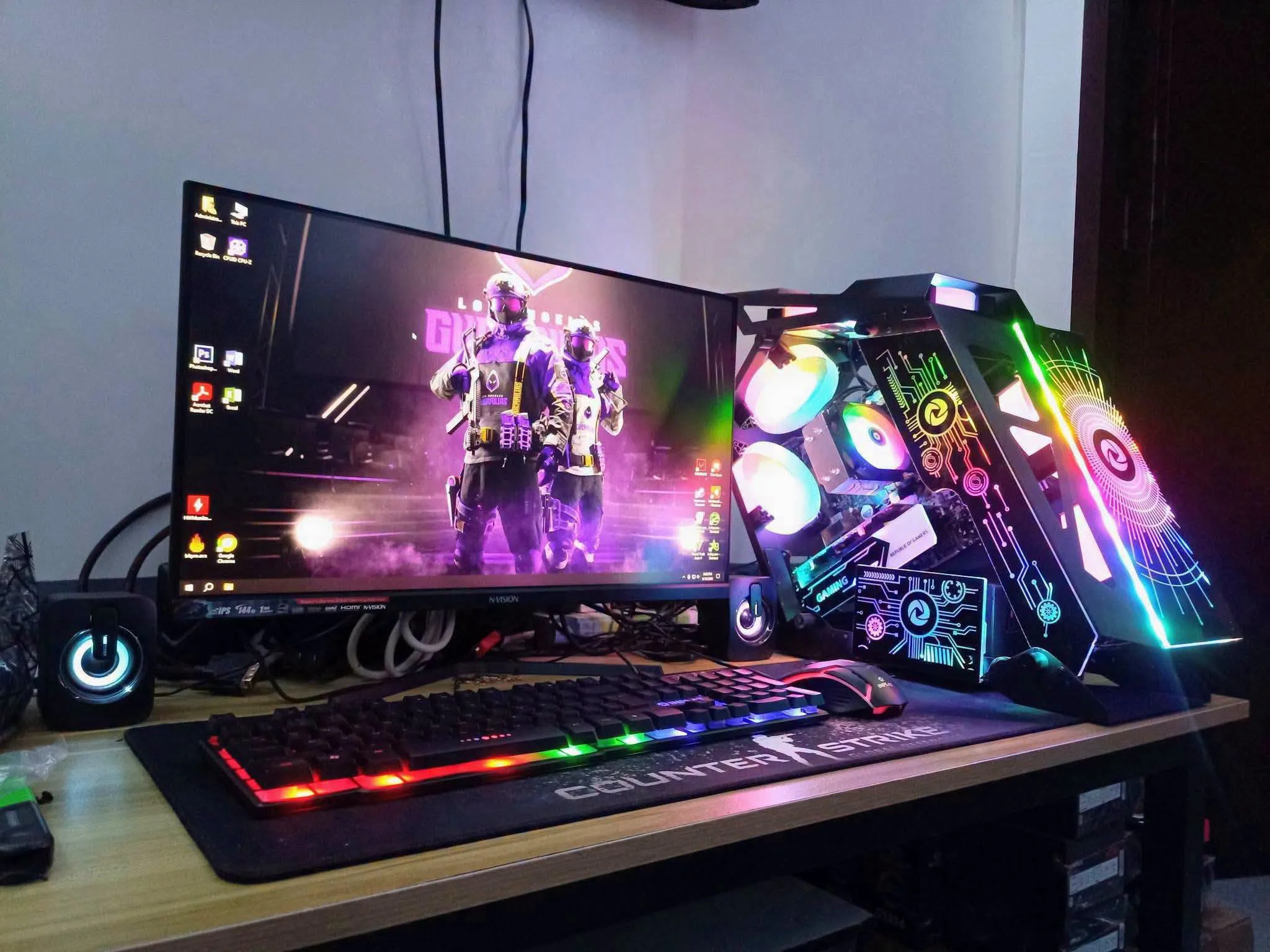
Use your monitor, competitive goals, and other workloads to decide where the system’s hardware budget should go.
CPU Speed Matters
A fast CPU is particularly valuable in Counter-Strike 2 because competitive play depends on responsive input and steady frame delivery. A modern six-core processor is a practical baseline, but core count does not tell the entire story. Processor architecture, clock behavior, cooling, and the rest of the platform also influence how consistently a system performs. Compare the full CPU model rather than relying only on labels such as Ryzen 5, Ryzen 7, or Intel Core i5.
Extra cores can help if you stream, record gameplay, keep many browser tabs open, or run voice and monitoring applications in the background. They are less useful if the individual cores are relatively slow. Cooling also deserves attention because a processor needs adequate airflow or liquid cooling to sustain performance under a prolonged load. Our article on proprietary PC parts can help you identify systems that may be harder to modify later.
Pick the Right GPU Tier
Match the graphics card to your monitor’s resolution and refresh rate rather than automatically choosing the most expensive option. A mid-range GPU is generally suitable for Counter-Strike 2 at 1080p and 1440p. More graphics power provides additional flexibility for higher visual settings, demanding secondary workloads, or a higher-resolution display, but it should not come at the expense of a noticeably weaker processor in a competitive-focused build.
Look at the exact GPU name and its listed video memory, since products from the same broad family can occupy different performance tiers. These systems include NVIDIA GeForce, AMD Radeon, and Intel Arc options. Brand alone does not determine suitability. Driver support, display connections, processor pairing, and the monitor you intend to use should all inform the choice. A balanced CPU and GPU combination is usually more useful than one standout component surrounded by compromises.
RAM and Storage
For a current gaming PC, 16GB of RAM is the practical starting point. That capacity leaves room for Counter-Strike 2, Windows, voice chat, and common background tools, provided you manage heavier applications sensibly. Moving to 32GB is worthwhile for streaming, content creation, extensive multitasking, or simply reducing the need to close programs before playing. Memory generation and configuration can differ between prebuilts, so read each listing carefully.
An SSD should also be considered essential for a responsive modern system. Every PC featured here includes solid-state storage, though capacities and interfaces vary. A larger drive gives you more room for recordings, applications, and other files without immediately adding another disk. Storage can often be expanded later, but available mounting points and motherboard connectors depend on the system. Our gaming PC RAM article provides more detail on choosing capacity.
Monitor and Connection
A high refresh rate monitor completes a competitive setup by showing more of the visual updates that the PC produces. Check the display’s maximum refresh rate at your intended resolution, then confirm that the PC and monitor share a suitable HDMI or DisplayPort connection. A premium tower paired with a basic screen may feel less responsive than expected, so leave room in the overall setup for an appropriate display if you do not already own one.
Use wired Ethernet when possible. Wi-Fi is convenient, but walls, distance, congestion, and interference can cause fluctuations that are outside the PC’s graphics performance. Several featured systems list wireless connectivity, which remains useful when running a cable is impractical. Regardless of the connection type, place the router sensibly and avoid unnecessary background downloads while playing. A stable network cannot replace strong hardware, but it helps the complete system deliver a more consistent competitive experience.
Who Should Buy Which System
- Best overall: HELLOLAND Black RGB combines an AMD Ryzen 7 5700X, RTX 5070 12GB, and 32GB RAM.
- Best for the strongest GPU option: Skytech Ryzen 5 5500 RTX 5060 TI pairs an RTX 5060 Ti 8GB with 32GB RAM.
- Best value: Skytech Storm RX 9060 XT offers a Ryzen 7 5700 and 1TB SSD.
- Best alternative brand: CyberpowerPC RTX 5060 TI includes DDR5 memory, Wi-Fi 6, and an RTX 5060 Ti 8GB.
- Best runner-up: Ocean of Stars 9600X ARC B580 features a Ryzen 5 9600X, Intel Arc B580 12GB, and two SSDs.
Final Thoughts
The HELLOLAND Black RGB is the strongest overall recommendation for buyers wanting generous memory and a higher-tier graphics card. Its processor, storage, and cooling specification also make it a balanced choice.
For a value-oriented alternative, the Skytech Storm RX 9060 XT provides the core hardware needed for a responsive Counter-Strike 2 setup without making the graphics card the only priority.
More Options to Consider
- STORMCRAFT Sirius uses an Intel i5 14400F, RTX 5060, and 16GB DDR4. It suits buyers who prefer an Intel-based alternative with a listed 650W Gold power supply.
- HOENGAGER Panorama combines an AMD Ryzen 7 5700X with an RTX 5060 and 32GB RAM. Its 240mm AIO and panoramic white case suit buyers prioritizing cooling and appearance.
- HOENGAGER Panorama RTX 5050 pairs a Ryzen 5 9600X with DDR5 memory and an RTX 5050 8GB. It suits CPU-focused buyers who can accept a lower graphics tier.
FAQs
1. What PC specs do I need for Counter-Strike 2?
Start with a fast modern six-core processor, a mid-range graphics card, 16GB of RAM, and an SSD. This creates a sensible baseline for responsive 1080p or 1440p play without overspending on graphics power. Consider 32GB of memory if you stream or keep demanding applications open. The processor, cooling, monitor, and network connection should be evaluated alongside the GPU rather than treated as secondary details.
2. Is a prebuilt gaming PC good for Counter-Strike 2?
Yes, a well-balanced prebuilt can be a good choice for Counter-Strike 2. It arrives with Windows and core hardware already assembled, which removes the component selection and building stages. Check the complete specification, warranty, cooling, connections, and potential upgrade restrictions before ordering. Our prebuilt PC warranty overview explains what coverage details deserve attention.
3. Is the CPU or GPU more important for Counter-Strike 2?
The CPU is especially important because Counter-Strike 2 benefits from fast processing and consistent frame delivery. A capable GPU is still necessary, particularly at 1440p or with higher visual settings, but a mid-range model is generally sufficient. Avoid pairing an expensive graphics card with a weak processor solely because the GPU has the more recognizable name. A balanced configuration provides a better competitive experience and handles background tasks more predictably.
4. How much RAM does a gaming PC need for Counter-Strike 2?
16GB is the practical floor for a current Counter-Strike 2 gaming PC. It provides enough space for the game, Windows, voice chat, and ordinary background applications when multitasking is kept reasonable. Choose 32GB if you plan to stream, record, edit content, or leave numerous programs open while playing. Also check whether the listing uses DDR4 or DDR5 and whether future memory upgrades are supported.
5. How much should I spend on a PC for Counter-Strike 2?
A mainstream or mid-range prebuilt is usually the sensible target because Counter-Strike 2 does not require the largest available graphics card. Spend enough to get a fast current processor, a capable mid-range GPU, 16GB or more of RAM, and solid-state storage. Higher-tier systems make more sense for buyers using high-resolution monitors, streaming, or running other demanding software. Remember to account for a suitable monitor and peripherals in the overall setup.









