

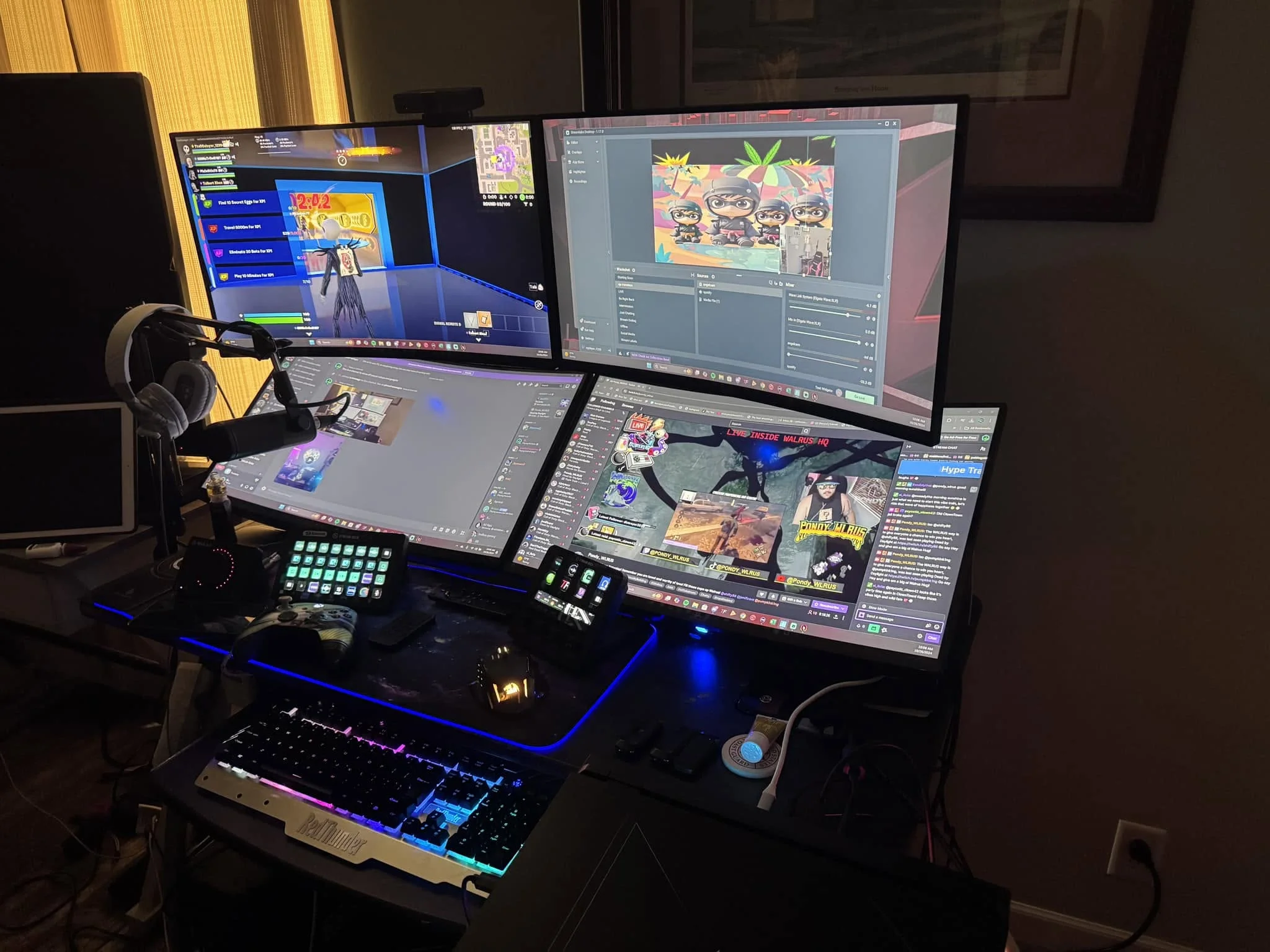
Playing and broadcasting from the same machine is one of the hardest jobs for a PC, so the best prebuilt PCs for gaming and streaming need real CPU cores and an RTX card with a hardware encoder. The KOTIN RTX 5070 is the strongest all-rounder, and the STGAubron R7 5700X is the cheaper way in.
Recommended by Us
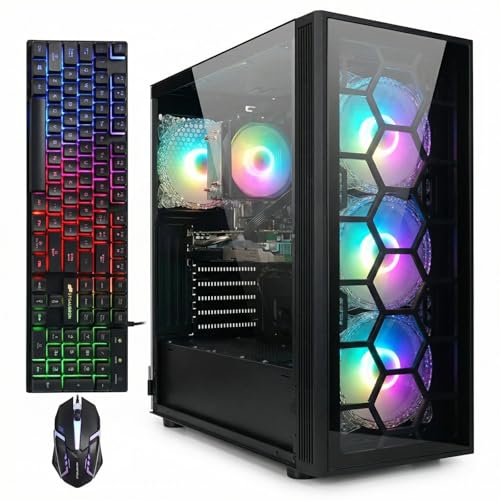
STGAubron Gaming PC R7 5700X RTX 3050
- Bundled RGB mouse and keyboard eliminate additional purchase costs
- Ryzen 7 5700X handles gaming and productivity tasks competently
- Wi-Fi 6 and Bluetooth 5.2 provide modern wireless connectivity
- Free lifetime tech support removes long-term support concerns
- Runs popular games at 60+ FPS as claimed
- Zero verified user reviews limit real-world performance data
- RTX 3050 is entry-level for newer AAA games at high settings
- PSU wattage and case size not specified in listing

Olialia RTX 3060 Ti Gaming PC, Ryzen 7
- Strong CPU and GPU pairing for 1440p gaming and streaming
- Ample 32GB RAM for heavy multitasking and creative work
- Extensive connectivity options (Wi-Fi 6, multiple ports, legacy support)
- Fast NVMe storage eliminates loading delays in games
- Windows 11 included, no OS setup required
- 600W PSU may be tight for future GPU upgrades
- No upgrade path or service warranty information provided in listing
- Case size and cooling solution details not specified
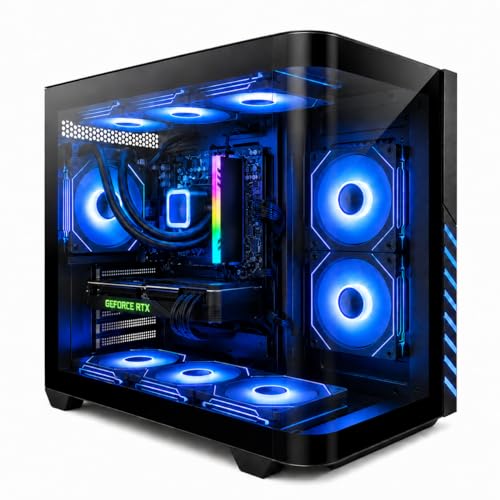
Evounic Gaming PC Ryzen 7 RTX 4060 Ti
- Liquid cooling keeps the Ryzen 7 stable under load with nine ARGB fans for airflow
- DDR5 RAM and NVMe storage deliver fast boot and load times for modern games
- RTX 4060 Ti provides smooth 1440p gaming with ray tracing on supported titles
- Complete package includes peripherals and Windows 11 Pro
- WiFi 6 eliminates the need for ethernet in most homes
- RTX 4060 Ti is entry-level for high-end AAA gaming - expect lower settings at 4K
- No specifications listed for case size, PSU wattage, or upgrade path
- Zero customer reviews available yet to verify real-world performance

KOTIN Ryzen 7 8700F Gaming PC RTX 5060 Ti
- DDR5 and NVMe SSD combination handles gaming and creative work without lag
- WiFi 7 support reduces network latency for competitive online play
- Four DDR5 DIMM slots and three M.2 SSD slots enable future upgrades
- Pre-installed Windows 11 Home saves setup time; ready to connect peripherals and play
- 650W Gold-rated PSU provides stable power and good efficiency
- RTX 5060 Ti is entry-level for high-refresh 1440p or 4K gaming at max settings
- Zero customer reviews available to verify real-world performance and reliability
- Manual notes monitor must connect to GPU ports on lower back, not motherboard ports, or no display will show

KOTIN RTX 5070 Gaming PC Ryzen 7
- Strong CPU-GPU pairing handles demanding games and creative workloads without bottlenecks
- 11.3-inch built-in display is a unique feature that monitors system performance in real-time
- High-speed DDR5 memory and NVMe SSD deliver responsive performance during heavy use
- Ships ready to use - arrives fully assembled with Windows 11 pre-installed
- 850W 80+ Gold PSU provides headroom for future hardware upgrades
- Monitor must connect to GPU ports on the lower back (not motherboard ports) or display will not work
- No discrete storage options listed; 1TB SSD may feel tight for large game libraries
- Smart display feature adds cost and may not be essential for all users
Why Streaming Needs More Than a Gaming CPU
Gaming alone rewards fast single-core performance and a few high-frequency cores. Streaming changes the equation entirely. When you stream, your CPU juggles the game engine, the encoding software (usually OBS or Streamlabs), Discord chat, browser tabs with chat overlays, and potentially a separate recording. Each of these pulls threads from your CPU pool. A 4-core or 6-core processor can do gaming well, but add streaming and you hit a bottleneck that manifests as dropped frames or a laggy stream while your in-game performance tanks.
This is where GPU encoding enters. Modern RTX graphics cards include NVENC, a dedicated hardware encoder that compresses video without using a single CPU core. This separation is crucial. An RTX card’s encoder handles stream compression in parallel while your CPU runs your game and processes chat. AMD Radeon cards with VCE offer similar benefits. Without a hardware encoder, your CPU must compress the stream software-side, which steals performance from the game itself. This is why RTX cards matter more for streaming setups than raw gaming power alone would suggest.
Worth knowing: NVIDIA RTX GPUs include a dedicated hardware encoder that handles stream compression separately from the GPU’s rendering work, which is why an RTX card matters more for streaming than raw gaming power alone would suggest.
Core Count and What It Buys You
CPU core count directly determines how much multitasking headroom you have while streaming.
| CPU Tier | What It Handles |
|---|---|
| 6-core Ryzen 5 or Core i5 | Gaming plus light streaming at lower encoder settings |
| 8-core Ryzen 7 or Core Ultra 7 | Gaming plus streaming plus Discord and browser tabs without strain |
| 12-core plus | Gaming, streaming, and heavier background tasks like recording separately from the live stream |
All five systems in the table above use 8-core CPUs, which is a practical baseline for most streamers. Eight cores provide enough threads to handle a game, an encoder, and several background applications simultaneously without forcing compromises on stream quality or game settings. This core count has become the industry standard for gaming and streaming builds because it balances cost and capability. More cores give you more overhead, but 8 cores cover the typical streaming workflow well. Check your gaming PC specs to confirm this baseline.
How to Choose a Gaming and Streaming Prebuilt

Several hardware choices separate a prebuilt that streams well from one that struggles.
GPU Encoder Matters as Much as GPU Power
Raw GPU performance matters for frame rate, but the encoder is what keeps your stream smooth. An RTX 3050, RTX 4060 Ti, or RTX 5070 all include NVENC. This hardware encoder compresses your stream output without competing with the GPU’s game rendering. When shopping for a prebuilt, verify the listing states an RTX model explicitly. A card without NVENC forces your CPU to encode the stream, which defeats the purpose of a dedicated encoder.
The RTX tier also matters. A higher-tier RTX GPU like the RTX 5070 gives you better encoding quality at high bitrates and smoother performance headroom. A lower-tier card like the RTX 3050 still works, but you may need to dial back encoder settings on demanding games. Either way, the encoder presence is the difference between a smooth stream and a broken one.
RAM for Multitasking
Sixteen gigabytes of RAM handles gaming and streaming in isolation. Once you add OBS, a browser with multiple tabs, Discord, and your game all running together, 16GB becomes tight. You’ll see performance dips when the system starts swapping to disk. Thirty-two gigabytes gives you real headroom and lets you run comfortably without monitoring memory usage.
This matters most if you plan to record locally at the same time as streaming, or if you like to keep many browser tabs open for stream control panels and chat. DDR5 RAM is faster than DDR4, which helps with multitasking responsiveness, but the core point is capacity. More RAM absorbs the combined demand of several applications without forcing your system to dig into slower storage.
Storage for Recordings
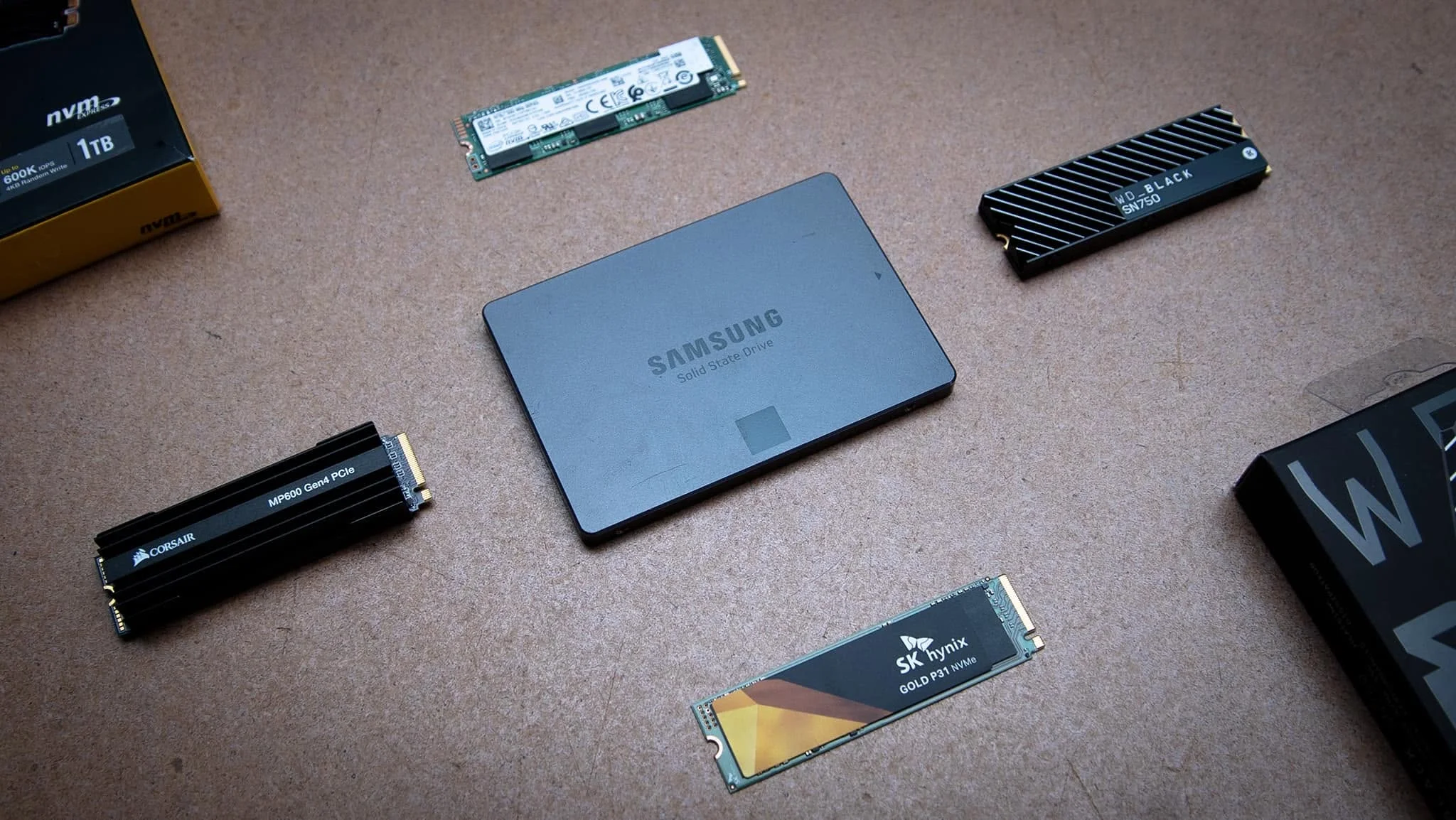

A 1TB NVMe SSD is the practical minimum. Games themselves occupy 100GB to 150GB each. Once you add local stream recordings (which can be several gigabytes per hour), your storage fills quickly. An NVMe drive with PCIe 4.0 speed ensures both your game and recordings stay on fast storage, avoiding the slowdown that occurs when your system swaps between a fast game drive and a slow recording drive.
Most of the prebuilts in this article include 1TB standard, which is adequate. If you plan to keep multiple game titles installed and record regularly, consider upgrades later. For now, 1TB NVMe SSD is the baseline to look for.
Cooling for Sustained Load
Streaming keeps your CPU and GPU under load longer than a typical gaming session. A game might spike your CPU and GPU to high temperatures for short bursts, then dip during loading screens. A stream runs continuously for hours. This sustained load generates constant heat, so cooling becomes more important. Check whether the prebuilt specifies air cooling with multiple fans or liquid cooling. Both work, but confirm the listing describes the cooling setup.
Air coolers with multiple fans and good case airflow handle 8-core CPUs well. Liquid cooling (AIO or custom loop) offers better heat dissipation and looks striking, but requires no extra maintenance in a prebuilt since it’s pre-filled. Either way, confirm the prebuilt doesn’t skimp on cooling. Poor cooling leads to thermal throttling, which tanks performance mid-stream.
Who Should Buy Which System

- Best overall for streaming: KOTIN RTX 5070. Eight-core CPU, 32GB DDR5 RAM, RTX 5070 encoder, and 1TB storage cover everything a serious streamer needs.
- Best budget entry: STGAubron R7 5700X. Eight-core Ryzen 7, 16GB RAM, and RTX 3050 encoder keep costs down while maintaining smooth streaming capability.
- Best for headroom while multitasking: KOTIN 32GB DDR5. Prioritizes memory for handling heavy background applications and Discord plus browser tabs without performance loss.
- Most balanced mid-range pick: Olialia RTX 3060 Ti. Eight-core Ryzen 7 paired with RTX 3060 Ti encoder and 32GB RAM deliver strong streaming and gaming balance without premium-tier pricing.
Final Thoughts
Gaming and streaming on one PC requires more than a standard gaming build. You need a multi-core CPU, an RTX GPU with NVENC, and enough RAM to juggle both workloads. The systems in this article all meet these criteria. For streamers prioritizing performance headroom, the KOTIN RTX 5070 stands out. For those starting out, the STGAubron R7 5700X delivers the essentials at a lower entry point. Either way, a prebuilt designed for gaming and streaming handles both smoothly without the guesswork of custom builds.
More Options to Consider
- msi Codex R2 Gaming Desktop PC. Pairs an RTX 5070 with an Intel Core i5-14400F and 32GB DDR5 for streamers who prefer Intel platforms and want solid 1440p streaming capability.
- ZYNEEX Prebuilt Gaming Desktop PC. A budget option with Ryzen 5 and RTX 3050 that works for lighter streaming loads and newer streamers getting started.
- Skytech Gaming PC Desktop, Ryzen 7 9850X3D. The highest core count option with 16 CPU cores and RX 9070 XT for streamers who also handle heavy multitasking or separate recording.
FAQs
1. How many CPU cores do I need for streaming and gaming together?
Eight cores is the practical baseline. Six cores can work for light streaming at lower bitrates, but eight cores give you comfortable headroom for your game, encoder, Discord, browser, and OBS all running simultaneously. Twelve cores or more provide extra capacity if you plan to record locally at the same time as streaming or run heavy background tasks.
2. Do I need a separate PC to stream, or can one PC do both?
One PC can do both, provided it has the right hardware. A multi-core CPU and an RTX GPU with NVENC encoder let a single machine handle gaming and streaming smoothly. The encoder separates stream compression from game rendering, so the workload doesn’t tank frame rate. Many professional streamers use dual-PC setups for higher production value, but a single well-built PC handles gaming and streaming for most creators.
3. Does streaming really need 32GB of RAM?
Sixteen gigabytes works for basic streaming, but 32GB eliminates memory constraints. With 16GB, OBS, your game, Discord, and a browser can compete for RAM, causing slowdowns. Thirty-two gigabytes absorbs this load comfortably. If you plan to keep many browser tabs open or run additional background tools, 32GB is worth the upgrade.
4. What is NVENC and why does it matter for streaming?
NVENC is NVIDIA’s dedicated hardware video encoder built into RTX graphics cards. It compresses your stream separately from the GPU’s game rendering, so encoding doesn’t steal performance from your gameplay. Without NVENC, your CPU must encode the stream, which consumes cores and often results in dropped frames or laggy streams. RTX GPUs with NVENC are nearly essential for smooth single-PC streaming.
5. Will streaming lower my in-game frame rate?
Not significantly, if your hardware includes a GPU with NVENC. The hardware encoder handles compression independently, so your CPU and GPU remain focused on the game. If you use software encoding (CPU-based), frame rate can drop noticeably. This is why an RTX card matters so much for streaming. The encoder separation means you stream without compromising game performance.









