Cluttered desks leave little room for bulky audio gear, forcing many workers and gamers to settle for thin monitor audio. Finding the best mini speakers for pc setups ensures you get crisp dialogue and punchy sound without sacrificing room for your mouse pad or daily workspace essentials.
Recommended by Us

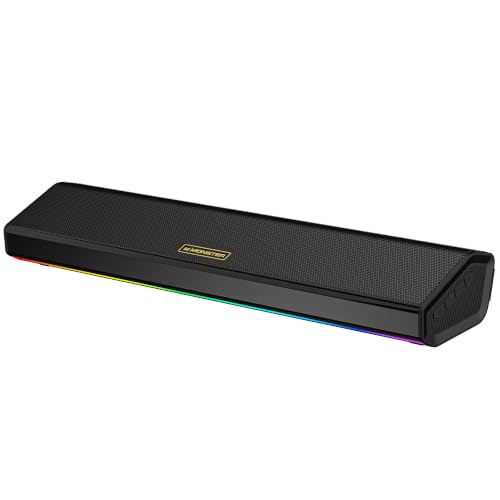
- Clever clip-on design frees up valuable desk space around your workstation
- Automatic G-sensor channel switching maintains correct stereo staging in any position
- Includes a USB-C adapter to easily connect with modern laptops and tablets
- Intuitive front touch controls provide immediate volume and mute access
- Not compatible with TVs, projectors, or monitors acting purely as display inputs
- Specific power wattage and driver dimensions are not listed by the manufacturer
- Lacks auxiliary 3.5mm and Bluetooth wireless connection options

Amazon Basics Stereo 2.0 PC Speakers
- Simple plug-and-play setup requiring no wall power outlet
- In-line volume wheel provides convenient physical control
- Protective padded base prevents desk scuffs
- Compact footprint ideal for small workspaces
- Does not offer Bluetooth or wireless connectivity
- Exact wattage output and driver sizes are omitted from product data
- Occupies both a USB port and a 3.5mm audio jack simultaneously
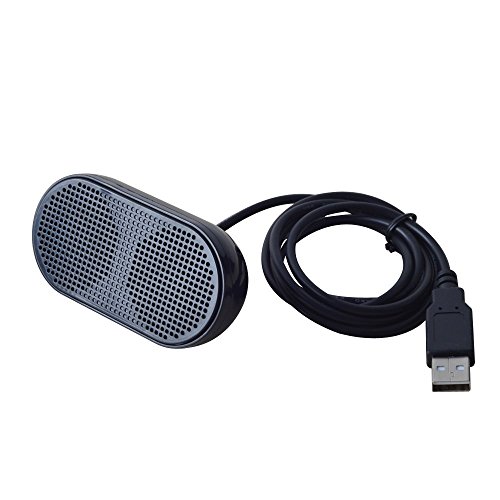
HONKYOB USB Mini Computer Speaker
- True single-cable USB operation eliminates auxiliary cord clutter
- Extremely lightweight and travel-friendly at under 100 grams
- Straightforward plug-and-play installation with zero software setup required
- Lacks hardware volume controls, requiring all sound adjustments through your PC
- Power wattage and speaker driver dimensions are not disclosed by the manufacturer

- Slim, low-profile form factor frees up valuable desk space under monitors
- Convenient single-touch sensor quickly toggles lighting effects
- Driver-free operation powered directly via standard USB or USB-C
- Fused audio and power cables help reduce tangled desk clutter
- Lacks Bluetooth support for wireless device streaming
- No integrated headphone jack or microphone passthrough
- Exact wattage output and driver sizes are omitted from specifications

XKX USB Desktop Computer Speaker
- Built-in USB-C adapter ensures broad compatibility without extra hubs
- Small footprint fits neatly under monitors or in cramped workspaces
- Instant plug-and-play setup requires no driver installations
- Passive radiator helps reinforce low-frequency audio clarity
- Lacks hardware volume buttons or physical dials
- Single-speaker configuration does not deliver multi-channel stereo separation

Uakinat Compact USB Desktop Speakers
- Extremely small footprint ideal for tight desktop work areas
- Fast driver-free setup with standard USB power and 3.5mm audio
- Convenient in-line dial makes adjusting volume fast and simple
- Anti-slip bottom pads prevent sliding during daily use
- Power output wattage and internal driver size are not specified
- Requires both a dedicated USB port and a 3.5mm audio port
- Lacks Bluetooth connectivity for cordless pairing

- Convenient top volume dial avoids cumbersome in-line cable controls
- Independent hardware switch allows complete control over the decorative lighting
- USB bus power eliminates the need for an external AC wall outlet
- Broad compatibility with laptops, desktops, and tablets via standard 3.5mm AUX
- Requires two separate ports (USB for power and 3.5mm for audio) simultaneously
- Lacks Bluetooth or other wireless streaming options
- Specific driver dimensions are not provided in the manufacturer data
Selecting the Right Sound for Tight Setups
When selecting audio hardware for a crowded desk, your physical arrangement matters just as much as driver tuning. If you want to keep your desktop surface completely clear, the XKX Monitor Soundbar is the one I would go for. Its clamp mounts directly to the top or bottom of your screen, while an integrated G-sensor handles adaptive-channel-switching so stereo channels stay oriented properly regardless of mounting orientation. With dual passive radiators and touch controls, it handles daily listening without claiming an inch of desk surface.
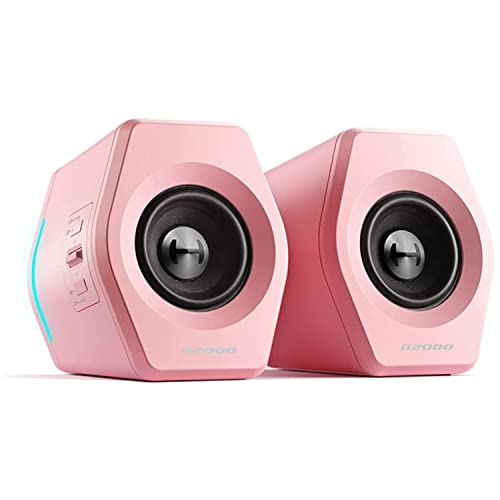
For users who prefer a traditional split arrangement on either side of a monitor, I point people toward the Amazon Basics 2.0 Speakers. They draw power directly from a standard USB port and use a bottom radiator to reinforce lower frequencies, making them dependable for video calls and casual streaming. Meanwhile, gamers wanting extra flair might favor the LENRUE G11 Desktop Speakers, which feature touch-controlled angular atmosphere lights, four amplifier horns, and a convenient top-mounted volume dial. As tech publications like PC Gamer frequently note, dedicated desktop drivers provide much clearer directional audio than monitor speakers.
FAQs
1. Do mini PC speakers require an external wall power outlet?
Most compact computer speakers run entirely on bus power through a standard USB-A or USB-C port. This eliminates the clutter of heavy AC power bricks behind your desk. As long as your computer or powered USB hub provides steady power, the speakers operate cleanly alongside an auxiliary audio cable or direct USB sound input.
2. How do soundbars compare to 2.0 satellite pairs on small desks?
A compact soundbar rests horizontally directly beneath your monitor, making it ideal for narrow surfaces where side clearance is limited. A standard 2.0 pair offers wider stereo separation because you can place the left and right units further apart. Choosing between them depends primarily on whether your desk width or screen height has more open space.
3. Can USB audio adapters work with modern laptops and tablets?
Many modern compact speakers include a built-in USB-C adapter or use universal USB audio protocols. These connections allow plug-and-play operation across Windows, macOS, ChromeOS, and Linux systems. This means you can easily switch the speakers between a primary desktop tower, an ultraportable laptop, or a compatible tablet without installing specialized drivers.
4. Why do some compact speakers use passive radiators?
Small speaker enclosures lack the internal volume needed for large woofer cones. Passive radiators rely on internal air pressure generated by the active drivers to produce deeper low-frequency resonance. Audio brands like Creative frequently employ this acoustic technique to deliver fuller sound without increasing the overall cabinet dimensions.
Editor’s Verdict
If you need to reclaim your desk while improving everyday sound, the XKX Monitor Soundbar is our top choice for the best mini speakers for pc setups due to its smart clip-on design. Those preferring traditional desktop satellites will appreciate the reliable USB-powered performance and bottom bass radiator of the Amazon Basics 2.0 Speakers.