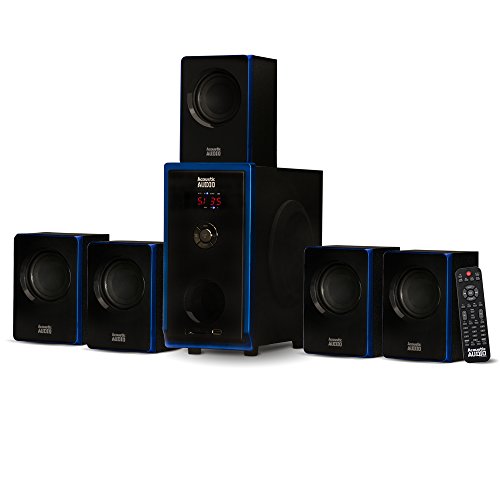
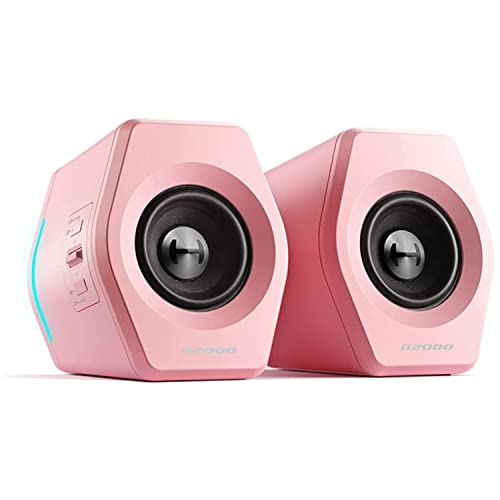
A dedicated desktop audio setup completely changes how virtual worlds feel, turning flat directional cues into precise positional audio during intense matches. Many PC players rely on uncomfortable headsets for long sessions, yet finding the best speakers for pc gaming delivers rich environmental soundscapes, crisp voice chat, and fatigue-free listening without cluttering your physical workspace.
Recommended by Us

OFFSIR RGB Computer Speakers
- USB-powered operation
- Includes a 3.5mm Aux connection
- Touch-sensitive RGB lighting
- Compatible use cases listed for PC, laptop, desktop, and monitor setups
- No power output is listed
- Channel configuration is not specified
- No subwoofer information is provided
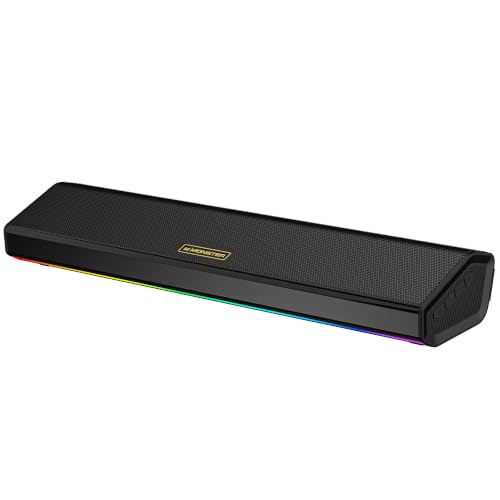
Monster SD100 Desktop Speakers
- Offers both Bluetooth 6.0 and 3.5 mm aux-in connectivity
- 28W stereo design is tailored to desktop and monitor setups
- TWS wireless pairing adds flexibility for a wider speaker arrangement
- Built-in microphone is useful for calls
- Designed to work across PCs, laptops, monitors, and gaming setups
- No separate subwoofer is listed
- Detailed technical specifications are not provided in the available product data
- No HDMI, optical, or USB audio connection is listed

Logitech G560 PC Gaming Speakers
- Immersive front and rear LIGHTSYNC RGB backlighting responds to gameplay and music
- Robust 240W peak audio output with a separate subwoofer for hearty low-end presence
- Positional DTS:X Ultra processing aids spatial awareness during competitive PC games
- Seamless connectivity switching between wired USB and wireless Bluetooth
- DTS:X spatial processing is not supported on Mac OS X
- Individual driver dimensions are not provided in the manufacturer data
- Enclosure is not waterproof, demanding caution around drinks

Amazon Basics Stereo 2.0 PC Speakers
- Simple plug-and-play setup requiring no wall power outlet
- In-line volume wheel provides convenient physical control
- Protective padded base prevents desk scuffs
- Compact footprint ideal for small workspaces
- Does not offer Bluetooth or wireless connectivity
- Exact wattage output and driver sizes are omitted from product data
- Occupies both a USB port and a 3.5mm audio jack simultaneously

- Slim, low-profile form factor frees up valuable desk space under monitors
- Convenient single-touch sensor quickly toggles lighting effects
- Driver-free operation powered directly via standard USB or USB-C
- Fused audio and power cables help reduce tangled desk clutter
- Lacks Bluetooth support for wireless device streaming
- No integrated headphone jack or microphone passthrough
- Exact wattage output and driver sizes are omitted from specifications

Redragon GS520 RGB Desktop Speakers
- Touch-sensitive controls make cycling through RGB patterns simple
- Compact footprint fits easily underneath or beside desktop monitors
- Convenient USB bus power allows quick connection to laptops and PCs
- Integrated 3.5mm microphone passthrough cable included
- Wattage rating and driver dimensions are not specified in product details
- Wired connection only with no onboard Bluetooth streaming
- Inter-speaker cable length of 31 inches may limit ultra-wide desk setups

Redragon GS560 RGB Desktop Soundbar
- Dynamic lighting bar includes audio-light sync and display effects
- USB power and a 3.5mm cable offer a simple wired setup
- Dedicated volume knob is convenient for desktop use
- Touch-control backlighting complements the RGB-focused design
- Power output is not specified in the listing
- No subwoofer is specified
- The listed connection is wired rather than wireless
Matching Desktop Audio to Your Play Style
If you want full acoustic impact with deep low frequencies, I would point toward the Logitech G560. Delivering explosive 240 watts peak power through two satellite units and a dedicated subwoofer, it handles wide dynamic shifts easily, while integrated DTS:X Ultra positional audio adds genuine spatial depth to competitive titles. Hardware publications like PC Gamer regularly highlight how dedicated subwoofers transform standard desktop soundscapes.
For compact desks where a separate floor sub cannot fit, the Monster SD100 is what I would choose. Its dual 14W drivers produce a respectable 28W of stereo sound across a wide 65Hz to 20KHz range, backed by Bluetooth 6.0 and an internal rechargeable battery for cordless versatility. Meanwhile, players needing a modular configuration on a strict budget should look at the OFFSIR 2-in-1 PC Speakers. Its dual 5W drivers snap together into a single under-monitor soundbar or split apart into traditional stereo towers, drawing power entirely from a simple USB connection.
FAQs
1. What is the difference between 2.0 and 2.1 channel computer speakers?
A 2.0 system relies on two stereo satellite units to handle all audio frequencies, making it ideal for cramped desks. A 2.1 setup introduces a dedicated subwoofer unit that reproduces sub-bass rumbles, resulting in punchier explosions and gunshots during gameplay without distorting the higher stereo channels.
2. Does Bluetooth introduce noticeable audio lag during fast-paced games?
Standard wireless connections can introduce slight audio latency that may throw off reaction timing in competitive titles. Modern protocols like Bluetooth 6.0 help reduce delay, but using a wired 3.5mm auxiliary or USB audio cable remains the most reliable way to maintain immediate sound synchronization.
3. Are USB-powered desktop speakers loud enough for gaming?
USB-powered models draw electrical current directly from your computer, usually outputting between 5W and 10W of total sound. They provide clear, intelligible audio for sitting directly at a desk, but they lack the heavy volume headroom and thunderous output found in wall-powered audio gear.
4. Can desktop soundbars produce accurate directional audio?
A compact soundbar sits directly below your display, keeping your workspace neat while delivering front-facing stereo output. While stereo separation is slightly narrower than spaced satellite units, angled drivers and virtual surround processing help project spatial cues across your immediate listening area.
5. Is an external sound card necessary for computer gaming speakers?
Most modern motherboards include integrated audio chipsets that provide clean, distortion-free sound for standard 3.5mm and USB desktop units. Unless you notice electrical interference or plan to drive high-impedance studio monitors, your existing motherboard audio is more than capable for everyday gaming.
Editor’s Verdict
Balancing acoustic power and physical footprint is key when searching for the best speakers for pc gaming. If you have the floor room for a dedicated subwoofer, the Logitech G560 delivers unmatched 240-watt peak immersion, while the Monster SD100 remains my top choice for versatile stereo clarity right on top of the desk.