GPU coil whine is a high-pitched buzzing or whining noise from the graphics card, caused by small coils vibrating as electricity flows through them. It is usually harmless. Capping your frame rate, lowering the power limit by 5 to 10 percent, or using a better power supply often reduces it.
- Coil whine is vibration in electrical coils, not a failing fan.
- It is generally harmless and does not shorten lifespan.
- An FPS cap or small power limit cut often quiets it.
- Extremely loud whine may qualify for a warranty swap.
What Coil Whine Is and What It Sounds Like
Coil whine is the sound of electronic components buzzing under load. Inductors, also called coils, sit on the graphics card’s power delivery and smooth the electricity going to the GPU. When current through them changes quickly, they can vibrate a tiny amount, and at the right frequency that vibration becomes audible.
It sounds like a thin, high-pitched whine, buzz, or squeal, and it often changes pitch as the load changes. It is easiest to notice in a quiet room with the case side panel off. It is different from a fan problem, which usually sounds like grinding, rattling, or a steady whoosh. If your noise is a fan that will not turn, see why a GPU fan is not spinning instead.
What Causes GPU Coil Whine
XOTIC PC’s guide lists the usual triggers: very high frame rates, sudden changes in GPU or CPU power draw, high-power graphics cards, and manufacturing variation between individual parts.
Very high frame rates
Menus, loading screens, and old games can run at hundreds or thousands of frames per second. That makes the card switch its power draw rapidly, which is the situation where coils are most likely to buzz.
Rapid load changes
A game that flips between light and heavy scenes makes power demand jump around. Coils react to those changes, so whine can appear only in certain scenes.
Card design and unit variation
Two cards of the same model can behave differently. Coil quality, how well they are secured, and the tolerances in each unit all affect noise, so one owner may hear nothing while another hears a lot.
Power supply quality
A weak or aging power supply may not deliver clean, stable power, and that electrical noise can make coils behave worse. It is not always the cause, but it is worth ruling out.
Is Coil Whine Harmful?
No, in general. XOTIC PC states that coil whine does not damage your PC or shorten the life of components, and describes it as a normal side effect of how electricity behaves in modern electronics. The noise is annoying, not a sign of a dying card. Real problems look different: visual glitches, crashes, and overheating, which are covered in GPU artifacting and in the guide to GPU crashing and freezing.
How to Reduce or Fix Coil Whine
1. Cap your frame rate
Turn on V-Sync or set an FPS limit in the game or in the graphics driver. Lower and steadier frame rates reduce the rapid power swings that make coils sing. Capping at your monitor’s refresh rate costs nothing you can see.
2. Use adaptive sync
G-Sync or FreeSync keeps the display and GPU in step, which stabilizes frame output. Combined with an FPS cap, it is one of the most effective software fixes.
3. Lower the power limit or undervolt
Reducing the power limit by 5 to 10 percent, or undervolting the card, can significantly reduce coil whine with little to no performance loss, according to XOTIC PC. A tool such as MSI Afterburner lets you change the power limit with a slider. It also lowers heat, which helps if you are also checking what GPU temperature is too high.
4. Check the power supply
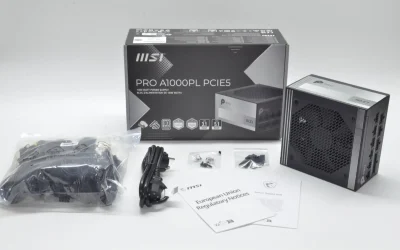
A high-quality supply with strong voltage regulation can reduce electrical noise. If the whine is loud and your supply is old or budget, borrowing a known-good unit for a test tells you quickly whether it is involved.
5. Give it time and dampen the sound
Some cards get quieter after several weeks of use as components settle. If the noise still bothers you, a case with sound dampening or moving the PC further from your desk lowers how much reaches you.
When to Contact the Manufacturer
Most manufacturers treat mild coil whine as normal. If the noise is extremely loud, appears immediately in normal use, and ruins the experience, contact the retailer or brand within your return or warranty window and record a short audio clip as evidence. Whether they replace it depends on the brand and store, and a replacement card is not guaranteed to be quieter, since the cause is unit variation.
Frequently Asked Questions
Is coil whine bad for my GPU?
No. Coil whine is generally harmless and does not damage your PC or shorten the life of components. It is annoying, not a sign of failure.
Why does my GPU whine at high FPS?
Very high frame rates make the card change its power draw rapidly. That makes the coils vibrate and produce an audible whine, which is why menus and loading screens are common triggers.
Will coil whine go away on its own?
Sometimes. Some cards and power supplies get quieter after weeks of use as components settle, though this is not guaranteed.
Can a new power supply fix coil whine?
It can help. A supply with strong voltage regulation delivers cleaner power, which may reduce the noise, but the whine can also come from the card itself.