

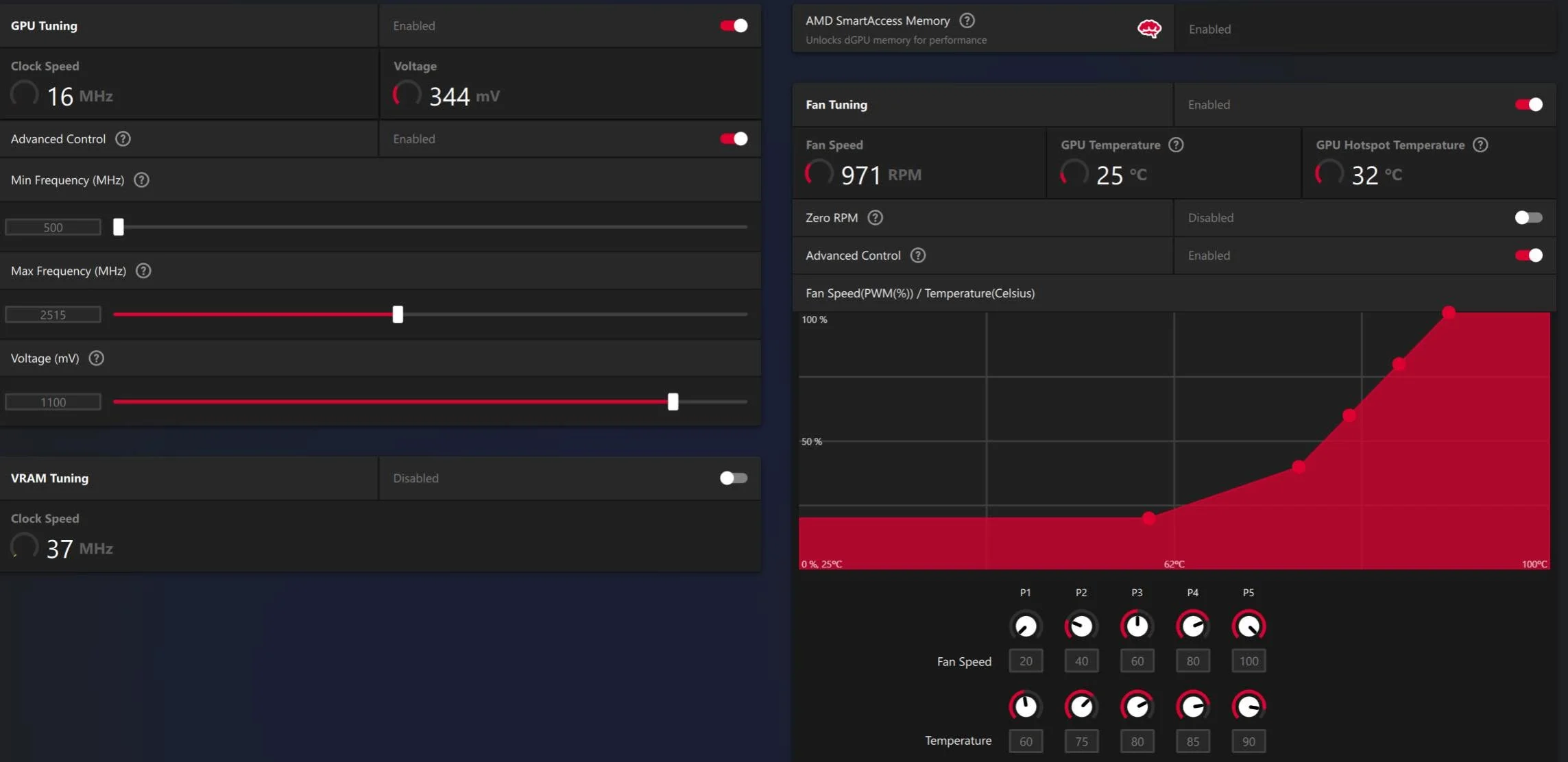
A GPU fan curve controls how fan speed increases as temperature rises. The default curve is a general-purpose compromise, and customizing it with MSI Afterburner or your GPU maker’s own software lets you prioritize lower temperatures with more noise, or quieter operation with slightly higher temperatures, based on your preference.
- The default fan curve is a general compromise, not tuned to you.
- A custom curve trades noise against temperature to your preference.
- MSI Afterburner works for both Nvidia and AMD cards.
- Test any new curve during real gaming, not just idle.
Why Customize the Fan Curve
Factory fan curves, as Corsair’s cooling guides note, are set conservatively to work reasonably well across many different cases and ambient conditions, which means they’re not optimized specifically for your setup. Some people prefer a more aggressive curve for lower temperatures, especially before undervolting or overclocking, while others prefer a quieter setup for everyday use.
How to Set a Custom Fan Curve
- Open MSI Afterburner and go to its fan speed settings.
- Switch from Auto to a user-defined software curve.
- Adjust the curve points to set fan speed at different temperatures, such as keeping fans low until 60°C, then ramping more steeply above that.
- Apply and monitor behavior during normal use and gaming.
Common Fan Curve Styles
| Style | Tradeoff |
|---|---|
| Aggressive, ramps early | Cooler temperatures, more audible fan noise |
| Gradual, ramps late | Quieter at moderate loads, slightly higher temperatures |
| Zero RPM at idle | Silent at idle and light tasks, fans start above a set temperature |
Does a Custom Fan Curve Void Warranty?
No, similar to guidance from EVGA’s support pages, it’s a software setting that doesn’t physically modify the card, so it doesn’t affect warranty coverage. It also fully reverts if you switch back to Auto or reinstall drivers.
Tip: test any new fan curve during a real gaming session, not just idle desktop use, since temperatures and fan behavior under actual load are what matter most.
Fan Curve and Overall Cooling
A fan curve only controls how existing cooling hardware responds to heat, it doesn’t add cooling capacity. If temperatures remain a concern even with an aggressive curve, see GPU overheating for hardware-level causes and fixes, and confirm the fans themselves work correctly with do GPU fans always spin.
Frequently Asked Questions
Is it safe to set a custom GPU fan curve?
Yes, it’s a standard software setting with no risk to the hardware, and it reverts easily by switching back to automatic control.
Will a custom fan curve void my GPU warranty?
No, since it’s a software adjustment rather than a physical or firmware modification to the card itself.
What’s a Zero RPM fan curve?
A setting where fans stay completely off until the GPU reaches a set temperature, keeping the card silent during idle and light tasks.
Does a fan curve improve cooling on its own?
It only changes how existing fans respond to temperature, not the cooler’s actual capacity, so it can’t fix a genuinely undersized cooling solution.


