

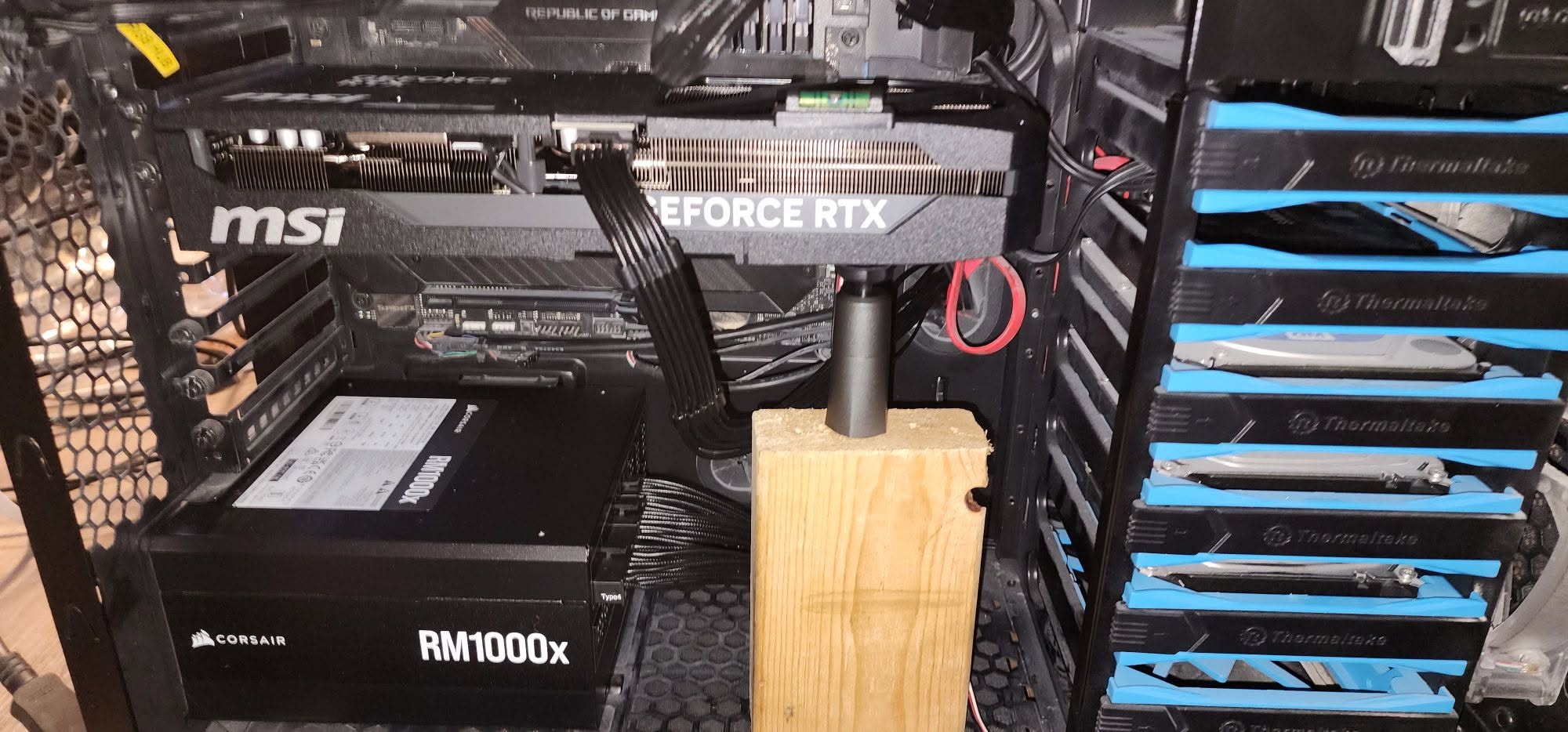
A little sag is mostly cosmetic and won’t hurt anything. It becomes a real concern past about 45 degrees, since sustained bending can eventually stress the PCIe slot and the card’s PCB. That takes years, not days, and most sagging cards never get close. A support bracket costs $10 to $25 and fixes it.
- Sag under a few degrees is cosmetic and harmless.
- Past roughly 45 degrees, it can stress the PCIe slot over time.
- Damage takes years to develop, not days.
- A support bracket ($10-25) fixes it completely.
How Much GPU Sag Is Normal?
Some sag is expected on any card longer than about 10 inches, especially the heavier triple-fan models common today, the kind Nvidia’s own flagship cards ship as. As cards have grown bigger and heavier, sagging has become more common even on cases and motherboards that never had this problem with older, lighter GPUs.
A slight droop, just a few degrees, isn’t something to worry about. Manufacturers design the PCIe slot and card PCB to flex without breaking.
Bottom line: the threshold worth paying attention to is around 45 degrees. Below that, you’re looking at a cosmetic issue, not a mechanical one.
Can GPU Sag Actually Damage Your PC?
In theory, yes, given enough time and enough sag. Sustained bending at a severe angle can bend the PCIe slot itself, leading to a weaker connection between the card and motherboard. In rarer cases, it can cause microfractures in the card’s PCB or stress the solder joints on VRAM chips near the slot.
In practice, this kind of damage is uncommon. Most sagging cards sit well within the range that the PCIe specification and card manufacturers account for, and the actual failure rate from sag alone is low. Performance impact from sag alone is effectively zero. If your card is crashing, that’s almost certainly unrelated to how it looks sitting in the case, more likely something like overheating or a driver issue. If a card does end up damaged, see whether a GPU can be repaired.
How to Fix GPU Sag
The straightforward fix is a GPU support bracket, typically $10 to $25, which props up the sagging end and takes the weight off the PCIe slot entirely. Brands like Corsair and most major case manufacturers sell these, ranging from plain functional braces to RGB-lit ones that match a build’s aesthetic. A card that has worked loose over time can also stop being detected, so see why a GPU might not show in Task Manager.
Cheaper DIY options exist too: fishing line tied from the card to the top of the case, a 3D-printed brace if you have access to a printer, or even a stack of Lego bricks sized to the right height. All of these work the same way, they just look different doing it. Bracing the card can also indirectly help airflow, since sag sometimes tilts the fans away from where they’d normally pull cool air from.
What Not to Do
Don’t overtighten anything directly on the GPU itself while trying to fix sag, and don’t force a bracket that wasn’t sized for your case, brands like Lian Li sell brackets matched to specific case dimensions for exactly this reason. If you’re using a bracket, only tighten the screws connecting the bracket to itself or the case, not any screws on the card. GPU PCBs are more durable and flexible than people assume, but there’s no reason to add unnecessary stress while solving a problem that’s mostly cosmetic anyway. Speaking of unnecessary stress, the same “it’s fine unless it’s extreme” logic applies to running your GPU at 100% usage.
Frequently Asked Questions
Can GPU sag cause my PC to crash?
No, not directly. Sag can theoretically weaken the PCIe connection over years, but a crashing PC is almost always caused by something else, like drivers, power, or overheating.
Does GPU sag affect gaming performance?
No. Unless the sag is severe enough to partially disconnect the card from the slot, which is rare, sag has no measurable effect on performance.
How do I know if my GPU sag is bad enough to worry about?
Check the angle. If the card droops more than roughly 45 degrees, or if you can see a visible gap forming at the PCIe slot connection, it’s worth adding a support bracket.
Do all graphics cards sag?
Not all, but it’s common on longer, heavier cards, especially triple-fan models. Shorter and lighter GPUs rarely sag at all.


