

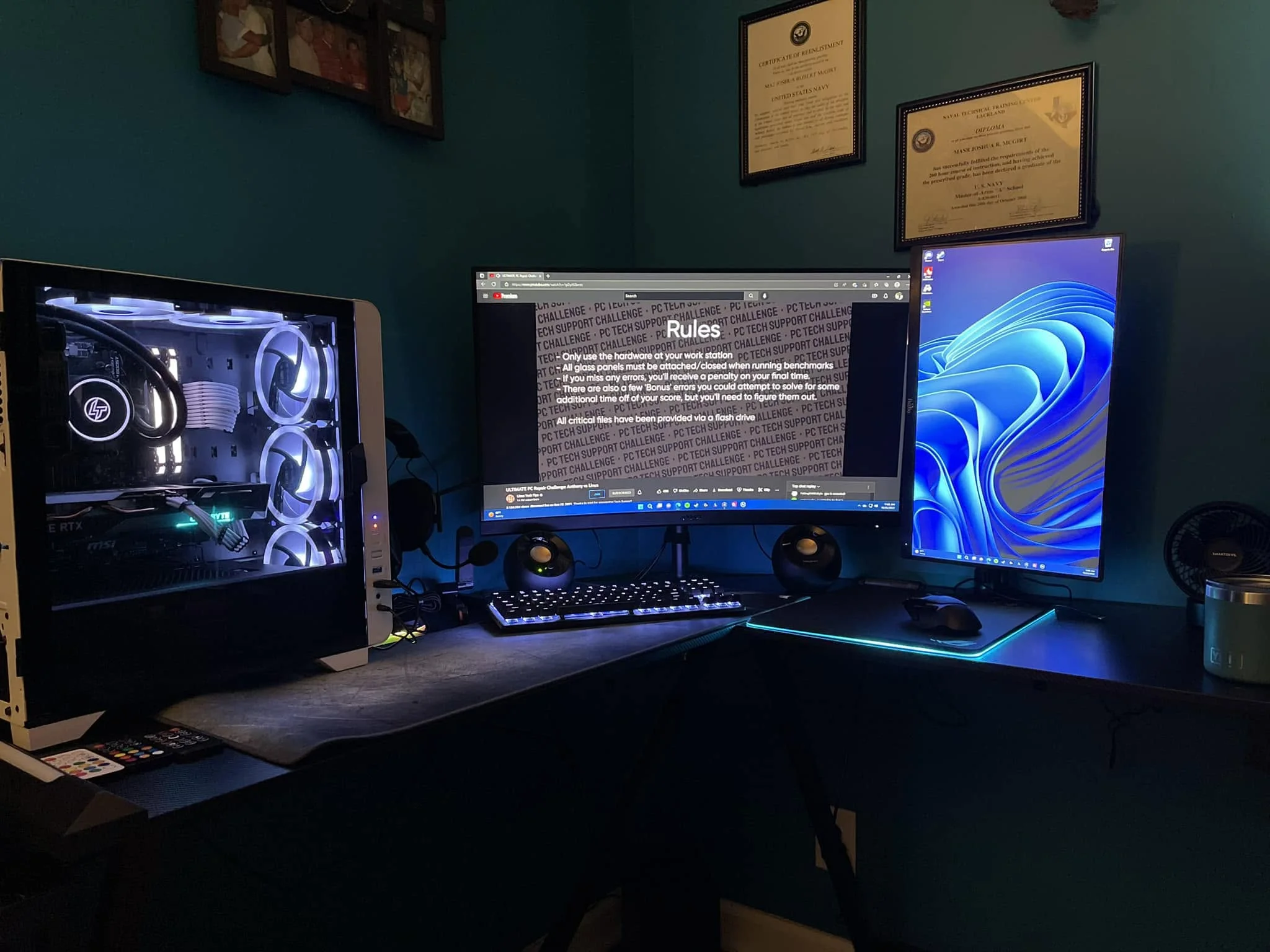
A good-looking PC still has to breathe, so check the airflow behind the glass before you fall for the photos. Among the best looking prebuilt gaming PCs, the KOTIN RTX 5070 TI pairs Ryzen 7 9800X3D with GeForce RTX 5070 Ti 16GB, and the MLOONG RTX 5060 TI is the lower-cost pick.
Recommended by Us

KOTIN Ryzen 7 9800X3D RTX 5070 Ti PC
- High-end Ryzen 7 9800X3D and RTX 5070 Ti 16GB configuration
- Fast 32GB DDR5 6000MHz memory
- Useful 11.3-inch system monitoring display
- 360mm liquid cooler with synchronized ARGB lighting
- Modern WiFi 7 and Bluetooth connectivity
- A 1TB SSD may fill quickly with a large collection of modern AAA titles.
- At 30 pounds, the tower may be cumbersome to move.
- VGA and DVI monitors require a separate HDMI or DisplayPort adapter.

Skytech King 95 RTX 5070 Ti Gaming PC
- High-end RTX 5070 Ti GPU with 16GB GDDR7 VRAM
- Strong Core i7-14700F processor and 32GB DDR5-6000 RAM configuration
- Fast Gen4 NVMe storage
- Large 360mm AIO liquid CPU cooler
- Includes Windows 11 Home, keyboard, and mouse
- Wi-Fi 5 is older than the Wi-Fi 6 and Wi-Fi 6E standards found in some newer desktops
- The 1TB SSD may require expansion for users with large game or media libraries
- Graphics card brand and additional display-port availability may vary

MLOONG Ryzen 7 RTX 5060 Ti Gaming PC
- Strong CPU and GPU combination for 1080p and 1440p gaming
- Fast 6000MHz DDR5 memory
- Gen4 NVMe storage with 1TB capacity
- Six ARGB fans provide airflow and prominent lighting
- Modern B650M platform with wired Ethernet and display connections
- The RTX 5060 Ti has 8GB of VRAM, which may limit demanding higher-resolution settings in some workloads.
- 16GB of system RAM is adequate for gaming but may be modest for heavier creative work or extensive multitasking.
- Wi-Fi and Bluetooth support are not specified in the listing.
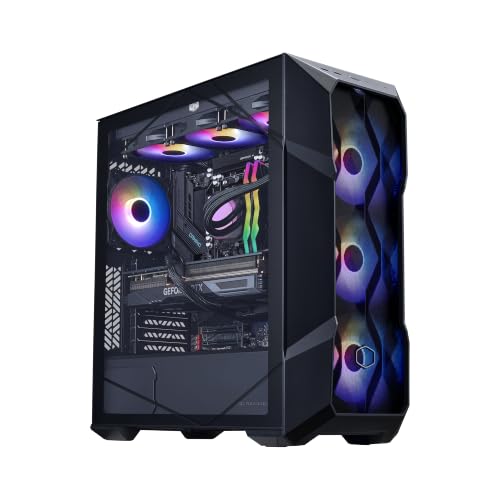
Cooler Master TD5 Pro RTX 5080 Gaming PC
- High-end RTX 5080 16GB graphics configuration
- Gaming-focused Ryzen 7 9800X3D processor
- Generous 32GB DDR5 6000MHz memory and 2TB Gen4 storage
- Includes liquid cooling, Wi-Fi, Type-C, and an 850W 80+ Gold power supply
- The operating system is not specified in the listing
- The 19.7 x 8.3 x 19.7-inch chassis requires a meaningful amount of desk or floor space
- High-end components may be more than casual or light-duty users need
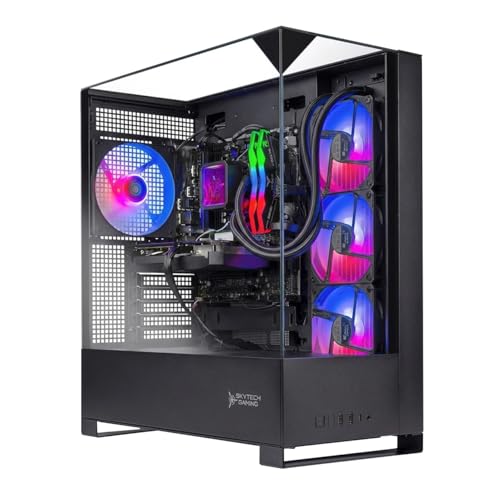
Skytech Shadow 5 Ryzen 7 RTX 5070
- Strong RTX 5070 and Ryzen 7 7700 configuration for 1440p gaming
- Generous 32GB of fast DDR5-6000 memory
- 360mm AIO liquid CPU cooler included
- Fast 1TB NVMe M.2 storage
- Keyboard and mouse included
- Wi-Fi 5 is older than the Wi-Fi 6 and Wi-Fi 6E standards found in some newer desktops
- The graphics card brand may vary between units
- The listing does not identify the motherboard or power supply model
What Good-Looking Really Means
A good-looking prebuilt usually has a clean case, tempered glass, tidy cabling, and lighting that complements the setup instead of dominating it. None of those details makes games run faster. The GPU and CPU determine gaming performance, while memory, storage, and cooling affect responsiveness and everyday usability. Start by checking whether the case design fits your desk and whether the glass panels display the components you actually want to see. Look closely at cable routing in customer images when available, because marketing photos may hide the less polished side of the build. Fan placement, ventilation, dust access, and lighting controls matter more over time than an elaborate front panel. Our guide to CPU and GPU roles explains where gaming performance really comes from.
Note: Listing photos show a system from its most flattering angle. Read the description carefully for the actual case, glass-panel, fan, and lighting details.
A Practical Style Checklist
- Look past the case. The GPU and CPU decide gaming performance, not the styling, so compare the core specifications before judging the glass and lighting.
- Check airflow. Closed fronts and extensive glass can restrict ventilation, making listed fan placement, vents, and cooling hardware worth checking carefully.
- Check lighting and cables. Tidy cable routing makes the interior easier to appreciate, while accessible lighting controls help the PC match the rest of your setup.
- Compare the overall cost. Decorative panels, extra fans, and display features can add a modest premium over a plainer machine with similar performance hardware.
Our overview of prebuilt PC costs provides useful context before paying extra for appearance.
Rules for Choosing Wisely
Choose the performance tier first. A striking case cannot compensate for a GPU that is poorly matched to your monitor or preferred settings. Decide whether you are targeting mainstream 1080p play, demanding 1440p gaming, or heavier 4K workloads before comparing lighting arrangements.
Treat airflow as part of the design. Vents, mesh, fan positions, and radiator placement can be visually attractive while serving a practical purpose. A wall of glass may look cleaner, but it should not come at the expense of sensible intake and exhaust paths.
Prefer lighting you can live with. Bright ARGB photographs grab attention, yet subtle colors or a static theme often fit a desk better over time. Confirm that the listing mentions controllable or synchronized lighting rather than assuming every illuminated fan offers the same control.
Look for standard, accessible parts where possible. They can make later repairs and visual upgrades less awkward, although product listings do not always identify every component. Our explanation of proprietary PC parts covers the ownership tradeoffs.
Leave enough room around the case. A panoramic tower loses much of its appeal when pushed against a wall, and restricted clearance can hurt ventilation. Measure the desk area and allow space for cables, side panels, front ports, and warm exhaust air.
Balance memory and storage with appearance. Large game libraries can fill a modest SSD quickly, while multitasking benefits from adequate RAM. Our guide to gaming PC memory explains what different users realistically need.
How the Main Systems Differ
The KOTIN RTX 5070 TI pairs the Ryzen 7 9800X3D with a GeForce RTX 5070 Ti 16GB, 32GB DDR5 6000MHz memory, and a 1TB PCIe 4.0 NVMe SSD. Its visual centerpiece is an 11.3-inch display for system information and themes. It also has a glass side panel, ARGB lighting, and a 360mm ARGB liquid cooler with a temperature display.
The Skytech King 95 uses an Intel Core i7 14700F, GeForce RTX 5070 Ti 16GB, 32GB DDR5 6000 RGB memory, a 1TB Gen4 NVMe SSD, and a 360mm AIO cooler. The white King 95 case makes it the clearest alternative for a light-colored setup. The Skytech Shadow 5 instead combines a Ryzen 7 7700 and GeForce RTX 5070 12GB with the same listed memory and storage capacities, plus a black tempered-glass case and 360mm AIO.
The MLOONG RTX 5060 TI has a Ryzen 7 8700F, GeForce RTX 5060 Ti 8GB, 16GB DDR5 6000MHz memory, a 1TB Gen4 NVMe SSD, and six ARGB ring fans with air cooling. At the other end, the CoolerMaster TD5 Pro combines a Ryzen 7 9800X3D, GeForce RTX 5080 16GB, 32GB DDR5 6000MHz RGB memory, 2TB Gen4 storage, and a 360mm liquid cooler. For this topic, the most important difference is whether the case, lighting, and cooling design match the performance tier you actually need.
First-Day Setup and Checks
After unpacking the PC, remove all internal protective material before powering it on. Check that the graphics card, memory, visible cables, and cooling connections appear secure. Place the tower where its intake and exhaust areas remain unobstructed, rather than squeezing the glass case tightly into a closed desk compartment.
Connect the monitor to the graphics card, then run Windows updates and install current graphics drivers. Check that every visible fan spins and listen for unexpected rattling. Watch temperatures during an ordinary gaming session so you can catch a loose connection, blocked vent, or unsuitable fan configuration early.
Finally, adjust the lighting to a consistent color or restrained effect and tidy external cables behind the desk. A clean case, tempered glass, tidy cabling, and tasteful lighting define the visual result, but they do not change performance. The GPU and CPU still do that work. Our gaming PC specs overview can help confirm that the hardware suits your use.
Matching Systems to Buyers
| Reader | Pick | Why |
|---|---|---|
| Best overall | MLOONG RTX 5060 TI | Six ARGB ring fans create a panoramic look, while the Ryzen 7 8700F and RTX 5060 Ti suit mainstream gaming. |
| Strongest table GPU | KOTIN RTX 5070 TI | The RTX 5070 Ti 16GB is paired with a Ryzen 7 9800X3D, plus an 11.3-inch system display. |
| Best value | Skytech Shadow 5 | A black tempered-glass case, RGB memory, and 360mm AIO complement capable RTX 5070 hardware. |
| Alternative brand | Skytech King 95 | The white King 95 case stands apart, with an RTX 5070 Ti and 360mm AIO behind the styling. |
| Runner-up | CoolerMaster TD5 Pro | Its mesh ARGB case and 360mm liquid cooler accompany the most powerful listed GPU among these table systems. |
Other Stylish Systems Worth Considering
The AndromedaInsights RX 9070 XT is the AMD graphics option, combining a Radeon RX 9070 XT 16GB with a Ryzen 5 9600X. It suits buyers who want ARGB memory, Wi-Fi, Bluetooth, and an 850W Gold power supply without choosing GeForce hardware.
The KOTIN RTX 5060 TI offers an air-cooled presentation with five 120mm ARGB fans and a cooler-mounted digital temperature display. Its 32GB DDR5 memory and three M.2 slots also make it appealing to buyers planning storage expansion.
The STORMCRAFT RTX 5080 uses a pillarless panoramic glass tower with dual ARGB strips, RGB fans, and a spotlighted display stage for a separately purchased figure. It suits someone seeking a more theatrical showcase build alongside RTX 5080 performance.
Style and Ownership Questions
1. Are stylish prebuilt gaming PCs slower?
No. Styling alone does not reduce performance, and a plain computer is not automatically faster. The CPU, GPU, memory configuration, cooling, and power delivery matter far more. A highly enclosed decorative case can affect temperatures if airflow is weak, so check its vents, fans, and cooling arrangement rather than judging performance from appearance.
2. Is paying extra for RGB worthwhile?
That depends on how much you value a coordinated desk setup. Lighting has no direct performance benefit, so it should come after the system meets your hardware requirements. Controllable lighting is generally more useful than a fixed effect because you can reduce its brightness, choose a neutral color, or turn it off when needed.
3. How can a glass gaming PC stay cool?
Keep intake and exhaust vents clear, clean dust filters regularly, and avoid enclosing the tower in a cramped cabinet. Glass itself is not automatically a problem when a case has suitable side, bottom, front, or top ventilation. Check fan operation and temperatures after setup instead of assuming that a large fan count guarantees effective airflow.
4. Can the appearance be changed later?
Usually, lighting colors, desk cables, and some fans can be changed, but upgrade options depend on the case, motherboard, connectors, and included components. Replacing panels or moving parts into another case is more involved. Standard components generally make long-term customization easier than unusual proprietary designs.
5. Will attractive components cause a bottleneck?
RGB memory, illuminated fans, and glass panels do not create a performance bottleneck. An imbalance between the processor, graphics card, memory, and target resolution can. Our explanation of a prebuilt PC bottleneck shows what to examine when comparing systems for a particular monitor and game type.
The Bottom Line
The MLOONG RTX 5060 TI is the strongest all-around choice for a visible, RGB-heavy setup without jumping straight to the highest hardware tier. Choose the KOTIN RTX 5070 TI if you want stronger graphics hardware and consider its large built-in system display a worthwhile part of the design. In either case, prioritize cooling, cable presentation, and suitable components before paying for decoration alone.









