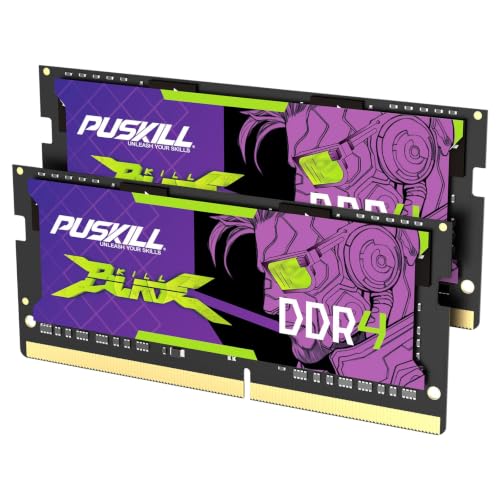
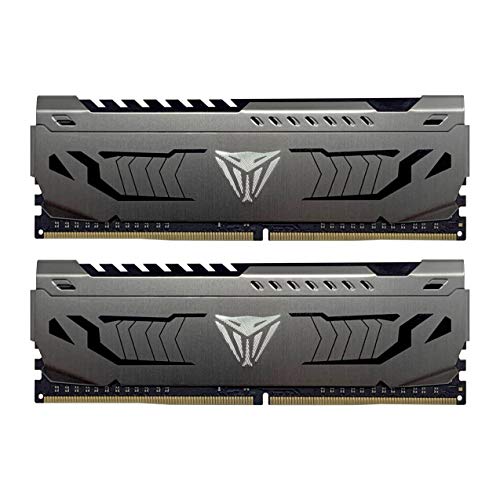
Heavy multitasking, content creation, virtual machines, and demanding games can make smaller memory capacities feel restrictive. The best 64GB RAM should match your motherboard and processor while offering sensible speed and latency for your workload. Before choosing, check whether your system supports DDR4 or DDR5 RAM.
Recommended by Us

Crucial Pro 64GB DDR5-5600 Kit
- Generous 64GB capacity for demanding applications and multitasking
- Flexible 5600MHz, 5200MHz, or 4800MHz operation
- Compatible with multiple recent Intel and AMD desktop CPU generations
- Standard 288-pin DDR5 UDIMM design
- Backed by Crucial and Micron's long-standing memory expertise
- CAS latency is not explicitly provided in the listing
- Non-ECC design is not intended for systems that require ECC memory
- Desktop UDIMMs are not compatible with laptop SO-DIMM slots

Corsair Vengeance RGB RS DDR5 64GB
- Generous 64GB capacity in a two-module kit
- Supports both AMD EXPO and Intel XMP 3.0 profiles
- Rated for speeds up to 6000MHz
- Individually addressable RGB lighting
- Onboard voltage regulation
- CAS latency is not provided in the listing
- Maximum speed requires BIOS adjustments or memory overclocking
- Actual speed and performance depend on motherboard and CPU support

G.SKILL Flare X5 64GB DDR5-6000
- High 64GB capacity in a matched 2x32GB kit
- Supports both AMD EXPO and Intel XMP 3.0 profiles
- Up to 6000MT/s performance with compatible components
- Compatible platform list covers multiple recent Intel and AMD chipsets
- Low-key matte-black design
- Reaching the advertised maximum speed requires BIOS configuration and compatible hardware
- Actual speed depends on the motherboard, processor, and overall system configuration
- The listing does not specify RGB lighting

Crucial Pro 64GB DDR4-3200 Kit
- Large 64GB capacity for intensive multitasking
- Flexible 3200MHz, 3000MHz, and 2666MHz operation
- Broad listed support for Intel Core and AMD Ryzen platforms
- Intel XMP 2.0 support
- Two-module kit leaves additional memory slots open on four-slot motherboards
- CAS latency is not provided in the listing
- Non-ECC memory is not intended for systems that require ECC support
- Achieving the intended speed depends on processor and motherboard support, and some configurations may require XMP

G.SKILL Ripjaws DDR5 SO-DIMM 64GB
- Generous 64GB capacity in a two-module kit
- Modern DDR5 SO-DIMM format
- Up to 4800MT/s rated speed
- Matched modules help avoid issues associated with mixing separate kits
- Operates at 1.10V
- Only compatible with systems that support 262-pin DDR5 SO-DIMMs
- Non-ECC design is unsuitable for systems that specifically require ECC memory
- Actual startup speed may be limited to the system's JEDEC default SPD setting
G.SKILL Flare X5 64GB DDR5-6000
- High 64GB capacity in a matched two-module configuration
- Up to 6000MT/s with tight CL30 primary latency
- Includes an AMD EXPO memory profile
- Supports several current AMD motherboard platforms
- Non-ECC 288-pin U-DIMM format for desktop PCs
- Reaching the advertised speed requires BIOS adjustments and compatible hardware
- Maximum performance depends on the motherboard and CPU
- Mixing this kit with another memory kit may cause instability or system failure

G.SKILL Trident Z5 Neo RGB 64GB DDR5
- High 64GB capacity in a matched dual-module kit
- Supports both AMD EXPO and Intel XMP 3.0 profiles
- Fast advertised ceiling of up to 6000MT/s
- RGB lighting and a matte black finish
- Compatible with multiple recent Intel and AMD platforms
- Maximum speed requires BIOS adjustments and is not guaranteed with every CPU or motherboard
- Boots at the JEDEC default SPD speed under default BIOS settings
- Mixing this kit with another memory kit may cause instability or system failure
Choosing the Right Kit for Your Build
I would start with your platform rather than choosing memory from speed alone. A motherboard that accepts DDR4 cannot use DDR5, and laptop SO-DIMMs are physically different from desktop UDIMMs. Our overview of which computer RAM is best provides more context if you are still comparing memory types.
- For a straightforward DDR5 desktop upgrade, the Crucial Pro DDR5 is the kit I would choose. It provides two 32GB modules and supports 5600MHz, 5200MHz, or 4800MHz operation, making it a practical option when outright overclocked speed is not the priority.
- For a performance-focused AMD desktop, I would point to the G.SKILL Flare X5. Its 6000MT/s rating, CL30 primary latency, and AMD EXPO profile suit compatible Ryzen builds where memory tuning matters. G.SKILL publishes platform and motherboard compatibility information on its website.
- If you are keeping a DDR4 desktop, the Crucial Pro DDR4 is my sensible choice. This two-module kit runs at up to 3200MHz and supports Intel XMP 2.0, so it fits older compatible Intel and AMD systems without requiring a DDR5 platform change.
FAQs
Q: Is 64GB of RAM necessary for gaming?
A: Most gaming PCs do not require 64GB solely for playing games, but the extra capacity can help when you also stream, edit video, run virtual machines, or keep many applications open. It is a workload choice rather than an automatic frame-rate upgrade.
Q: Should I choose DDR4 or DDR5 for a 64GB kit?
A: Choose the generation supported by your motherboard and processor because DDR4 and DDR5 are not interchangeable. DDR4 can be sensible for an existing compatible PC, while DDR5 is appropriate for a newer platform designed around it. Confirm support before ordering.
Q: Is a two-module 64GB kit better than mixing separate modules?
A: A matched 2x32GB kit is generally the safer choice because its modules are supplied as a pair with the same rated specifications. Mixing separate kits can cause compatibility or stability problems, even when their advertised capacity and speed appear identical.
Q: Do XMP and EXPO profiles work on every motherboard?
A: No. XMP and EXPO support depends on the motherboard, processor, firmware, and memory kit. Check the board manual and memory compatibility list, then remember that advertised profile speeds may require BIOS adjustments rather than running automatically at default settings.
Q: Is memory speed more important than CAS latency?
A: Both affect memory behavior, so neither number should be considered alone. At the same transfer rate, lower CAS latency generally reduces latency, but platform compatibility and stability remain more important. For background on memory hardware, see who makes computer RAM.
Editor’s Verdict
For the best 64GB RAM in a straightforward DDR5 desktop, I would choose the Crucial Pro DDR5. AMD builders seeking a faster profile and lower listed CAS latency should consider the G.SKILL Flare X5, provided their motherboard and processor support its EXPO settings.