A memory upgrade can make an older desktop more capable, but capacity, speed, timings, and motherboard support all matter. The best DDR4 RAM should suit your workload without creating compatibility headaches. Before choosing a kit, confirm whether your board supports DDR4 or DDR5 memory and check its supported configurations.
Recommended by Us
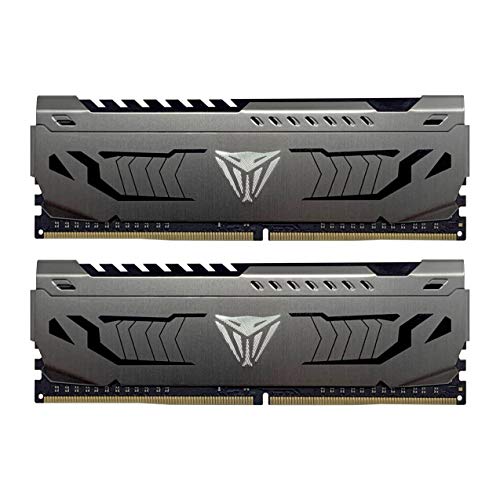
Patriot Viper Steel 16GB DDR4-3600
- Strong DDR4 data rate for gaming and general desktop use
- Convenient XMP 2.0 automatic overclocking support
- Includes two matched 8GB modules
- Compatible with both Intel and AMD platforms
- Aluminum heat spreaders add durability and visual character
- Desktop UDIMM format is not suitable for laptops
- No RGB lighting is listed
- Non-ECC design is not intended for systems that require error-correcting memory
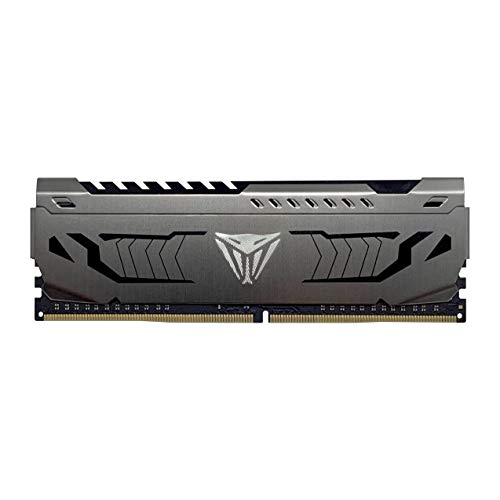
Patriot Viper Steel 8GB DDR4-3200
- Useful 3200MHz speed with CL16 latency
- XMP 2.0 support simplifies configuration
- Aluminum heat spreader included
- Works with compatible Intel and AMD platforms
- Single-module format makes incremental upgrades convenient
- One module alone does not create a dual-channel memory configuration
- 8GB may be limiting for heavier multitasking or demanding applications
- No RGB lighting is listed

OLOy Black Owl 16GB DDR4-2666 Kit
- Practical 16GB capacity split across two 8GB modules
- Supports both compatible Intel and AMD desktop platforms
- Low 1.2V operating specification
- Full primary timing information is provided
- Distinctive black Owl design
- CL19 is not especially low latency for DDR4-2666
- RGB lighting is not listed
- Limited to motherboards that support 288-pin DDR4 UDIMMs

CORSAIR Vengeance LPX DDR4 RAM 32GB (2x16GB)
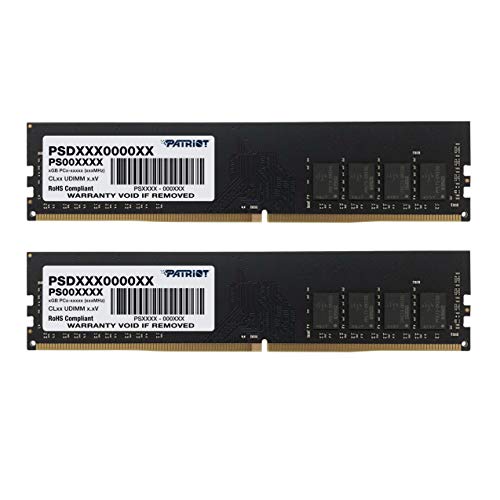
Patriot Signature Line 16GB DDR4 Kit
- Useful 16GB capacity for everyday multitasking
- Two-module configuration
- Rated at 3200MHz
- Standard non-ECC unbuffered desktop format
- Full timing sequence is listed
- A separate CAS latency designation is not provided
- No RGB lighting or heat spreader is mentioned
- Not intended for systems requiring ECC memory or laptop SO-DIMMs

【DDR4 RAM】 GIGASTONE Game PRO 32GB Kit (2x16GB)

G.SKILL Ripjaws V 32GB DDR4-3200
- Useful 32GB capacity supplied as a matched 2x16GB kit
- Up to 3200MT/s with CL16 primary latency
- Includes both JEDEC default and Intel XMP profiles
- Compatible with supported Intel and AMD desktop platforms
- Neutral black appearance
- Reaching 3200MT/s requires BIOS configuration or overclocking support
- Maximum speed depends on the motherboard, CPU, and overall system compatibility
- Mixing this kit with separately purchased memory can cause instability or system failure
Choosing the Right Kit for Your Build
For a mainstream gaming desktop, I would point most buyers toward the Patriot Viper Steel. Its 16GB dual-module layout, 3600MHz rating, and CL18 timings make it a sensible match for a compatible Intel or AMD system. XMP 2.0 support also gives you a straightforward way to select its advertised memory profile through the BIOS. If you are unsure how memory affects the wider system, our explanation of which computer RAM is best provides useful background.
If you need more room for demanding games, creative software, or heavy multitasking, I would go with the Corsair Vengeance LPX. This 32GB dual-module kit is rated for up to 3200MHz with CL16 timings, while its 34mm height can help in builds with limited cooler clearance. Corsair publishes additional memory and platform information on its official site. For a straightforward office or general-purpose desktop, the OLOy DDR4 offers 16GB across two modules at 2666MHz and CL19. I would choose it only after confirming that its speed and UDIMM format match the motherboard requirements.
FAQs
1. Is DDR4 still a sensible choice for a PC upgrade?
DDR4 remains sensible when your motherboard and processor require it. Replacing the whole platform solely to use DDR5 may not suit every budget or workload. Because memory generations are not interchangeable, verify the motherboard specification before ordering rather than relying on the module’s physical appearance.
2. Is 16GB or 32GB of DDR4 better?
For everyday computing and many gaming systems, 16GB can provide a practical starting point. A 32GB kit gives heavier multitaskers, content creators, and users of memory-intensive applications more breathing room. Consider your normal software load and upgrade plans rather than choosing capacity from speed alone.
3. Why should I buy a dual-channel memory kit?
A matched two-module kit can allow a compatible platform to operate in dual-channel mode, increasing available memory bandwidth compared with a single module. Install the modules in the motherboard’s recommended slots. Avoid combining unrelated kits, since matching specifications does not guarantee that separate sets will operate reliably together.
4. Do XMP and EXPO profiles work on every motherboard?
No. Profile availability depends on the memory kit, motherboard, processor, and BIOS support. Some DDR4 kits provide XMP, while the listed Corsair kit also advertises AMD EXPO support. The memory may initially run at a default speed until the appropriate profile is selected. Check your board’s documentation and compatibility list first.
5. Is memory speed more important than CAS latency?
Neither specification tells the whole story. Higher transfer rates can improve bandwidth, while lower CAS latency at the same speed generally reduces memory latency. Capacity and platform compatibility usually deserve priority, followed by a balanced combination of speed and timings. You can also learn who makes computer RAM before comparing brands.
Editor’s Verdict
For the best DDR4 RAM in a balanced gaming build, I would choose the Patriot Viper Steel for its 16GB dual-module configuration and 3600MHz CL18 specification. Buyers who need more capacity should consider the Corsair Vengeance LPX, which combines 32GB, up to 3200MHz, CL16 timings, and a low-profile design.