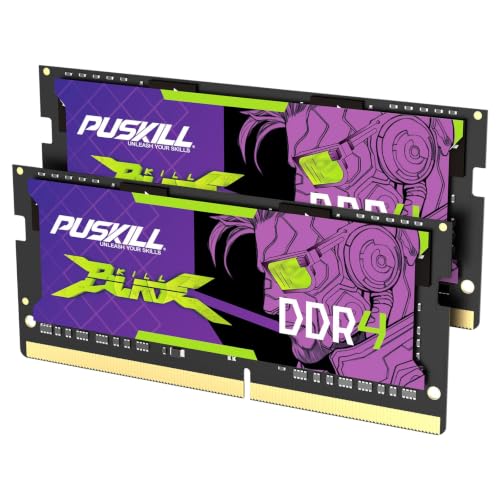
An aging PC can feel sluggish when memory is limited, but the right upgrade depends on capacity, speed, and physical format. The best 8GB DDR4 RAM should match your motherboard or laptop while providing sensible performance for everyday work and gaming. Our overview of which computer RAM is best offers more background.
Recommended by Us
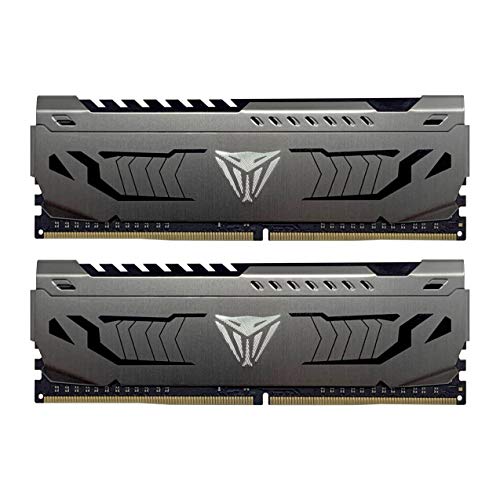
Patriot Viper Steel 16GB DDR4-3600
- Strong DDR4 data rate for gaming and general desktop use
- Convenient XMP 2.0 automatic overclocking support
- Includes two matched 8GB modules
- Compatible with both Intel and AMD platforms
- Aluminum heat spreaders add durability and visual character
- Desktop UDIMM format is not suitable for laptops
- No RGB lighting is listed
- Non-ECC design is not intended for systems that require error-correcting memory

Crucial CT8G4DFRA266 8GB DDR4 RAM
- Practical upgrade for improving system responsiveness
- Clearly specified DDR4-2666 speed and CL19 latency
- Compatibility tools and installation guides are available
- Uses the common desktop UDIMM form factor
- An 8GB capacity may be restrictive for demanding applications
- The listed rank configuration can vary between 1Rx16, 1Rx8, and 2Rx8
- No RGB lighting or decorative heat spreader is specified

PNY Performance 8GB DDR4-3200 Desktop RAM
- 3200MHz rated speed
- Broad support for lower DDR4 frequencies
- Standard 1.2V operation
- Simple 8GB capacity upgrade for compatible desktops
- Single 8GB module rather than a matched two-module kit
- CL22 latency is relatively loose for DDR4-3200 memory
- RGB lighting and a heat spreader are not specified

Crucial 8GB DDR4-3200 Laptop RAM
- Useful 8GB capacity for upgrading a compatible laptop
- Supports three operating speeds for broader system compatibility
- Straightforward 260-pin SODIMM installation
- Compatibility tools are available from Crucial
- Backed by Micron's long-standing memory expertise
- CL22 is functional rather than optimized for especially low latency
- SODIMM format is not compatible with standard desktop DIMM slots
- Reaching 3200MHz depends on the laptop and processor supporting that speed

Timetec 8GB DDR4-2666 SODIMM
- Single-module 8GB upgrade
- Compatible with several types of SODIMM-based computers
- Standard 1.2V DDR4 operation
- Quick plug-and-play installation
- Clear 2666MHz and CL19 specifications
- Not compatible with full-size desktop DIMM slots
- PCB color and memory rank may vary by production batch
- System support for 260-pin DDR4 SODIMM memory must be confirmed before purchase
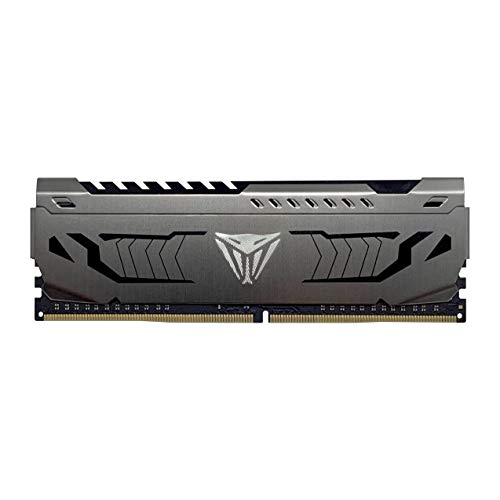
Patriot Viper Steel 8GB DDR4-3200
- Useful 3200MHz speed with CL16 latency
- XMP 2.0 support simplifies configuration
- Aluminum heat spreader included
- Works with compatible Intel and AMD platforms
- Single-module format makes incremental upgrades convenient
- One module alone does not create a dual-channel memory configuration
- 8GB may be limiting for heavier multitasking or demanding applications
- No RGB lighting is listed

TEAMGROUP T-Force Vulcan Z 16GB DDR4
- Balanced 3200MHz and CL16 specification
- Includes two modules for a 16GB kit
- Compatible with Intel and AMD motherboard platforms
- Supports XMP 2.0 profiles
- Simple gray design without excessive styling
- Motherboard QVL compatibility should be checked before purchase
- Actual operating frequency can depend on the CPU memory controller and motherboard BIOS
- The listing does not specify RGB lighting
Choosing the Right Module for Your PC
I would start by confirming whether your system needs a desktop UDIMM or laptop SODIMM, since they are not interchangeable. You should also check whether your motherboard supports DDR4, especially because DDR4 and DDR5 compatibility is determined by the board. Crucial publishes its own memory compatibility and upgrade resources.
- If you want one responsive desktop module, the Patriot Viper Steel is the option I would favor. It provides 8GB at 3200MHz with CL16 timings, an aluminum heat spreader, and XMP 2.0 support for compatible Intel or AMD desktop platforms.
- For a laptop, mini PC, or all-in-one that accepts 260-pin SODIMMs, I would choose the Crucial DDR4-3200 SODIMM. This 8GB module runs at up to 3200MHz and can operate at 2933MHz or 2666MHz when required by the system.
- If you need more total desktop memory and want a matched pair, the Patriot Viper Steel Kit is my choice. Its two 8GB modules provide 16GB combined, run at 3600MHz with CL18 latency, and support XMP 2.0.
FAQs
1. Is 8GB of DDR4 RAM enough for gaming?
One 8GB module can handle everyday computing and lighter games, but modern gaming alongside browsers, voice chat, or background applications may benefit from more total memory. Starting with one module can leave room for a second matching stick later, provided the motherboard has an available compatible slot.
2. Should I buy one 8GB module or a two-module kit?
A single 8GB module is useful for replacing failed memory or expanding a system that already has a compatible stick. A matched two-module kit can provide 16GB total and enable dual-channel operation when installed in the correct motherboard slots, offering more memory bandwidth than one module.
3. Can DDR4 memory be installed in a DDR5 motherboard?
No. DDR4 and DDR5 use different electrical designs and slot keying, so a module should never be forced into an incompatible socket. Check the motherboard manual and memory support information before ordering, particularly when upgrading a prebuilt PC with limited documentation.
4. Will a computer start without RAM installed?
A computer cannot complete its normal startup process without working system memory. It may power on and display diagnostic lights or produce error tones, but it will not load the operating system. Our explanation of whether a motherboard can boot without RAM covers the expected behavior.
5. Is lower CAS latency always better?
Lower CAS latency generally reduces delay when comparing memory at the same frequency, but speed and latency should be considered together. Compatibility comes first, and an advertised profile may require motherboard support and configuration. A 3200MHz CL16 module and a 3600MHz CL18 module therefore should not be judged by latency alone.
Editor’s Verdict
For the best 8GB DDR4 RAM in a desktop, I would choose the Patriot Viper Steel for its 3200MHz speed and CL16 timings. Laptop owners should consider the Crucial DDR4-3200 SODIMM, provided their system accepts 260-pin DDR4 memory.