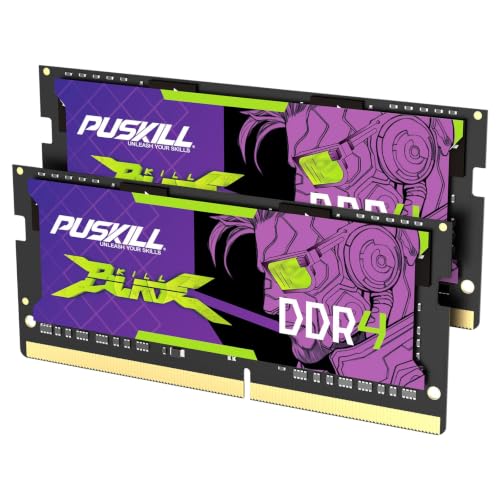
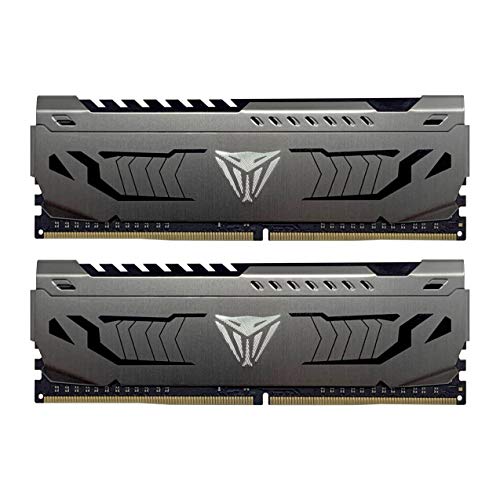
Best RAM for Dell Laptop upgrades depends on the memory generation, available slots, and maximum capacity supported by your particular model. The kits below cover older DDR3 notebooks through current DDR5 systems, giving you practical options for everyday work, gaming, and heavier multitasking without making compatibility needlessly confusing.
Recommended by Us

Timetec 16GB DDR3L-1600 Desktop RAM Kit
- Includes two matched-capacity 8GB desktop modules
- Supports both DDR3L and DDR3 voltage levels
- Clearly specified CL11 latency and 2Rx8 dual-rank layout
- Compatible with supported Intel and AMD desktop platforms
- Standard 240-pin unbuffered UDIMM format
- Not compatible with laptop memory slots
- PCB color may be black or green depending on the production batch
- Non-ECC design is unsuitable for systems that specifically require ECC memory

Timetec 16GB DDR3L-1600 SODIMM Kit
- Complete 16GB dual-module kit
- Supports both DDR3L and DDR3 operating voltages
- Useful compatibility across several compact computer types
- Clearly specified CL11 and 2Rx8 configuration
- Designed for older DDR3-era systems rather than DDR4 or DDR5 devices
- Compatibility depends on the device supporting 8GB modules and 16GB total
- Requires two available SODIMM slots to install the full kit
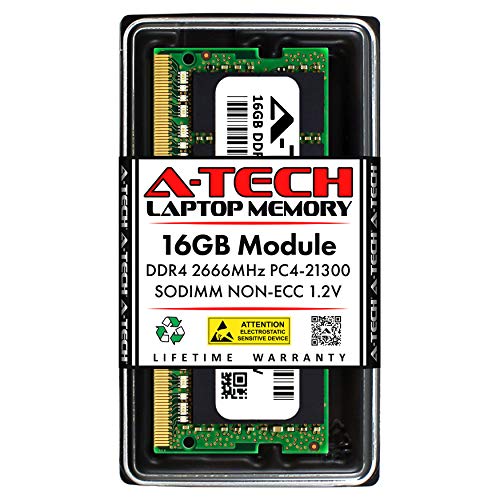
A-Tech 16GB DDR4-2666 Laptop RAM
- Useful 16GB capacity in a single module
- Compatible with several compact computer categories
- Standard 1.2V DDR4 operation
- Clear CL19 latency specification
- Simple plug-and-play installation
- Compatibility must be verified against the system's supported memory type and capacity
- Not compatible with desktop DIMM slots or ECC memory systems
- Cannot be used in DDR2, DDR3, or DDR5 devices

Crucial 16GB DDR4-3200 Laptop RAM
- Useful 16GB capacity for laptop multitasking
- Supports up to 3200MHz operation
- Beginner-friendly installation guidance
- Compatibility tools are available before purchase
- Non-ECC 260-pin SODIMM format suits many DDR4 laptops
- CL22 timing is not aimed at buyers seeking especially low latency
- Works only with systems that support DDR4 260-pin SODIMM memory
- RGB lighting is not listed

SK Hynix 8GB DDR4-3200 Laptop RAM
- Common DDR4 SO-DIMM format for compatible laptops
- 3200 speed is clearly identified in the listing
- Works with systems supporting non-ECC, unbuffered DDR4 SO-DIMMs
- Compact single-module design simplifies installation
- CAS latency is not provided
- Compatibility still depends on the laptop or motherboard specifications
- The listing does not provide detailed timing information

Timetec 8GB DDR3L-1600 SODIMM
- Supports both DDR3L and DDR3 operating voltages
- Single 8GB module leaves another slot available in compatible systems
- Clearly specified CL11 latency and 2Rx8 dual-rank layout
- Compatible with several compact computer categories
- Not compatible with DDR4, DDR5, or full-size desktop DIMM slots
- Single-module package does not provide a matched two-module kit
- Plain green PCB with no decorative lighting

Crucial 32GB DDR5-5600 SODIMM Kit
- Two 16GB modules provide 32GB total capacity
- Multiple supported operating speeds improve compatibility flexibility
- Supports Intel XMP 3.0 and AMD EXPO
- Suitable for compatible Intel Core and AMD Ryzen 7000 laptops
- Compact DDR5 SODIMM design
- CAS latency is not provided in the listing
- Non-ECC memory is not intended for systems requiring ECC support
- Compatibility still depends on the laptop supporting 262-pin DDR5 SODIMMs
Which Memory I Would Choose for Your Dell
I would begin by checking the installed memory generation and Dell’s stated capacity limit. DDR3, DDR4, and DDR5 modules are physically different and cannot be substituted for one another, as our explanation of DDR4 and DDR5 compatibility makes clear. Crucial also provides system compatibility tools that can help narrow the choice.
- For an older Dell notebook that accepts 204-pin DDR3 or DDR3L memory, the Timetec DDR3L 16GB is my preferred option. It combines two 8GB modules rated at 1600MHz and CL11, making it suitable when you want a matched kit rather than a single-module upgrade.
- For a DDR4 Dell laptop, I would point most buyers toward the Crucial DDR4 16GB. This 260-pin SODIMM runs at up to 3200MHz with CL22 latency and can operate at lower listed speeds when required by a compatible system.
- If your newer Dell supports 262-pin DDR5 SODIMMs and you need more room for demanding applications, the Crucial DDR5 32GB is the kit I would choose. Its two 16GB modules support 5600MHz, 5200MHz, or 4800MHz operation, depending on the laptop platform.
FAQs
1. How do I know which RAM fits my Dell laptop?
Check the laptop’s service manual, current memory specifications, slot count, and maximum supported capacity. You must match the DDR generation and SODIMM form factor because different generations are not interchangeable. Dell’s model or service tag can help you locate the correct documentation before opening the machine.
2. Is 16GB enough memory for a Dell laptop?
For general productivity, web browsing, office software, and mainstream gaming, 16GB is a sensible target for many users. Heavier creative work, large projects, or frequent multitasking may benefit from 32GB, provided the laptop supports it. Our overview of choosing computer RAM explains the broader factors involved.
3. Should I buy a dual-channel kit or one larger module?
A matched two-module kit is useful when your Dell has two accessible slots and supports dual-channel operation. One larger module may be preferable when you want to preserve an empty slot for a later upgrade. Always confirm whether the laptop has removable memory, soldered memory, or a combination of both.
4. Does faster RAM always improve laptop performance?
Not necessarily. The laptop’s processor and firmware determine which memory speeds are supported, so a faster module may operate at a lower compatible rate. Capacity can matter more when the existing system is short on memory, while latency and speed should be compared only among modules the Dell can actually use.
5. Will XMP or EXPO work in a Dell laptop?
Support depends on the specific laptop firmware and chipset, and many notebooks rely on standard memory profiles rather than user-selectable settings. The Crucial DDR5 kit listed above supports Intel XMP 3.0 and AMD EXPO, but that does not guarantee a Dell model will expose or use those profile controls.
Editor’s Verdict
For the Best RAM for Dell Laptop, I would choose the Crucial DDR4 16GB for a compatible DDR4 system because its capacity and supported speeds suit a broad range of upgrades. Owners of older DDR3 machines should instead consider the Timetec DDR3L 16GB matched kit.