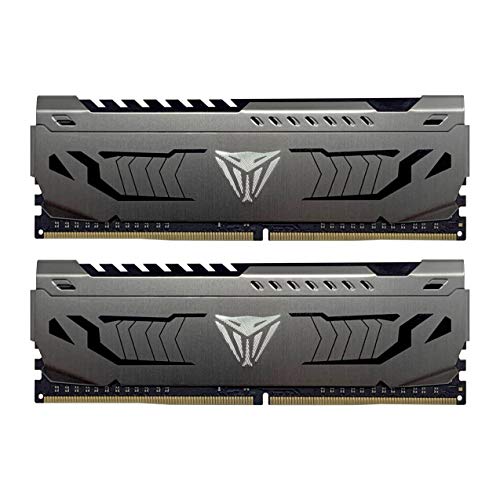
Slow loading, stuttering during multitasking, and limited memory can hold back an otherwise capable gaming laptop. The best laptop RAM for gaming should match your machine’s DDR generation, supported speed, and available slots while providing enough capacity for games, voice chat, browser tabs, and background software.
Recommended by Us
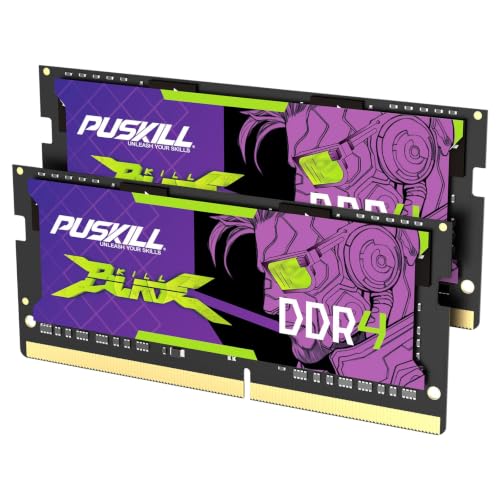
PUSKILL 32GB DDR4-3200 SODIMM Kit
- Generous 32GB capacity for gaming and productivity workloads
- Dual-channel 2x16GB configuration
- Rated for 3200MHz operation
- Straightforward installation with no manual tuning listed
- CL22 latency is functional but not especially tight for DDR4-3200
- A laptop must support DDR4 SODIMMs and 3200MHz operation
- Voltage and detailed platform compatibility are not listed

Crucial 32GB DDR5-5600 SODIMM Kit
- Two 16GB modules provide 32GB total capacity
- Multiple supported operating speeds improve compatibility flexibility
- Supports Intel XMP 3.0 and AMD EXPO
- Suitable for compatible Intel Core and AMD Ryzen 7000 laptops
- Compact DDR5 SODIMM design
- CAS latency is not provided in the listing
- Non-ECC memory is not intended for systems requiring ECC support
- Compatibility still depends on the laptop supporting 262-pin DDR5 SODIMMs

Adamanta 16GB DDR4-3200 SODIMM
- Single 16GB module provides a substantial capacity upgrade
- Supports 3200MHz as well as listed lower operating speeds
- Dual-rank 2Rx8 module organization
- Broad compatibility list includes major laptop brands, gaming systems, Ryzen platforms, and NUCs
- A single module may not provide dual-channel operation unless paired with compatible memory
- CL22 latency is functional but not especially low for DDR4-3200
- Actual operating speed depends on the laptop, processor, and firmware support

Samsung 16GB DDR4-3200 SODIMM
- Useful 16GB capacity in one module
- DDR4-3200 speed
- Clearly specified CL22 latency
- Dual-rank 2Rx8 organization
- Compatible with select laptops, notebooks, and all-in-one systems
- Single-module package does not provide a matched two-stick setup
- Not compatible with desktop DIMM slots or DDR5 systems
- Compatibility must be confirmed because support is limited to select systems

PUSKILL 16GB DDR4-3200 SODIMM Kit
- Useful 16GB capacity for modern gaming and multitasking
- Matched 2x8GB layout enables dual-channel operation
- Runs at up to 3200MHz in supported laptops
- Straightforward installation with no manual tuning described
- Requires two available SODIMM slots to install the complete kit
- CL22 timings favor standard compatibility rather than especially low latency
- Actual 3200MHz operation depends on the laptop and processor supporting that memory speed

A-Tech 16GB DDR4-3200 Laptop RAM
- Useful 16GB capacity in one module
- 3200MHz DDR4 performance
- Compatible with several compact computer form factors
- Standard 1.2V non-ECC, unbuffered design
- Simple plug-and-play installation
- Not compatible with full-size desktop DIMM slots
- Cannot be used in systems requiring ECC, RDIMM, LRDIMM, or ECC UDIMM memory
- Compatibility and maximum supported capacity must be verified before purchase

Crucial 16GB DDR4-3200 Laptop RAM
- Useful 16GB capacity for laptop multitasking
- Supports up to 3200MHz operation
- Beginner-friendly installation guidance
- Compatibility tools are available before purchase
- Non-ECC 260-pin SODIMM format suits many DDR4 laptops
- CL22 timing is not aimed at buyers seeking especially low latency
- Works only with systems that support DDR4 260-pin SODIMM memory
- RGB lighting is not listed
Choosing the Right Memory for Your Gaming Laptop
If your laptop accepts DDR5 and you want substantial capacity for demanding games and heavy multitasking, I would go with the Crucial DDR5 32GB Kit. It combines two 16GB modules and supports 5600MHz, with the ability to operate at 5200MHz or 4800MHz when required. It also supports Intel XMP 3.0 and AMD EXPO. Before ordering, check whether your system uses DDR4 or DDR5 because the generations are not interchangeable. Our explanation of DDR4 and DDR5 compatibility covers the underlying issue. Crucial also provides tools for checking memory compatibility.
For a DDR4 gaming laptop with two replaceable slots, the PUSKILL 32GB DDR4 Kit is the option I would point toward for gaming alongside streaming software, chat, and browser tabs. Its two 16GB SODIMMs run at 3200MHz with CL22 timings and provide a matched dual-channel configuration. If you need only one module, the Samsung 16GB DDR4 SODIMM is a straightforward 3200MHz CL22 choice. It is a 2Rx8, dual-rank module, but a single stick will not provide the same dual-channel arrangement as a matched pair. I would confirm slot availability, maximum capacity, and supported speed in the laptop manual before choosing either route.
FAQs
1. Is DDR4 or DDR5 better for a gaming laptop?
DDR5 offers newer memory technology and higher listed speeds, but the right choice is determined by your laptop. A DDR4 slot cannot accept a DDR5 SODIMM, and the reverse is also true. Check the manual, manufacturer specifications, or currently installed module before buying.
2. Is 16GB or 32GB of RAM better for gaming?
For many gaming laptops, 16GB provides useful room for a game and ordinary background applications. A 32GB kit makes more sense when you also stream, create content, run heavily modded games, or keep numerous applications open. Our overview of choosing computer RAM explains the wider factors that matter.
3. Does a dual-channel kit improve gaming performance?
A matched two-module kit can provide dual-channel memory bandwidth when the laptop supports it. That can help workloads sensitive to memory bandwidth, although the effect varies by game, processor, and graphics hardware. Two modules also occupy both slots, so consider whether you may want more capacity later.
4. Do laptop RAM kits require XMP or EXPO?
Not necessarily. Many laptop SODIMMs operate using standard profiles without manual setup, while support for XMP or EXPO depends on both the memory and the laptop firmware. The Crucial DDR5 kit listed above supports both technologies, but your laptop must also expose compatible settings for them to be useful.
5. Should I prioritize memory speed or CAS latency?
Speed and latency should be considered together, but compatibility comes first. At the same memory speed, a lower CAS latency generally reduces memory access delay. A faster module may still run at a lower supported speed if the laptop processor or firmware imposes a limit, so avoid choosing by the largest MHz figure alone.
Editor’s Verdict
For the best laptop RAM for gaming, I would choose the Crucial DDR5 32GB Kit for a compatible DDR5 machine. Owners of DDR4 gaming laptops who want a matched dual-channel setup should consider the PUSKILL 32GB DDR4 Kit, provided the laptop supports two 16GB 3200MHz modules.