Gaming, broadcasting, voice chat, and background apps can compete for memory at the same time. Choosing the best RAM for streaming and gaming means balancing capacity, speed, latency, and motherboard support. It also helps to understand which computer RAM is best for your particular desktop before ordering.
Recommended by Us

TEAMGROUP T-Force Vulcan Z 16GB DDR4
- Balanced 3200MHz and CL16 specification
- Includes two modules for a 16GB kit
- Compatible with Intel and AMD motherboard platforms
- Supports XMP 2.0 profiles
- Simple gray design without excessive styling
- Motherboard QVL compatibility should be checked before purchase
- Actual operating frequency can depend on the CPU memory controller and motherboard BIOS
- The listing does not specify RGB lighting
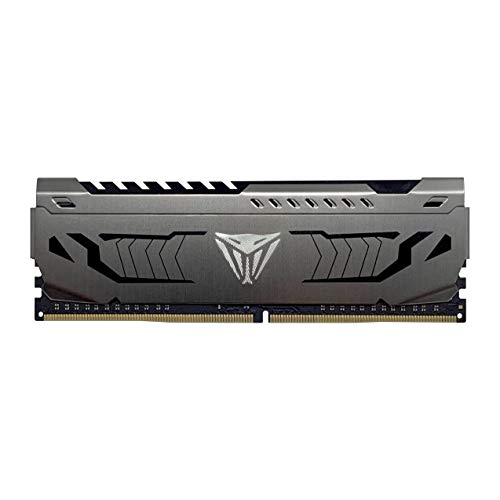
Patriot Viper Steel 8GB DDR4-3200
- Useful 3200MHz speed with CL16 latency
- XMP 2.0 support simplifies configuration
- Aluminum heat spreader included
- Works with compatible Intel and AMD platforms
- Single-module format makes incremental upgrades convenient
- One module alone does not create a dual-channel memory configuration
- 8GB may be limiting for heavier multitasking or demanding applications
- No RGB lighting is listed

Timetec 16GB DDR3L-1600 Desktop RAM Kit
- Includes two matched-capacity 8GB desktop modules
- Supports both DDR3L and DDR3 voltage levels
- Clearly specified CL11 latency and 2Rx8 dual-rank layout
- Compatible with supported Intel and AMD desktop platforms
- Standard 240-pin unbuffered UDIMM format
- Not compatible with laptop memory slots
- PCB color may be black or green depending on the production batch
- Non-ECC design is unsuitable for systems that specifically require ECC memory

Crucial Pro 64GB DDR4-3200 Kit
- Large 64GB capacity for intensive multitasking
- Flexible 3200MHz, 3000MHz, and 2666MHz operation
- Broad listed support for Intel Core and AMD Ryzen platforms
- Intel XMP 2.0 support
- Two-module kit leaves additional memory slots open on four-slot motherboards
- CAS latency is not provided in the listing
- Non-ECC memory is not intended for systems that require ECC support
- Achieving the intended speed depends on processor and motherboard support, and some configurations may require XMP
TEAMGROUP T-Force Vulcan Z 16GB DDR4
- Balanced 3200MHz and CL16 specification
- Includes two matched-capacity 8GB modules
- Supports XMP 2.0 configuration
- Compatible with Intel and AMD motherboards
- Simple gray design suits understated builds
- No RGB lighting is listed for builders seeking illumination
- Exact operating voltage is not provided in the product data
- XMP availability and settings depend on motherboard support
Choosing the Right Kit for Your Build
I would start by checking the motherboard’s supported DDR generation, memory speeds, and module capacities. RAM generations are not interchangeable, so a DDR3 desktop needs a different kit from a DDR4 system. Our explanation of DDR4 and DDR5 motherboard compatibility covers why platform support matters. TEAMGROUP also publishes memory information on its official site.
- For a mainstream DDR4 gaming and streaming desktop, the TEAMGROUP Vulcan Z is the kit I would choose. Its matched 16GB capacity uses two 8GB modules, while the specified 3200MHz speed and CL16 latency provide a sensible combination for a compatible Intel or AMD motherboard.
- If you run memory-heavy creative software alongside games and streaming tools, I would point to the Crucial Pro 64GB. This two-module DDR4 kit offers 64GB total capacity and can operate at 3200MHz, 3000MHz, or 2666MHz depending on the system configuration.
- For an older desktop that specifically requires DDR3 or DDR3L memory, the Timetec DDR3L Kit is the appropriate option here. It combines two 8GB modules for 16GB total capacity and runs at 1600MHz with CL11 latency, but it is not suitable for laptops.
FAQs
1. How much RAM is useful for gaming and streaming?
A 16GB kit is a practical starting point for many gaming and streaming desktops, particularly when unnecessary background applications are closed. Higher capacities can make sense when streaming is combined with video editing, large creative projects, or heavy multitasking. Your software mix matters more than choosing capacity from gaming requirements alone.
2. Is a dual-channel kit better than one memory module?
A matched pair allows dual-channel operation when installed in the correct motherboard slots, increasing available memory bandwidth compared with a single module on a compatible platform. The kits below include both paired and single-module options, so check the module count carefully. Your motherboard manual will identify the preferred slots for a two-stick configuration.
3. Should I choose DDR4 or DDR5 for a streaming PC?
Choose the generation required by your motherboard and processor platform. DDR4 and DDR5 modules use different physical and electrical designs, so one cannot simply replace the other. If you are upgrading rather than building a new PC, confirm the existing memory type before considering speed, capacity, or latency.
4. Do speed and CAS latency both matter?
Yes. Memory speed affects transfer rate, while CAS latency describes part of the delay before data is delivered. Lower latency is generally preferable when comparing modules at the same speed, but platform compatibility and adequate capacity come first. For more background, see who makes computer RAM and how memory brands source modules.
5. Will XMP work automatically with every motherboard?
No. XMP support depends on the memory kit, motherboard, processor memory controller, and firmware settings. The listed TEAMGROUP and Patriot DDR4 modules support XMP 2.0, while the Crucial kit also supports XMP 2.0. Check the motherboard documentation and compatibility list before enabling a memory profile.
Editor’s Verdict
For the best RAM for streaming and gaming in a mainstream DDR4 desktop, I would go with the TEAMGROUP Vulcan Z because its 16GB dual-module layout, 3200MHz speed, and CL16 latency make it a balanced choice. The Crucial Pro 64GB is better suited to demanding multitasking and content creation workloads.