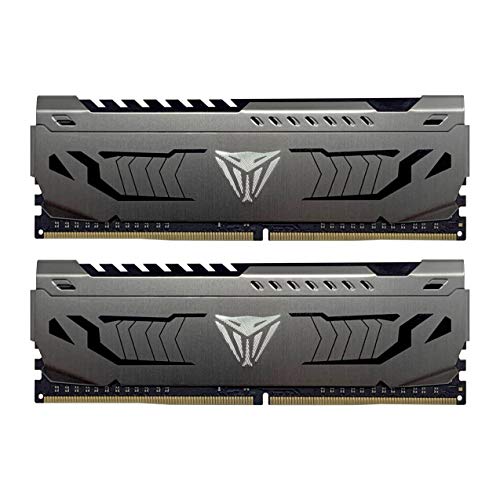
Limited memory can make games, creative software, and everyday multitasking feel unnecessarily sluggish. The best laptop RAM upgrades add useful capacity while matching the notebook’s supported DDR generation, speed, and slot configuration. Before ordering, confirm the installed memory type and check whether both SODIMM slots are accessible.
Recommended by Us

TEAMGROUP Elite 16GB DDR4 Laptop Kit
- Complete 16GB kit with two 8GB modules
- Supports up to 3200MHz on compatible systems
- Standard 1.2V DDR4 SODIMM design
- Installation guidance is provided through a product video
- Can operate at 2933MHz or 2666MHz when required by the host system
- Actual speed depends on the laptop, processor, motherboard, BIOS, and memory configuration
- CL22 may be less appealing than lower-latency kits at the same rated speed
- No RGB lighting is advertised

Timetec 16GB DDR3L-1600 SODIMM Kit
- Complete 16GB dual-module kit
- Supports both DDR3L and DDR3 operating voltages
- Useful compatibility across several compact computer types
- Clearly specified CL11 and 2Rx8 configuration
- Designed for older DDR3-era systems rather than DDR4 or DDR5 devices
- Compatibility depends on the device supporting 8GB modules and 16GB total
- Requires two available SODIMM slots to install the full kit
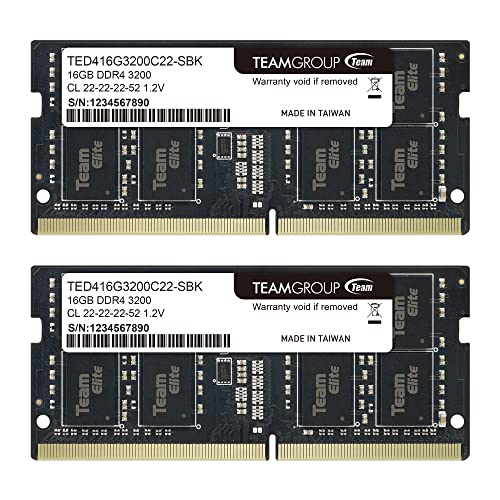
TEAMGROUP Elite 32GB DDR4 Laptop RAM
- Generous 32GB capacity for heavier multitasking
- Two-module kit fills a compatible pair of SODIMM slots
- Supports multiple host-controlled speeds up to 3200MHz
- Standard 1.2V DDR4 operation
- Installation guidance is provided through the product imagery
- Actual speed may be limited to 2933MHz or 2666MHz by the laptop
- CL22 prioritizes standard compatibility rather than especially low latency
- Requires a system that supports 260-pin DDR4 SODIMM memory and the requested capacity

Crucial 32GB DDR5-5600 SODIMM Kit
- Two 16GB modules provide 32GB total capacity
- Multiple supported operating speeds improve compatibility flexibility
- Supports Intel XMP 3.0 and AMD EXPO
- Suitable for compatible Intel Core and AMD Ryzen 7000 laptops
- Compact DDR5 SODIMM design
- CAS latency is not provided in the listing
- Non-ECC memory is not intended for systems requiring ECC support
- Compatibility still depends on the laptop supporting 262-pin DDR5 SODIMMs

Timetec 8GB DDR3L-1600 SODIMM
- Supports both DDR3L and DDR3 operating voltages
- Single 8GB module leaves another slot available in compatible systems
- Clearly specified CL11 latency and 2Rx8 dual-rank layout
- Compatible with several compact computer categories
- Not compatible with DDR4, DDR5, or full-size desktop DIMM slots
- Single-module package does not provide a matched two-module kit
- Plain green PCB with no decorative lighting

PUSKILL 16GB DDR4-3200 SODIMM
- Useful 16GB capacity in one module
- Leaves room for a future 32GB dual-channel configuration
- Rated for 3200MHz operation
- Designed for straightforward laptop installation
- A single module may run in single-channel mode until a matching second stick is installed
- CL22 prioritizes standard compatibility rather than especially low latency
- Laptop support for DDR4 SODIMM and 3200MHz operation should be confirmed before purchase
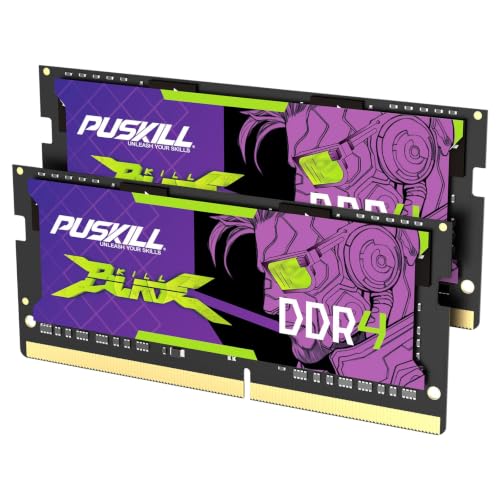
PUSKILL 32GB DDR4-3200 SODIMM Kit
- Generous 32GB capacity for gaming and productivity workloads
- Dual-channel 2x16GB configuration
- Rated for 3200MHz operation
- Straightforward installation with no manual tuning listed
- CL22 latency is functional but not especially tight for DDR4-3200
- A laptop must support DDR4 SODIMMs and 3200MHz operation
- Voltage and detailed platform compatibility are not listed
Choosing the Right Kit for Your Laptop
For a mainstream DDR4 notebook, I would point most buyers toward the TEAMGROUP Elite 16GB Kit. Its two 8GB DDR4-3200 CL22 modules suit users who want a matched dual-module setup for gaming, office work, and ordinary multitasking. The modules can also run at 2933MHz or 2666MHz when required by the host system. If you need more room for demanding games, streaming software, or heavier multitasking, the TEAMGROUP Elite 32GB Kit provides two 16GB modules with the same DDR4-3200 and CL22 specifications. TEAMGROUP publishes further information about its memory products on its own site.
For a newer DDR5 laptop, I would choose the Crucial 32GB DDR5 Kit. It combines two 16GB SODIMMs and can operate at 5600MHz, 5200MHz, or 4800MHz according to the laptop’s supported configuration. It also supports Intel XMP 3.0 and AMD EXPO, although the notebook firmware ultimately determines which memory settings are available. Anyone uncertain about mixing memory generations should first review DDR4 and DDR5 compatibility, since these module types are not interchangeable.
FAQs
1. How much RAM does a laptop need?
For web browsing, office applications, and general home use, 16GB is a practical target. A 32GB kit makes more sense for demanding games, content creation, virtual machines, or running many applications together. Capacity should still remain within the maximum supported by the laptop and its processor.
2. Can DDR5 laptop RAM replace DDR4 memory?
No. DDR4 and DDR5 SODIMMs have different electrical and physical requirements, so a laptop supports the generation specified by its manufacturer. Check the manual, system specifications, or currently installed module before buying. Our explanation of which computer RAM is best provides more context for comparing memory types.
3. Is a two-module kit better than one SODIMM?
A matched two-module kit can enable dual-channel operation when the laptop and processor support it, increasing available memory bandwidth. A single module leaves an open slot for a later upgrade, but it may not provide the same bandwidth by itself. Also verify whether the laptop has removable memory or any soldered capacity.
4. Does faster laptop RAM always run at its advertised speed?
Not necessarily. The laptop’s processor, chipset, firmware, and supported memory configuration determine the operating speed. For example, the listed DDR4-3200 TEAMGROUP kits may run at 2933MHz or 2666MHz in some systems. XMP or EXPO support on a module does not guarantee that a laptop exposes those profiles.
5. Should I prioritize memory speed or CAS latency?
Both influence memory responsiveness, but they should be considered alongside DDR generation and system support. Lower CAS latency generally reduces delay when comparing memory at the same data rate, while greater speed can increase bandwidth. Compatibility and sufficient capacity usually matter more than chasing a specification the laptop cannot use.
Editor’s Verdict
Among the best laptop RAM upgrades, the TEAMGROUP Elite 16GB Kit is my practical DDR4 choice for everyday systems and gaming laptops. For a compatible DDR5 notebook that needs more multitasking capacity, I would instead choose the Crucial 32GB DDR5 Kit.