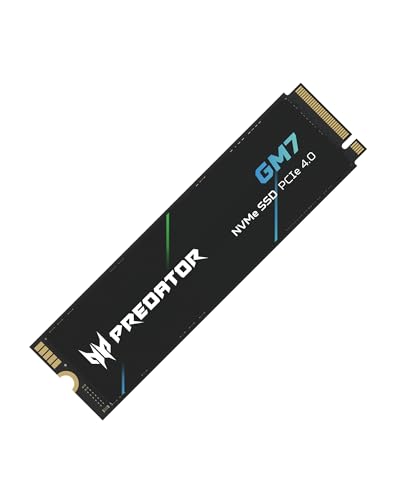
Running out of storage creates instant friction when managing local backups or media libraries. Finding the best external SSDs and hard drives comes down to balancing pocketable read speeds with deep, cost-effective capacity. Anyone evaluating the best external hard drives for photos and videos must decide between rapid flash memory and spacious mechanical disks.
Recommended by Us

WD 5TB Elements Portable Hard Drive
- Massive 5TB storage capacity in a pocket-friendly enclosure
- SuperSpeed USB 3.2 Gen 1 connection rated for up to 5Gbps
- Lightweight construction at approximately 0.52 pounds
- Effortless plug-and-play expandability for PC and Mac
- Specific read and write transfer rates are not specified in the listing
- Slightly thicker 0.82-inch profile compared to lower-capacity portable drives
- Traditional hard drive mechanics transfer slower than external solid-state drives

SanDisk 1TB Extreme Portable SSD
- Rapid transfer speeds up to 2000MB/s handle large files quickly
- IP65 water and dust resistance combined with 3-meter drop durability
- 256-bit AES hardware encryption for private data security
- Extremely lightweight and portable at just 0.1 pounds
- Reaching maximum 2000MB/s speeds requires a compatible high-speed USB-C port
- Specific included accessories and cables are not detailed in the listing
WD 6TB Elements Portable Hard Drive
- Vast 6TB capacity packed into an easily transportable 2.5-inch form factor
- Bus-powered design runs entirely off your computer's USB port
- Plug-and-play readiness ensures immediate use right out of the box
- SuperSpeed USB 3.2 Gen 1 connectivity supporting up to 5Gbps interface bandwidth
- Mechanical drive architecture inherently offers slower transfer speeds than solid state drives
- Specific sequential read and write speeds are not specified in the manufacturer details
- Requires reformatting for use with Apple macOS environments

- Simple drag-and-drop file management with automatic system recognition
- Versatile compatibility spanning desktop computers, laptops, and gaming consoles
- Lightweight and compact profile measuring under 0.6 inches thick
- Includes 1-Year Rescue Service for data recovery assistance
- Transfer speed figures are not stated in the official specifications
- Requires reformatting for full compatibility with macOS
- Included 18-inch cable may be short for some desktop configurations
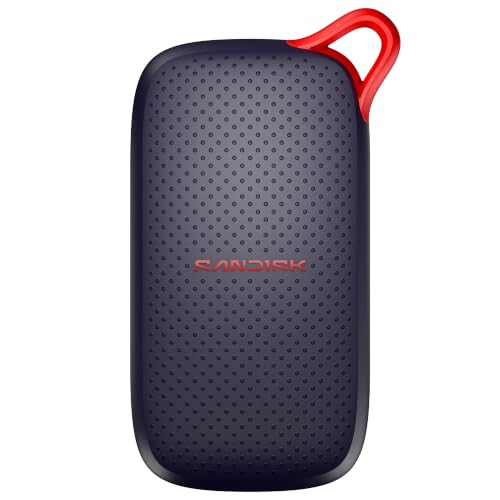
SanDisk 1TB Portable SSD
- Fast read performance reaching up to 1000MB/s
- Rugged design with up to 2-meter drop resistance
- Ultra-compact pocket size tailored for mobile use
- Broad support across laptops and tablet devices
- Specific connection interface type is not specified in the listing
- Sustained write speeds are omitted from the technical details

SSK 1TB Portable External SSD
- Rapid transfer speeds up to 1050MB/s over USB 3.2 Gen2
- Low power draw makes it ideal for mobile phone recording
- Robust 2mm thick aluminum casing helps manage heat
- Includes both USB-A and USB-C connection cables
- Formatted capacity shows as roughly 931GB on Windows systems
- No official water or dust resistance rating listed
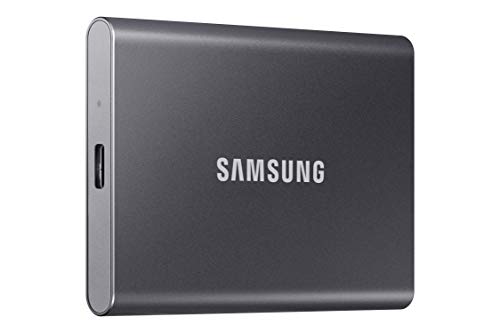
Samsung T7 Portable SSD 1TB
- High-bandwidth USB 3.2 Gen 2 speeds reaching up to 1,050MB/s
- Compact 1TB form factor fits effortlessly into pockets or laptop sleeves
- Solid-state design avoids the physical vulnerabilities of spinning hard drives
- Broad utility across everyday productivity, academic work, and gaming
- Reaching maximum transfer potential requires a compatible USB 3.2 Gen 2 host port
- Product listing does not detail included accessories or cable types
Matching Storage Drives to Your Everyday Workflow
Choosing between solid-state performance and mechanical capacity depends heavily on what you plan to move across your ports. If you work with high-resolution video or need rugged reliability on the road, I would go with the SanDisk 1TB Extreme. Its transfer speeds reach up to 2000MB/s over USB-C 3.2 Gen 2, and the IP65 water and dust resistance paired with three-meter drop protection safeguards assets in transit. On its official portal, SanDisk notes that the drive also integrates 256-bit AES hardware encryption to keep private files password protected.
For bulk cold storage where raw bandwidth takes a backseat to volume, I would point users toward the WD 6TB Elements. It delivers a massive six terabytes in a portable two-and-a-half-inch enclosure over USB 3.2 Gen 1, making it an excellent pairing if you are also researching the best hard drives for long term storage. Meanwhile, if you want a sleek aluminum chassis tailored for mobile devices, the Samsung T7 1TB offers read speeds up to 1050MB/s and direct support for recording ProRes 4K footage.
FAQs
1. What is the main difference between an external SSD and an external hard drive?
External solid-state drives rely on flash memory, meaning they have no moving parts and offer significantly faster read and write performance. Traditional hard drives use spinning platters, which makes them slower during file transfers but far more economical for multi-terabyte archival backups. For handling large photo catalogs, comparing options among the best hard drives for photo storage helps clarify these capacity differences.
2. Can I connect these external drives directly to a smartphone or tablet?
Yes, many modern external drives support direct mobile connections via USB-C or OTG adapters. Drives like the Samsung T7 even support recording high-resolution 4K ProRes video straight from compatible smartphones without extra software. However, higher-capacity mechanical drives may draw more power than some mobile devices can supply through a standard port.
3. How much drop protection do portable solid-state drives typically offer?
Because solid-state drives lack internal moving components, they handle physical shocks much better than mechanical drives. Many rugged models feature rated drop resistance between two and three meters, alongside silicone bumpers or aluminum enclosures to disperse impact energy. Hardware publications like Tom’s Hardware regularly highlight durability as a key advantage of portable flash storage over spinning platters.
4. Why does my drive show less available space in Windows than the box states?
Storage manufacturers calculate capacity using the decimal system, where one gigabyte equals one billion bytes. Operating systems like Windows report storage using binary gigabytes, which causes a drive labeled as one terabyte to register around 931 gigabytes. This discrepancy represents an operating system measurement variance rather than missing or defective storage capacity.
Editor’s Verdict
When selecting the best external SSDs and hard drives, matching your performance priority to the right drive format is essential. For blazing transfers and rugged field protection, the SanDisk 1TB Extreme stands out, while the WD 6TB Elements remains the superior choice for massive, reliable desk backups.