Safeguarding personal documents, creative projects, and system archives requires fast, dependable external storage that pairs effortlessly with macOS. Choosing the best backup SSD drive for Mac ensures quick Time Machine runs and easy portability. While mechanical options remain popular hard drives for long term storage, a solid-state unit provides everyday speed and durability.
Recommended by Us
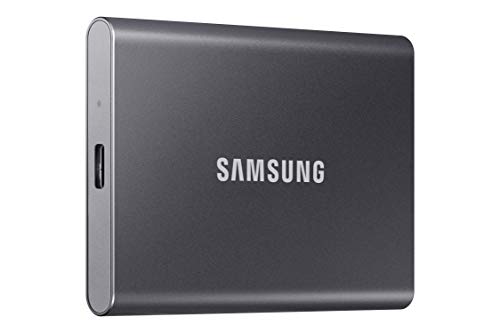
Samsung T7 2TB Portable SSD
- Transfer speeds up to 1,050MB/s drastically reduce file wait times
- Ample 2TB capacity holds substantial media and game archives
- Modern USB 3.2 Gen 2 interface ensures broad high-speed connectivity
- Compact Titan Gray body is lightweight and highly portable
- Carries a higher cost per gigabyte compared to traditional external spinning hard drives
- Specific ingress protection ratings against water and dust are not stated in the listing
WD Elements 2TB Portable Hard Drive
- Plug-and-play simplicity with no external power brick required
- Generous storage volume in a lightweight portable form factor
- Broad hardware compatibility across USB 3.0 and USB 2.0 systems
- Clean, understated enclosure suitable for work or home setups
- Mechanical drive architecture yields lower sustained transfer rates than solid state alternatives
- Reformatting required for full compatibility with macOS systems
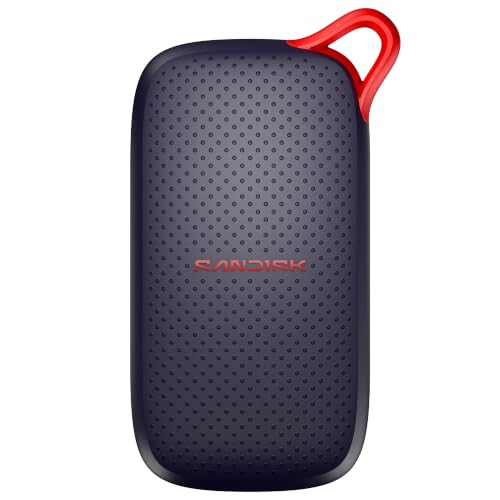
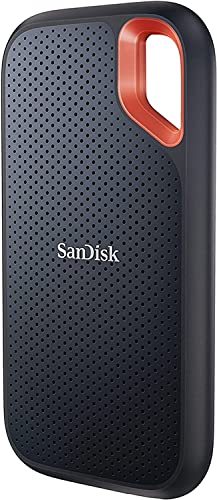
SanDisk 1TB Portable SSD
- Fast read performance reaching up to 1000MB/s
- Rugged design with up to 2-meter drop resistance
- Ultra-compact pocket size tailored for mobile use
- Broad support across laptops and tablet devices
- Specific connection interface type is not specified in the listing
- Sustained write speeds are omitted from the technical details

SSK 1TB Portable External SSD
- Rapid transfer speeds up to 1050MB/s over USB 3.2 Gen2
- Low power draw makes it ideal for mobile phone recording
- Robust 2mm thick aluminum casing helps manage heat
- Includes both USB-A and USB-C connection cables
- Formatted capacity shows as roughly 931GB on Windows systems
- No official water or dust resistance rating listed
Samsung T7 Portable SSD 1TB
- High-bandwidth USB 3.2 Gen 2 speeds reaching up to 1,050MB/s
- Compact 1TB form factor fits effortlessly into pockets or laptop sleeves
- Solid-state design avoids the physical vulnerabilities of spinning hard drives
- Broad utility across everyday productivity, academic work, and gaming
- Reaching maximum transfer potential requires a compatible USB 3.2 Gen 2 host port
- Product listing does not detail included accessories or cable types

SanDisk 1TB Extreme Portable SSD
- Rapid transfer speeds up to 2000MB/s handle large files quickly
- IP65 water and dust resistance combined with 3-meter drop durability
- 256-bit AES hardware encryption for private data security
- Extremely lightweight and portable at just 0.1 pounds
- Reaching maximum 2000MB/s speeds requires a compatible high-speed USB-C port
- Specific included accessories and cables are not detailed in the listing
SanDisk 2TB Extreme Portable SSD
- Blazing transfer rates up to 2000MB/s reduce waiting times on massive transfers
- Sturdy IP65 water and dust resistance paired with 3-meter drop protection
- Built-in password security with 256-bit AES hardware encryption
- Highly portable footprint weighing merely 0.1 pounds
- Achieving full 2000MB/s transfer rates requires compatible high-speed host hardware
- Included accessories and cables are not detailed in the listing specifications
Selecting the Right Drive for Your Mac Setup
If you need a balanced everyday companion for home and office tasks, Samsung T7 2TB is the one I would go with. Its solid aluminum unibody withstands falls from up to six feet, and the USB 3.2 Gen 2 interface handles large folder copies without lag. Both Samsung and major hardware outlets praise this enclosure design for maintaining steady heat control during prolonged file syncs.
For photographers and frequent travelers who work in challenging environments, I would point toward Sandisk Extreme 2TB. It features IP65 dust and water resistance alongside three-meter drop protection, plus a built-in carabiner loop to hook directly onto a bag. While some videographers still rely on traditional external hard drives for photos and videos, this solid-state alternative transfers files much faster. If you want a compact budget option for simple routine archives, SSK 1TB SSD is a practical pick with its aluminum build, lightweight 36.6-gram body, and included USB cables.
FAQs
1. Can I use an external solid-state drive with Apple Time Machine right away?
Most external solid-state drives arrive formatted in exFAT for broad operating system compatibility. To use one smoothly with macOS Time Machine, open Disk Utility and format the volume as APFS. Formatting creates a clean partition structure optimized for snapshot backups, ensuring reliable background operation without manual drive management.
2. Should I pick APFS or exFAT when formatting my backup drive?
If the drive is dedicated solely to your Mac, APFS is the superior file system because it handles modern macOS metadata and encryption efficiently. However, if you regularly swap files between macOS and Windows machines, exFAT allows both systems to read and write data without additional third-party software.
3. Why are portable SSDs preferable over traditional hard drives for Mac backups?
Solid-state technology lacks moving parts, providing superior durability against accidental desk drops and daily bag transit. While photographers often review hard drives for photo storage for maximum volume per dollar, flash drives complete Time Machine updates far quicker and draw less power from a MacBook battery.
4. Do external SSDs require special software to operate safely on macOS?
Standard external drives function natively on macOS without mandatory background software or proprietary drivers. Reputable publications like Tom’s Hardware explain that built-in macOS storage utilities adequately handle disk formatting, health monitoring, and encryption, making additional preloaded manufacturer bloatware entirely optional for basic data protection.
Editor’s Verdict
Securing the best backup SSD drive for Mac comes down to balancing durability and everyday speed. The Samsung T7 2TB delivers an ideal mix of fast transfer performance and solid aluminum drop resistance for desk setups, while the rugged Sandisk Extreme 2TB remains the finest choice for active mobile creatives.