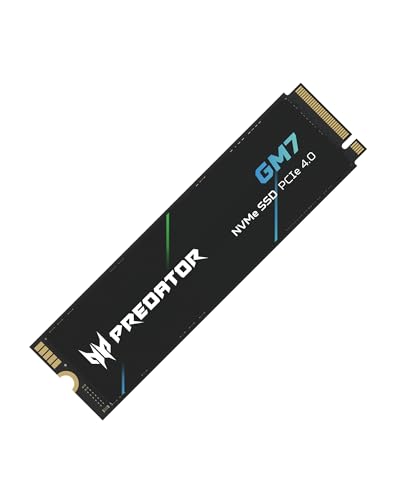
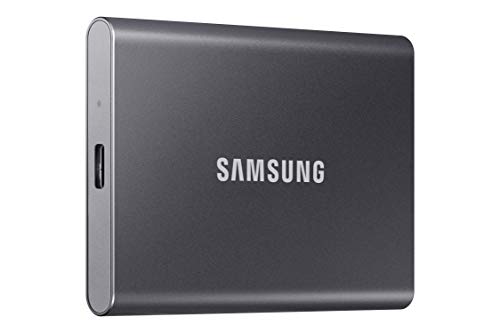
Adding storage to an Apple setup often requires balancing rapid data transfer against vast archive space. Finding the best external SSD hard drive for Mac comes down to your primary workload, whether you need quick access for daily tasks or expanded capacity alongside the best external hard drives for photos and videos.
Recommended by Us

UnionSine 500GB Ultra Slim Portable HDD
- Ultra-slim and lightweight form factor fits into pockets easily
- Whisper-quiet performance backed by the JMicron 578 controller
- Simple plug-and-play operation with no driver installation required
- Built-in aluminum layer aids passive heat management
- 500GB capacity fills quickly with large modern game installs or 4K media
- Mechanical drive speeds naturally trail behind external solid-state drives
UnionSine 1TB Ultra Slim Portable HDD
- Compact and slim design easily slips into a pocket or bag
- Quiet operation thanks to the JMicron 578 noise-free solution
- True plug-and-play setup requiring zero software installation
- Textured exterior provides a secure grip while handling
- Mechanical HDD transfer speeds are slower than solid-state alternatives
- Comes with a USB-A cable without an included USB-C adapter

- Simple drag-and-drop file management with automatic system recognition
- Versatile compatibility spanning desktop computers, laptops, and gaming consoles
- Lightweight and compact profile measuring under 0.6 inches thick
- Includes 1-Year Rescue Service for data recovery assistance
- Transfer speed figures are not stated in the official specifications
- Requires reformatting for full compatibility with macOS
- Included 18-inch cable may be short for some desktop configurations

WD 6TB Elements Portable Hard Drive
- Vast 6TB capacity packed into an easily transportable 2.5-inch form factor
- Bus-powered design runs entirely off your computer's USB port
- Plug-and-play readiness ensures immediate use right out of the box
- SuperSpeed USB 3.2 Gen 1 connectivity supporting up to 5Gbps interface bandwidth
- Mechanical drive architecture inherently offers slower transfer speeds than solid state drives
- Specific sequential read and write speeds are not specified in the manufacturer details
- Requires reformatting for use with Apple macOS environments

SSK 250GB Portable SSD
- Fast transfer rates up to 1050MB/s read and 1000MB/s write
- Certified for direct 4K60Hz ProRes video capture on compatible phones
- Includes both USB-A and USB-C cables in the box
- Durable 2mm aluminum casing manages operating temperatures effectively
- Base 250GB capacity fills rapidly when recording high-bitrate ProRes video
- Windows systems will display available capacity as roughly 232GB due to binary calculation
WD 5TB Elements Portable Hard Drive
- Massive 5TB storage capacity in a pocket-friendly enclosure
- SuperSpeed USB 3.2 Gen 1 connection rated for up to 5Gbps
- Lightweight construction at approximately 0.52 pounds
- Effortless plug-and-play expandability for PC and Mac
- Specific read and write transfer rates are not specified in the listing
- Slightly thicker 0.82-inch profile compared to lower-capacity portable drives
- Traditional hard drive mechanics transfer slower than external solid-state drives

SSK 1TB Portable External SSD
- Rapid transfer speeds up to 1050MB/s over USB 3.2 Gen2
- Low power draw makes it ideal for mobile phone recording
- Robust 2mm thick aluminum casing helps manage heat
- Includes both USB-A and USB-C connection cables
- Formatted capacity shows as roughly 931GB on Windows systems
- No official water or dust resistance rating listed
Matching Storage Speed and Capacity to Your macOS Workflow
If transfer performance is your primary requirement for editing or moving large media files, the SSK 1TB SSD is the drive I would choose. It delivers read speeds up to 1050MB/s over a 10Gbps USB 3.2 Gen2 connection, includes both USB-C and USB-A cables in the box, and relies on an aluminum alloy case to dissipate heat effectively.
For users who need massive volume for local archives or routine Time Machine backups, I would point toward the WD 6TB Elements. Packed into a portable two-and-a-half-inch enclosure, it connects via USB 3.2 Gen 1 to offer enormous capacity without an external power brick. Storage manufacturer Western Digital built this drive for simple plug-and-play expandability, making it a strong companion to our selections for the best hard drives for long term storage. If you only need a modest, low-cost solution for simple file transfers, the Seagate 1TB Portable remains a practical option, though reformatting is required for full macOS compatibility.
FAQs
1. Do external hard drives work on Mac without reformatting?
Many external drives arrive preformatted in NTFS for Windows, which allows macOS to read files but prevents writing without additional software. To ensure complete compatibility for reading and writing, you can reformat the drive to APFS or exFAT using the built-in Disk Utility application on your Mac.
2. Is an external SSD or a traditional hard drive better for a Mac?
An external solid state drive is significantly faster and more resistant to physical movement, making it ideal for running applications or editing 4K video. Traditional mechanical drives offer far higher capacity per dollar, making them ideal for Time Machine archives and alongside the best hard drives for photo storage.
3. What file format is best when setting up a drive for macOS?
APFS is the recommended file system for modern macOS versions, especially when using solid state media. If you plan to alternate between a Mac and a Windows computer, formatting the drive as exFAT ensures smooth file transfers across both operating systems without third-party drivers.
4. Does USB-C provide faster speeds than standard USB-A on Mac?
The physical port shape does not dictate speed by itself, as performance depends on the underlying protocol. However, modern Mac computers feature USB-C ports that support high-speed standards such as 10Gbps USB 3.2 Gen2 or Thunderbolt, allowing compatible solid state drives to reach their maximum potential.
Editor’s Verdict
For buyers searching for the best external SSD hard drive for Mac, I suggest selecting the SSK 1TB SSD for rapid USB 3.2 Gen2 transfer rates or the WD 6TB Elements for massive desktop backups. Both provide reliable connectivity to keep your macOS workspace organized and secure.