SSD speed significantly affects how quickly games and levels load and how smoothly texture data streams in during gameplay, but it has little direct effect on frame rates once a game is actually running, since frame rate depends primarily on the CPU and GPU rather than storage speed.
- Faster storage mainly reduces loading screens and open-world streaming stutter.
- Frame rate is determined by the CPU and GPU, not storage speed.
- Moving from HDD to any SSD gives the biggest loading time improvement.
- NVMe vs SATA SSD differences are far less noticeable than SSD vs HDD.
What SSD Speed Actually Improves
Faster storage reduces the time it takes to load a game, fast-travel within an open world, or stream new areas as you move through a large game map, since these operations directly depend on how quickly data moves from storage into memory. Games with large open worlds and frequent asset streaming, benchmarked extensively by TechPowerUp, show the most noticeable real-world benefit from faster storage.
Why It Doesn’t Meaningfully Affect Frame Rate
Once game assets are loaded into RAM and VRAM, rendering each frame depends on CPU and GPU processing power, not how fast the storage drive can be accessed, following the component roles explained in CPU vs GPU for gaming. Storage speed simply isn’t part of the per-frame rendering pipeline.
The Biggest Jump: HDD to Any SSD
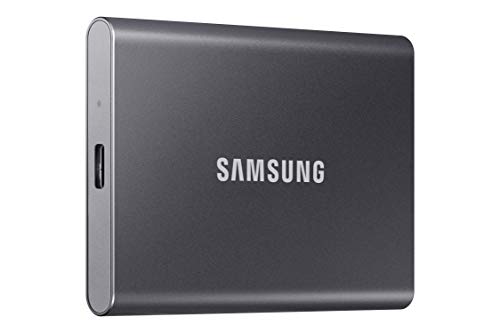
The most dramatic real-world improvement comes from moving off an HDD entirely, following the broader comparison in SSD vs HDD. Load times commonly drop by several times moving to even a basic SATA SSD, a much bigger jump than any subsequent upgrade within the SSD category.
NVMe vs SATA SSD for Gaming
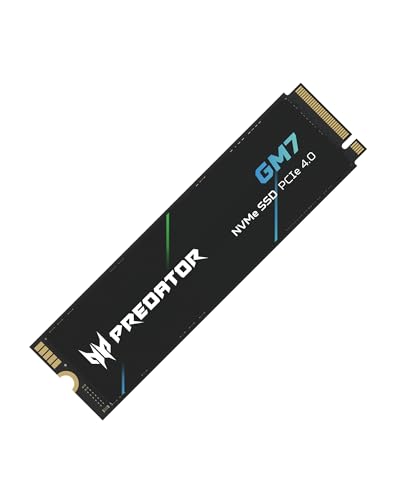
Moving from a SATA SSD to a faster NVMe drive offers a smaller, more marginal improvement for most games, since even SATA SSD speeds already exceed what most current games can fully utilize during typical loading. The difference becomes more noticeable specifically in games engineered around very fast storage streaming, a smaller subset of current titles.
Where SSD Speed Matters Most
- Large open-world games with continuous streaming as you explore
- Games with notoriously long loading screens between levels or areas
- Multiplayer games where faster loading gets you into a match sooner relative to other players
Should You Prioritize SSD Speed Over Other Upgrades?
Generally no, if choosing between upgrades on a budget. A GPU upgrade, following how to upgrade a GPU, typically delivers a far larger overall gaming experience improvement than moving from a SATA to an NVMe SSD, since frame rate and visual quality affect every moment of gameplay, not just loading screens.
Practical takeaway: any SSD over an HDD delivers a major loading time improvement; NVMe over SATA is a smaller, more marginal gain mainly noticeable in specific streaming-heavy games.
See also NVMe vs SATA SSD and benchmark comparisons from Tom’s Hardware and community testing on r/buildapc.
Frequently Asked Questions
Does a faster SSD improve my frame rate?
Not meaningfully. Frame rate is determined by the CPU and GPU, not storage speed, once assets are loaded into memory.
Is the jump from HDD to SSD bigger than SATA to NVMe?
Yes, significantly. Moving off an HDD entirely delivers a much larger real-world improvement than upgrading within the SSD category.
Which games benefit most from faster storage?
Large open-world games with continuous asset streaming and titles known for long loading screens benefit the most.
Should I prioritize an SSD upgrade over a GPU upgrade?
Generally no, since a GPU upgrade affects every moment of gameplay, while faster storage mainly helps loading and streaming specifically.