

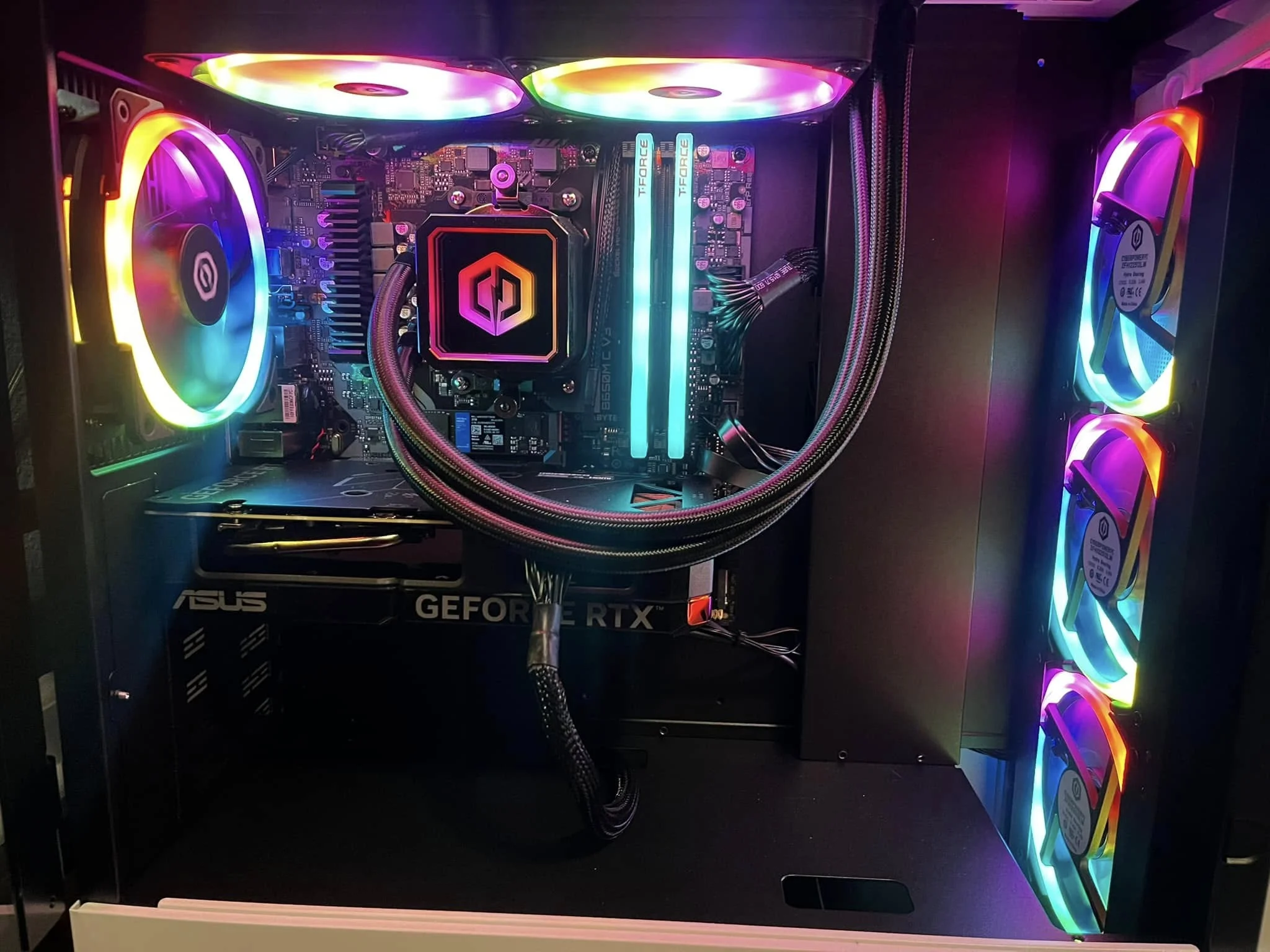
Prebuilt gaming PCs save you the build, but quality varies a lot from one listing to the next. These are the best prebuilt gaming PCs at every budget tier, with the msi Codex R2 as the best all-round pick and the KOTIN RX 9070 XT for 1440p and beyond.
Recommended by Us

STGAubron Ryzen 5 5500 RTX 3050 Gaming PC
- Six-core AMD Ryzen 5 processor
- Dedicated GeForce RTX 3050 6G graphics
- 16GB DDR4 memory
- Wi-Fi 6 and Bluetooth 5.2 included
- RGB keyboard and mouse are bundled
- Storage capacity conflicts between the 512GB title and 1TB feature list
- Power supply wattage and motherboard model are not specified
- The RTX 3050 6G is aimed at entry-level rather than high-end gaming

Skytech Ryzen 7 RTX 5060 Gaming PC
- Strong CPU and GPU combo for 1080p gaming at high settings
- Ample 32GB RAM for streaming, content creation, or heavy multitasking
- Fast NVMe storage speeds up game loads and system responsiveness
- Attractive case design with RGB lighting and visibility
- Includes peripherals and OS, ready to use out of box
- No dedicated specifications for PSU wattage or total system power draw
- RTX 5060 performance at higher resolutions or settings not detailed in listing
- Brand variation noted for graphics card may affect warranty or support

MSI Codex R2 RTX 5070 Gaming PC
- Strong GPU and CPU pairing handles both 1440p and 4K gaming with modern features like ray tracing and DLSS 4
- 32GB DDR5 RAM and 1TB NVMe SSD provide ample capacity for multitasking and fast performance
- Upgradeable design with standard components means no vendor lock-in when expanding storage or RAM
- WiFi 6E connectivity reduces latency for online gaming
- Four-fan cooling system keeps temperatures stable during marathon gaming sessions
- No reviews available yet to confirm real-world performance and reliability
- PSU wattage, case size, and full port specifications are not listed in the product details

KOTIN Ryzen 7 9800X3D RX 9070 XT PC
- High-performance Ryzen 7 9800X3D and RX 9070 XT configuration
- Generous 32GB DDR5 memory and 16GB of graphics memory
- Useful integrated display for monitoring temperatures and component usage
- Modern WiFi 7, Bluetooth, liquid cooling, and Windows 11 Home are included
- A 1TB SSD may fill quickly with a large collection of modern games and media
- The 30-pound desktop may be cumbersome to move
- Monitor cables must connect to the lower graphics card ports, and VGA or DVI displays require an adapter

Skytech Gaming RTX 5080 Ryzen 7 Desktop
- High-end RTX 5080 graphics with 16GB GDDR7
- Fast Ryzen 7 X3D-series processor
- Generous 32GB DDR5 memory and 2TB NVMe storage
- 360mm AIO cooling and included keyboard and mouse
- Wi-Fi 5 is older than Wi-Fi 6 and Wi-Fi 7 standards
- The graphics card brand may vary
- Only one HDMI and one DisplayPort output are promised, while additional ports may vary
What Makes a Prebuilt Gaming PC Worth Buying
The graphics card is the biggest driver of gaming performance and usually the first spec to check when comparing systems. A prebuilt with a weak GPU paired with a strong CPU and plenty of RAM will disappoint you in games, while one with a great GPU and undersized CPU will struggle during multitasking and streaming. The key is balance: the CPU, RAM, storage, and power supply should all be sized appropriately for the graphics card you’re paying for, so no single component holds back the rest.
Reputable brands matter as much as raw specs. A well-known builder with clear warranty terms, responsive customer support, and a return window gives you recourse if something goes wrong. Check whether the seller offers parts warranty, labor warranty, and what happens if you need to return the system. Whether a prebuilt is worth it depends on that support, so only buy if the company backing it will stand behind your purchase.
Worth knowing: A prebuilt is only as good as the support behind it, so check the seller’s stated warranty terms and return window before buying, since coverage varies a lot between brands.
Prebuilt Gaming PC Specs at Each Tier
Here’s what to expect at each price tier:
| Tier | What to Expect |
|---|---|
| Entry level | RTX 3050 or 4060 class GPU, a six-core CPU, 16GB RAM, aimed at smooth 1080p gaming |
| Mid-range | RTX 5060 or 5060 Ti class GPU, 16GB to 32GB RAM, comfortable at 1080p and entry 1440p gaming |
| High-end | RTX 5070 or RX 9070 XT class GPU, fast CPU, 32GB DDR5, built for high-refresh 1440p gaming |
| Enthusiast | RTX 5080 class or better, 4K capable, 32GB or more RAM, premium cooling and power headroom |
The same GPU name can appear in systems with very different CPUs, RAM amounts, power supplies, and cooling solutions. Don’t just compare graphics cards; look at the whole spec list. An RTX 5060 system with 16GB DDR4 and a mid-tier CPU will behave differently from one with 32GB DDR5 and a newer processor. Not sure where to start? See what gaming PC specs you need for your resolution and games.
How to Choose a Prebuilt Gaming PC
Follow these steps to narrow down your choice:
Start With the GPU
Your graphics card determines which games run well and at what resolution and frame rate. If you play competitive shooters or want high refresh rates, prioritize a newer GPU over extra CPU cores or RAM. If you’re gaming at 1080p, an RTX 3050 or 5060 is enough; jump to an RTX 5070 if you want 1440p performance without compromises.
Avoid buying more GPU power than you need. An RTX 5080 is overkill for 1080p gaming, just as an RTX 3050 will struggle with 4K content. Match the graphics card to your monitor’s resolution and refresh rate, and you’ll get better value than overspending for specs you won’t use.
Balance the CPU and RAM
A modern six-core CPU and 16GB RAM is the minimum floor for any gaming PC in 2026. This combo handles gaming and light multitasking without bottlenecking a mid-range GPU. For streaming, content creation, or heavy multitasking, bump up to 32GB RAM and an eight-core or better CPU so you have headroom and don’t hit performance walls.
DDR5 RAM is faster than DDR4, but the gaming performance gain is small. Prioritize having enough RAM at the right speed for your workload over chasing the newest memory standard. A system with 32GB DDR4 and a strong GPU will game just fine; don’t let an article convince you that DDR5 is mandatory.
Check Storage, Power and Cooling
An NVMe SSD is standard now, and 1TB is the minimum for OS and games. No system should ship with a traditional hard drive for gaming. Beyond capacity, check whether the power supply is properly rated for the GPU and CPU combo; a weak PSU causes instability and can shorten component lifespan.
Cooling matters for long-term reliability. Liquid coolers look good and run quieter than bulky air coolers, but both work fine if they’re sized right. Check the case airflow before you buy, since some prebuilts use cramped cases with proprietary parts.
Warranty and Upgradeability
Standard warranty is one year parts and labor. Some builders offer longer coverage or onsite support if something fails. Check whether the warranty covers accidental damage or just manufacturing defects, and what the return process looks like if the system arrives broken.
Upgradeability matters down the road. Some prebuilts use non-standard power supplies or cramped cases that make upgrades painful. Check whether you can upgrade a prebuilt without losing coverage. A standard ATX case and a proper 80 Plus Gold PSU give you room to grow.
Who Should Buy Which System
- Best overall: msi Codex R2 offers RTX 5070 performance, a strong i5 CPU, 32GB DDR5, and Wi-Fi 6E in a clean, upgradeable design.
- Best budget entry: STGAubron RTX 3050 delivers 1080p gaming with an older-gen CPU and GPU but includes keyboard and mouse to get started immediately.
- Best value mid-range: Skytech RTX 5060 pairs a solid Ryzen 7 5700 with an RTX 5060, 32GB DDR4, and air cooling for smooth 1080p and entry 1440p gameplay.
- Best for high-end 1440p and 4K: KOTIN RX 9070 XT brings a 9800X3D CPU, RX 9070 XT GPU, 32GB DDR5, 360mm liquid cooling, and a built-in display monitor.
- Best for no-compromise power: Skytech RTX 5080 combines a 9850X3D CPU with RTX 5080 GPU, 32GB DDR5, 2TB SSD, and liquid cooling for content creation and max-settings gaming.
Final Thoughts
The best prebuilt gaming PC matches your budget, monitor, and workload without wasting money on specs you don’t need. For most buyers, the msi Codex R2 strikes the best balance of performance and value, while the KOTIN RX 9070 XT is the pick if you want to max out 1440p and 4K without compromise. Read the warranty details, verify the specs, and choose a builder with solid customer support so you buy with confidence.
More Options to Consider
- STORMCRAFT Falcon RTX 5070 delivers 1440p dominance with a 7800X3D CPU, 32GB DDR5, 360mm liquid cooling, and a 3-year labor warranty plus lifetime tech support, ideal for builders who want premium support and proven reliability.
- Alienware RTX 5060 Ti offers the Alienware brand cachet with a sleek basalt black design, customizable AlienFX lighting, Intel Core Ultra 7 CPU, and Dell onsite service, a solid pick for buyers who prioritize brand reputation and design.
- CyberPowerPC i7-14700F pairs a 20-core Intel CPU with RTX 5060 Ti, 16GB DDR5, Wi-Fi 6, and 1TB SSD for users who multitask heavily and want extra CPU muscle without the premium price.
FAQs
1. Are prebuilt gaming PCs worth it?
Yes, if you value your time and prefer to skip the research and assembly process. Prebuilts come fully set up and ready to play, with warranty support if something fails. The trade-off is paying a markup for labor and convenience compared to building yourself. Buying from a reputable brand with clear warranty terms and customer support makes the extra cost worthwhile.
2. What is the most important spec in a prebuilt gaming PC?
The GPU. Your graphics card determines whether a game runs well and at what resolution and frame rate. The CPU, RAM, and storage should be balanced around it, not the other way around. A weak GPU with a strong CPU will disappoint in games, while a great GPU paired with mid-tier supporting specs will deliver much better results.
3. How much RAM does a prebuilt gaming PC need?
16GB is the minimum for gaming and light productivity. 32GB gives you room for streaming and multitasking. See our gaming PC RAM guide for more detail. Most gamers see no real-world difference between 16GB and 32GB in pure gameplay, but 32GB is the safer choice if you also work or stream alongside gaming.
4. Can I upgrade a prebuilt gaming PC later?
Usually yes, but it depends on the builder. Standard ATX cases and proper power supplies make upgrades straightforward. However, some prebuilts use proprietary parts, cramped cases, or weak power supplies that make adding a new GPU or RAM frustrating. Check the case type and PSU wattage before buying to ensure you can upgrade down the road without surprises.
5. Which prebuilt gaming PC brands are most reliable?
Alienware, MSI, CyberpowerPC, and Skytech are well-established brands with clear warranty terms and responsive support. Newer or lesser-known builders vary widely in quality. Before buying from any brand, read recent customer reviews, check the warranty period and coverage, and verify the return window so you know what support you’re getting if something fails.









